

Complete VICIdial Installation and Configuration on VICIBOX: Setp-by-Setp 2026 Guide
Setting up a powerful dialer system should not feel confusing. You want calls to flow, You want agents to work fast, You want reports to show real numbers. Right? This guide shows you exactly how VICIdial Installation on VICIBOX works, step by step, with clear actions and simple language. No fluff. No buzzwords. Just real Vicidial setup knowledge that works in 2026.
DialerKing Technology builds advanced contact center dialer systems, and very few providers deliver this level of deep setup and configuration. Many companies stop at basic installation. DialerKing goes further. We tune performance, improve call handling, and shape the system around your business goals.
Want a dialer that works smoothly from day one? Keep reading.
System Planning Before You Start Installation
Many people rush installation. They face errors later. You avoid that mistake. Good planning saves hours. Ask yourself: How many agents will work daily? Will you run outbound, inbound, or both? Do you need call recording and real-time dashboards? Your answers guide the whole setup.
Hardware and Platform Requirements
VICIBOX runs on a Linux-based dialer platform. You must choose strong hardware. Weak machines cause slow screens and call lag.
You should prepare:
- Multi-core processor
- Minimum 16 GB RAM for medium teams
- SSD storage for fast data access
- Stable internet connection with low latency
Network and Security Planning
You control call quality through network stability.
You must:
- Open required ports
- Configure firewall rules properly
- Use strong passwords
- Keep traffic secure
- Block unwanted access
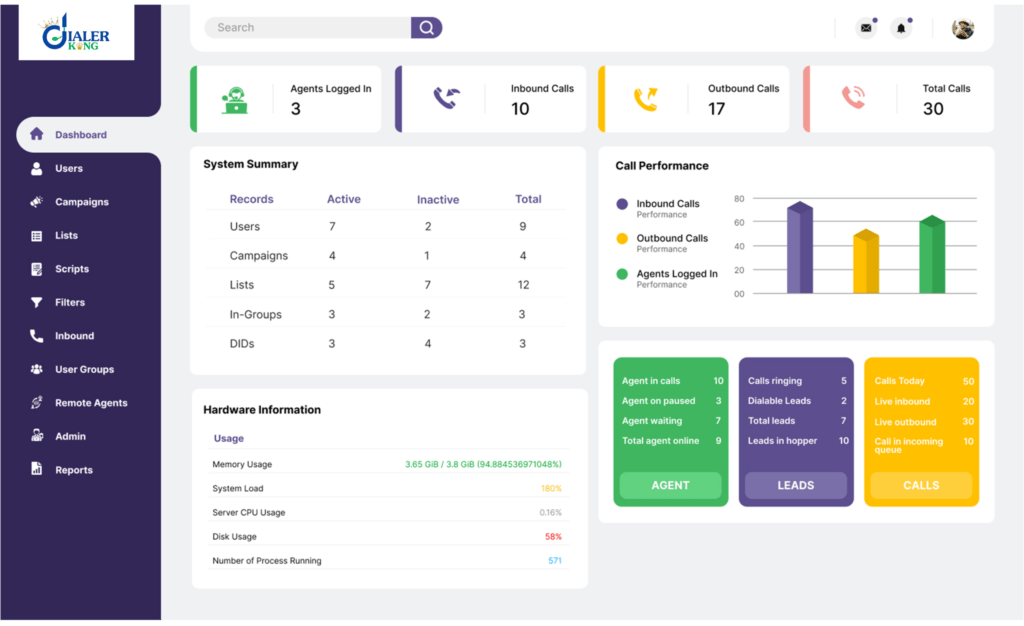
A secure dialer system protects call records, agent data, and campaign lists. DialerKing always includes secure dialer system configuration during deployments. Many providers skip this step. That creates risk.
What Makes This Setup Special?
Here is the difference. Most businesses only install. DialerKing builds a fully tuned contact center engine. We optimize performance, database structure, and dialing behavior. Very few service providers offer deep VICIdial Installation on VICIBOX with full configuration, performance balancing, and operational tuning.
Installation gives you a system. Configuration gives you results.
Step-by-Step VICIdial Installation on VICIBOX
Now we move into action.
This section explains VICIdial installation on VICIBOX step-by-step in simple language.
Step 1: Download VICIBOX ISO
You start by downloading the VICIBOX ISO image. This image contains the operating system and dialer components together. You create a bootable USB or mount the ISO through your virtual environment.
Step 2: Begin OS Installation
You boot the system using the ISO. The installer menu appears.
You:
- Choose installation option
- Select language
- Set time zone
- Create root password
You allow the installer to finish. The system reboots after installation.
Step 3: Initial System Setup
After restart, you log in using the credentials you created. You update the system packages:
yum update -y
You ensure all dependencies install correctly. This prevents future compatibility issues.
Step 4: VICIdial Component Installation
Now the real dialer setup begins.
You run installation scripts included in VICIBOX. These scripts install:
- Asterisk PBX integration
- Database system
- Web interface
- Call handling modules
This stage forms the core of VICIdial Installation on VICIBOX. You watch the screen for errors. Most errors come from incorrect system resources or interrupted internet.
Step 5: Database Setup
The database stores:
- Leads
- Call logs
- Agent data
- Campaign settings
You set database passwords and ensure proper access rights. Strong database configuration improves speed and security.
Industry insight: Fast database response directly improves agent screen loading time.
Step 6: Web Interface Configuration
You configure the admin panel, access the interface through a browser using the system IP.
You log in as admin. Now you see the control center. From here, you handle campaigns, agents, reports, and system settings.
Step 7: Telephony and Dialing Setup
You configure dialing rules, and define how calls move.
You set:
- Inbound rules
- Outbound dialing methods
- Call recording settings
- Agent call limits
This stage completes the base VICIdial configuration on the VICIBOX tutorial process.
Configuration, Campaign Setup, and Agent Environment
Installation finishes. Real success starts with configuration.
Agent Interface Setup
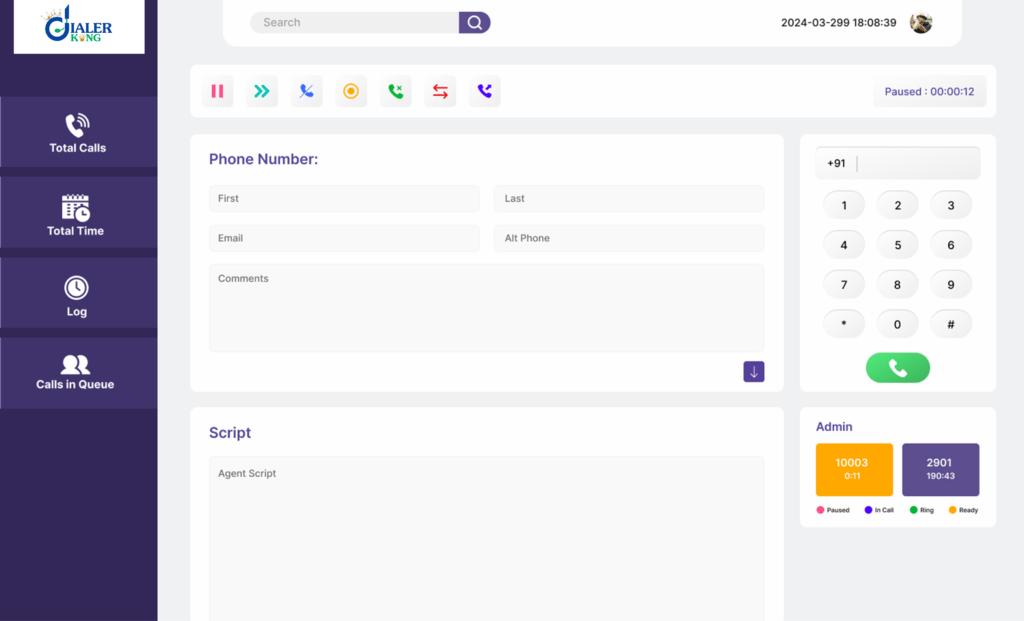
Agents use a browser-based panel. You create agent accounts, assign them to groups and set call permissions.
The real-time agent dashboard shows:
- Calls waiting
- Calls in progress
- Agent status
Question for you
What happens if agents wait 5 seconds between calls? You lose hours of productivity daily.
Proper configuration removes that delay.
Campaign and List Management
You create campaigns based on business goals, upload lead lists and define dialing ratios. You set retry rules. An open source predictive dialer like VICIdial allows flexible dialing control. You adjust settings for speed or quality.
Example:
- Sales campaign → higher dialing rate
- Support campaign → controlled inbound handling
Call Recording and Logging Setup
You enable recording for quality checks. Managers review calls. You improve scripts and train agents better.
Real example: A 40-agent sales team improved conversion by 22% after reviewing call recordings and adjusting scripts.
Inbound and Outbound Flow Design
You control call flow using menus and routing logic, connect inbound numbers to queues and balance call loads between agent groups. VICIdial inbound/outbound setup on VICIBOX allows full control.
Performance Optimization
You never stop at installation.
DialerKing performs:
- Database tuning
- Log cleanup planning
- Call load balancing
- Resource monitoring
This area separates basic setups from expert-level deployments.
Fast system = happy agents = more calls = more revenue.
Troubleshooting, Security, and Long-Term Optimization
Every system needs care. Smart maintenance prevents downtime.
Common Installation Errors
You may face:
- Missing dependencies
- Incorrect permissions
- Database connection issues
You solve most problems through logs. Logs tell the story. Always check them first.
Security Hardening
You protect your dialer environment by:
- Changing default passwords
- Restricting access
- Enabling firewall rules
- Monitoring login attempts
Security protects customer data and call records.
Long-Term Performance Care
You must:
- Clean old call logs
- Remove unused leads
- Monitor system load
- Review dialing performance
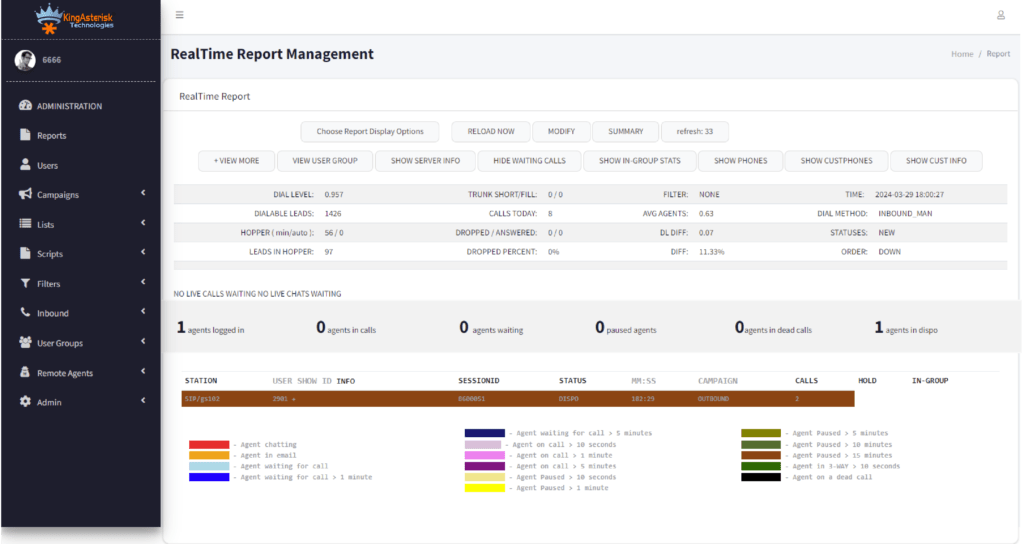
Call center performance metrics show system health. Low answer rate? Adjust dialing speed. High drop rate? Slow it down.
Real Business Case: A collection agency ran 80 agents. Their old setup struggled. Calls dropped. Agents complained. DialerKing performed full VICIdial Installation on VICIBOX and deep configuration.
Results:
- 35% faster screen load
- 18% increase in agent talk time
- 27% more daily calls
That shows the power of proper setup.
Final Thoughts
You now understand How to install VICIdial on VICIBOX 2026 in a structured, step-by-step way.
You learned:
- Planning matters
- Installation builds the base
- Configuration drives performance
- Optimization brings long-term success
Many companies only provide basic installation. DialerKing delivers a complete dialer ecosystem with performance tuning, security configuration, and operational design. That makes this service rare in the industry.
Simple truth: A dialer system does not grow your business. A properly configured dialer does.
If you want a system that works smoothly, scales with your team, and delivers measurable results, expert-led VICIdial Installation on VICIBOX makes all the difference.

 Email: dialer@dialerking.com
  Phone: +91 940 820 7777
  WhatsApp: +1 (202) 249-5906
  Microsoft Teams
: dialerking1@gmail.com
Microsoft Teams
: dialerking1@gmail.com 




 Find Your Perfect Role