- What Are Custom CRM Solutions?
- How Custom CRM Solutions Work in a Contact Center
- Core Components of a Custom CRM
- Benefits of Custom CRM Solutions for Contact Centers
- Step-by-Step Implementation Guide for Custom CRM Solutions
- Real-World Use Case: Outbound Collections Contact Center
- Custom CRM vs. Off-the-Shelf CRM: A Technical Comparison
- Frequently Asked Questions
- Conclusion
Custom CRM solutions give contact centers full control over how customer data is captured, routed, and acted on, without being forced into the rigid molds of generic, off-the-shelf platforms. If your agents are toggling between three separate screens to handle a single call, or your outbound dialer and your CRM have no awareness of each other, this article solves that directly.
We cover exactly how custom CRM solutions are architected, what measurable benefits they deliver, and how to implement one without disrupting live operations.
What Are Custom CRM Solutions?
A custom CRM solution is a Customer Relationship Management system built specifically around your operational workflows, not the other way around. Unlike Salesforce or HubSpot, which require you to adapt your processes to their data models, a purpose-built CRM starts with your call flows, disposition structures, escalation logic, and reporting requirements and builds the schema and UI to match.
In a contact center context, this means the CRM must natively understand telephony primitives: campaigns, leads, call dispositions, agent states, and queue events. Platforms like VICIdial and Asterisk expose these events through AMI (Asterisk Manager Interface) and REST APIs, a custom CRM can consume them directly and act on them in real time.
How Custom CRM Solutions Work in a Contact Center
The architecture of a custom CRM for a contact center revolves around three integration layers: telephony event capture, data persistence, and agent-facing presentation. Here is how these layers interact:
Telephony Event Capture
Asterisk’s AMI (Asterisk Manager Interface) emits real-time events: Hangup, AgentConnect, AgentComplete, QueueCallerJoin, and more. A custom CRM deploys a persistent TCP listener that subscribes to these events and maps them to CRM entities (contacts, tickets, interaction logs) using a configurable event-routing layer.
Data Persistence Layer
Most custom CRMs in the contact center space use MySQL or PostgreSQL as their primary data store. VICIdial itself relies on MySQL, which makes schema-level integration straightforward, the CRM can read from VICIdial’s vicidial_list and vicidial_log tables directly, augmenting them with custom fields without disrupting VICIdial’s own operations.
Agent-Facing Presentation
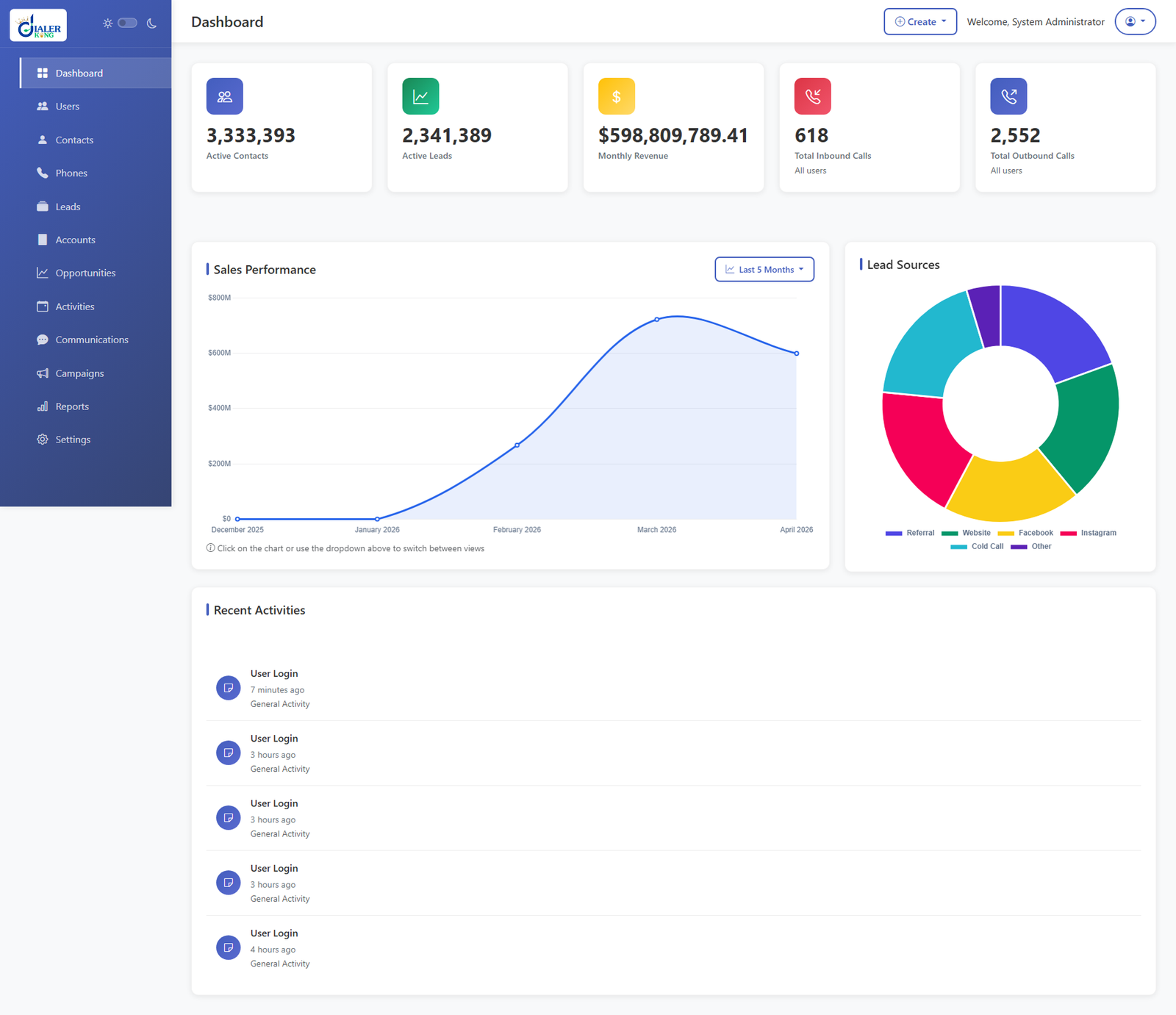
The agent desktop UI aggregates data from telephony events, the CRM database, and optionally third-party systems (billing platforms, ticketing systems) into a unified screen. This eliminates context switching, the single biggest driver of increased average handle time (AHT) in contact centers.
Core Components of a Custom CRM
A production-grade custom CRM for contact centers is typically composed of the following modules:
- Lead & Contact Management: Stores prospect and customer records with full interaction history, linked to telephony identifiers (CallerID, DID).
- Campaign Manager: Defines outbound or inbound campaign rules, priority queues, and list penetration logic tied directly to VICIdial campaign tables.
- Disposition Engine: Maps call outcomes to downstream actions, schedule callbacks, trigger IVR follow-up, escalate to supervisor, push to third-party API.
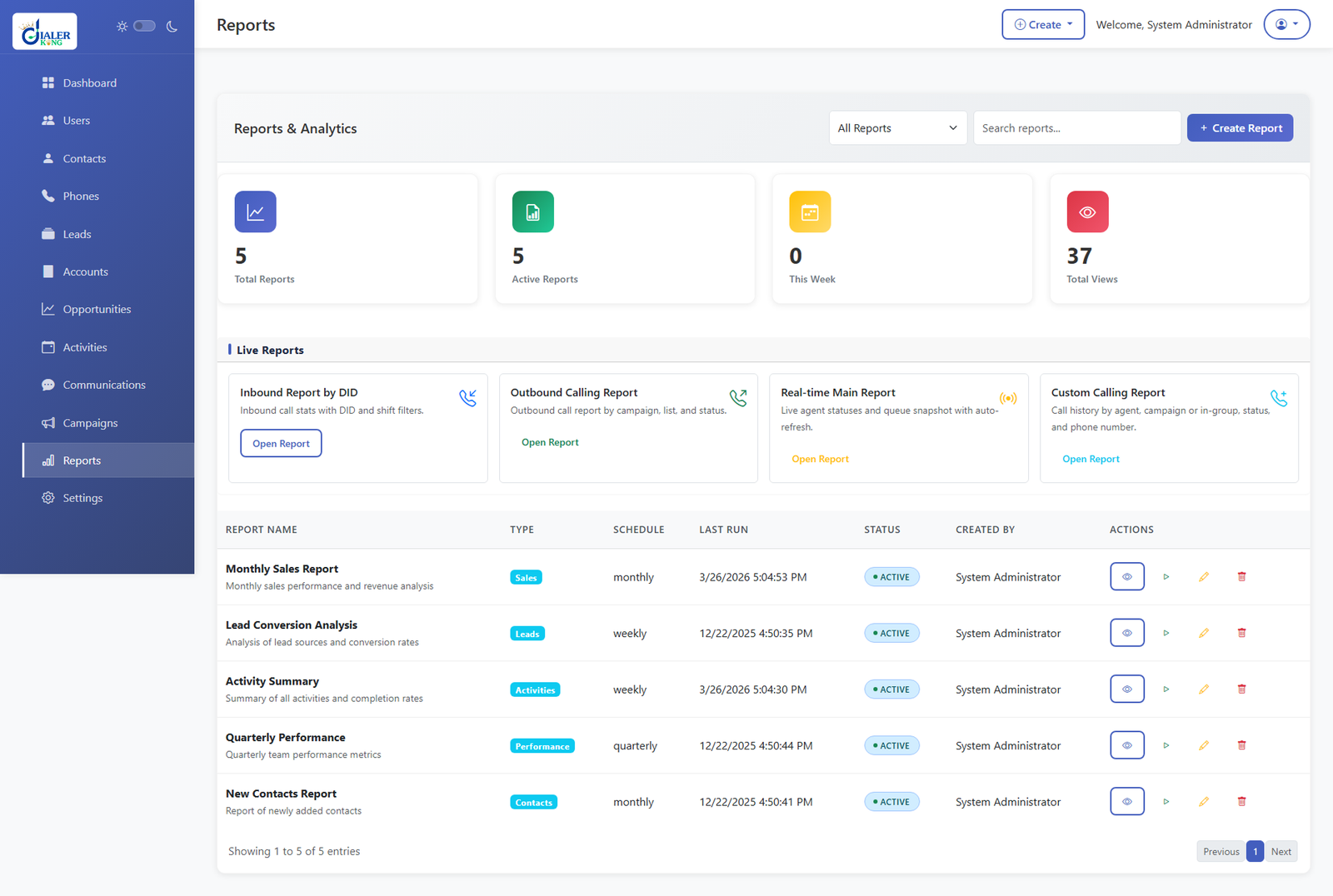
- Agent Dashboard: Real-time screen with call controls (using WebRTC or SIP softphone), customer context, scripts, and data entry fields.
- Reporting & Analytics: Custom SQL-backed reports on KPIs: FCR (First Call Resolution), AHT, conversion rate, queue SLA adherence.
- IVR Integration Layer: Bidirectional data exchange with IVR flows, caller enters account number in IVR, CRM pre-populates agent screen before call connects.
- REST API Gateway: Exposes CRM data and actions to external systems via authenticated REST endpoints (OAuth 2.0 or API key).
Benefits of Custom CRM Solutions for Contact Centers
Elimination of Data Silos
Off-the-shelf CRMs rarely ship with native VICIdial or Asterisk connectors. The result is duplicated data entry, delayed screen pops, and agents working from stale information. A custom CRM collapses these silos by making the telephony platform and CRM a single system at the data layer.
Reduction in Average Handle Time (AHT)
When an agent’s screen automatically populates with customer history, account status, and last interaction the moment a call connects, driven by a CallerID lookup against the CRM database, time drops measurably. Our deployments at DialerKing have observed AHT reductions of 18–30% in the first quarter after go-live.
Custom Disposition Workflows
Generic CRMs offer a fixed set of outcome codes. Custom CRM solutions let you define unlimited disposition trees with conditional branching, for example, a ‘Promise to Pay’ disposition in a collections center can automatically schedule a callback, update the lead priority score, and fire a webhook to the billing system, all without agent intervention.
Compliance and Audit Trail
Regulated industries (finance, healthcare, utilities) require a complete, immutable audit trail of every customer interaction. A custom CRM can enforce data retention policies, call recording linkage, and PCI-DSS or HIPAA-aligned data masking at the schema level, something bolt-on compliance modules in commercial CRMs struggle to achieve.
Lower Total Cost of Ownership (TCO) at Scale
Per-seat licensing costs for commercial CRMs compound quickly in large contact centers. A custom-built CRM eliminates recurring per-seat fees. At 200+ agent seats, the savings over a 3-year period routinely exceed the initial development investment.
Step-by-Step Implementation Guide for Custom CRM Solutions
Based on DialerKing’s deployment methodology across 15+ years of contact center implementations, here is the proven eight-step process:
1. Requirements Discovery & Process Mapping
Document every agent workflow: inbound call flow, outbound campaign logic, escalation paths, disposition outcomes, and reporting needs. Map each process to a data entity. Involve supervisors, QA staff, and IT in this phase. Expect 2–3 weeks for a mid-size center (50–150 seats).
2. Telephony Audit
Inventory your existing Asterisk/VICIdial version, AMI configuration, active campaigns, and extension structure. Identify manager.conf permissions required for the CRM AMI user. Check MySQL version compatibility (VICIdial requires MySQL 5.7+ or MariaDB 10.3+).
3. CRM Architecture Design
Define the database schema (entity-relationship diagram), REST API contract, event-routing rules, and UI component library. Decide on stack: most DialerKing custom CRMs use PHP/Laravel for the backend, React or Vue.js for the agent desktop, and MySQL or PostgreSQL as the data store.
4. Development Sprint 1: Core Data Layer
Build the database schema, AMI event listener, basic lead/contact CRUD operations, and the authentication layer. Establish the staging environment mirroring production telephony configuration.
5. Development Sprint 2: Telephony Integration
Implement screen pop logic (CallerID → CRM lookup), live call status indicators, disposition posting back to VICIdial via vicidial_api.php, and IVR data passthrough.
6. Development Sprint 3: Agent UI & Reporting
Build the agent desktop, supervisor monitoring views, custom disposition forms, and SQL-backed reporting dashboards. Conduct internal UAT (User Acceptance Testing) with a subset of agents on the staging system.
7. Parallel Run & Load Testing
Run the new CRM in parallel with the existing system for 1–2 weeks. Use Apache JMeter or Locust to simulate peak concurrent agent load. Validate data consistency between CRM and VICIdial logs.
8. Phased Go-Live & Hypercare
Cut over one campaign or agent group at a time. Maintain a rollback plan (database snapshot + previous UI version). Assign dedicated support during the first 2 weeks post-go-live. Monitor AMI reconnection events and API latency under production load.
- Small deployments (< 50 seats, single campaign): 6–8 weeks
- Mid-size deployments (50–200 seats, multi-campaign): 10–14 weeks
- Enterprise deployments (200+ seats, multi-site): 16–24 weeks
Typical Timeline
Real-World Use Case: Outbound Collections Contact Center
Scenario:
A financial services company operating a 120-seat outbound collections center on VICIdial was using a commercial CRM that had no native integration with VICIdial. Agents spent 45–60 seconds per call manually locating customer account records across two separate applications.
Solution:
DialerKing designed a custom CRM with a direct database join between VICIdial’s vicidial_list table and the company’s account management schema. The CRM AMI listener pre-fetched account data the moment AgentConnect fired, so agents saw a fully populated screen before the call audio connected.
Custom Disposition Logic:
The ‘Promise to Pay’ disposition automatically wrote a callback record into VICIdial’s vicidial_callbacks table with the correct future contact date, reducing manual supervisor override by 94%.
Custom CRM vs. Off-the-Shelf CRM: A Technical Comparison
Before committing to any CRM approach, contact center decision-makers should evaluate both options against their specific operational constraints:
| Feature / Aspect | CRM-Based Calling Systems | Traditional Phone Workflows |
|---|---|---|
| Telephony Integration (VICIdial/Asterisk) | Native, deep API-level | Generic CTI adapter |
| Workflow Customization | Unlimited | Template-limited |
| Disposition Code Mapping | Fully configurable | Fixed/partial |
| Database Schema Control | Full ownership | Vendor-locked |
| IVR Data Passthrough | Real-time, bidirectional | Limited/none |
| Licensing Model | One-time or subscription | Per-seat, recurring |
| Deployment Time | 6–14 weeks | 1–3 weeks |
| Long-term TCO | Lower at scale | Increases with seats |
TCO = Total Cost of Ownership | CTI = Computer Telephony Integration
Frequently Asked Questions
Conclusion
Custom CRM solutions are not a luxury reserved for enterprise-scale operations, they are a practical necessity for any contact center where generic platforms create friction between your telephony infrastructure and your customer data. The combination of deep VICIdial integration, configurable disposition logic, and a unified agent desktop consistently delivers measurable gains in AHT, data accuracy, and agent experience.
The implementation roadmap outlined here, eight structured phases from requirements discovery through hypercare, is the same methodology our engineering team at DialerKing has refined across hundreds of contact center deployments over 15+ years. The key to a successful implementation is treating the telephony audit and parallel-run phases as non-negotiable, not optional.
If your contact center is running VICIdial, Asterisk, or a custom IVR solution and you’re ready to replace fragmented tooling with a CRM that actually fits your operation, contact the DialerKing team for a no-obligation consultation. Our engineers will review your current architecture and provide a scoped implementation plan.