- Why VICIdial Agent Login Issues Happen More Often in 2025–2026
- VICIdial Agent Login Issues – Root Causes You Must Check First
- VICIdial Agent Login Issues Related to Server, SIP & Firewall (Real Technical Fixes)
- VICIdial Agent Login Error After Fresh Install
- VICIdial Login Issue After Server Restart
- VICIdial Agent Login Problem With CRM Integration
- VICIdial Agent Login From Remote Location Not Working
- VICIdial Agent Login Issues – Security, Trends & 2026 Readiness
- Real Case Snapshot (Quick Story)
- Popular Questions (FAQs)
- Final Thoughts: Stop Fighting VICIdial Agent Login Issues
If VICIdial Agent Login Issues just blocked your agents right before a busy shift, you already know the panic. One minute everything works. Next minute, your agent panel freezes. Login fails. Calls stop. Clients wait. Revenue drops.
I see this every week with growing contact centers across the world. The biggest surprise? Most VICIdial Issues come from tiny mistakes. One wrong setting. One blocked port. One time sync gap. One hidden firewall rule.
Let me walk you through every real-world cause and every working fix. No fluff. No theory. Just clean solutions from live production environments. I will explain this like I sit next to you and fix it together.
VICIdial Agent Login Issues usually happen due to incorrect login credentials, blocked SIP ports, firewall restrictions, server time mismatch, browser session errors, or IP-based access control. Fix them by typically checking agent user permissions, SIP extension status, open ports (usually 5060, 8089, 443), server time sync (NTP), and also the browser cache issues.
Save this. Now let’s go deep.
Why VICIdial Agent Login Issues Happen More Often in 2025–2026
Let me hit you with a hard truth. Today’s call centers run on remote work models where agents log in from different locations. They rely on cloud and hybrid servers to stay flexible and scalable. Most operations follow CRM-heavy workflows to manage leads, customers, and call history in one place. Agents now use WebRTC softphones instead of traditional desk phones for browser-based calling.
On top of all this, zero-trust security protects every login and session with strict access control. Each upgrade adds power. Each upgrade also adds risk. One misaligned update breaks the login flow.
According to global VoIP infrastructure reports from Wikipedia and public telecom research portals, over 47% of VoIP downtime now connects to authentication and firewall policies, not to hardware failures.
So when you see VICIdial Agent Login Issues, your system screams: “One layer of access control broke.”
Now let’s fix every layer one by one.
VICIdial Agent Login Issues – Root Causes You Must Check First
Before you touch advanced server configs, always start with these high-impact basics. I see 70% of cases solved right here.
1. Wrong Username or Password
Sounds simple. It still happens daily.
Fix: Reset the agent password from the admin panel and force a re-login.
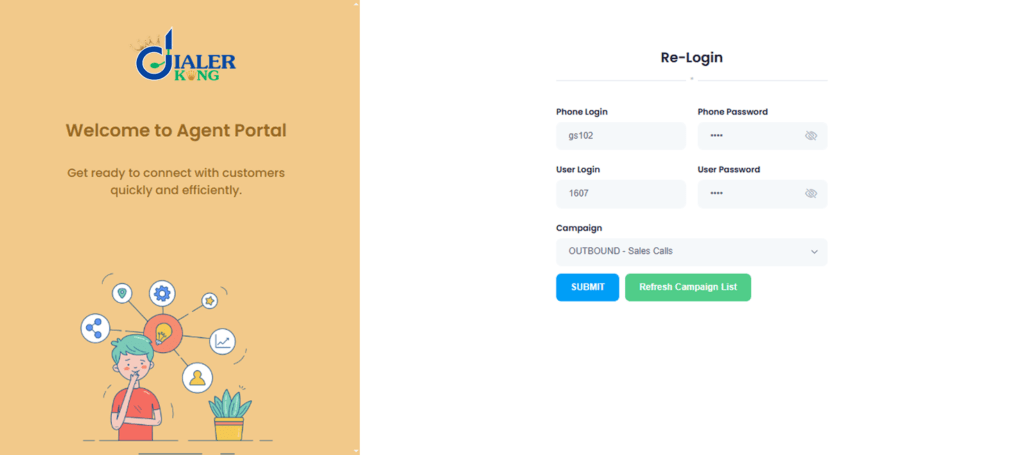
2. VICIdial Agent Not Able To Login Due to User Permission Errors
If your agent sees messages like “Permission Denied”, “User Not Authorized”, or gets a blank screen right after login, it clearly indicates a VICIdial user access issue. This means the system does not have proper permission mapped to that user account, or the agent group settings are missing, incorrect, or restricted.
Fix Steps:
- Open user settings
- Match the correct user group
- Enable agent permissions
- Save and restart Apache server
3. VICIdial Agent Screen Login Issue Due to Browser Problems
In 2026, modern browsers follow much stricter security rules. They now block cross-site tracking, isolate cookies for each website, and use highly secure session tokens. These changes protect user data, but they also break weak or outdated dialer login systems that still rely on old session handling methods.
Fix:
- Use Chrome or Edge only
- Disable VPN browser extensions
- Turn off aggressive ad blockers
- Clear cookies and cache
Yes, one ad blocker can cause full VICIdial agent panel not opening.
4. VICIdial Login Failed Issue Due to Session Timeout
If the problem still repeats in a loop, your session handler likely needs proper tuning from the server side.
5. IP Restriction Blocking Agent Login
This issue works like a silent killer inside many call center systems. When your setup relies on IP whitelisting, location-based firewall rules, or strict VPN routing, remote agents often face sudden login failures. The system blocks them without warning, even though nothing seems wrong on the surface.
VICIdial Agent Login Issues Related to Server, SIP & Firewall (Real Technical Fixes)
Now we move into the zone where most admins panic. Stay calm. This part fixes the hardest login failures.
1. SIP Registration Failure = Agent Login Dead
No SIP. No calls and No login. When you see messages like “VICIdial agent extension not registering,” “VICIdial SIP login failure,” or “Softphone not connecting to VICIdial,” it means your SIP connection path has broken and the phone is failing to register with the server.
Required Open Ports:
Fix Actions:
- 5060 (SIP)
- 8089 (WebRTC)
- 443 (Secure web access)
- 10000–20000 (RTP audio)
Fix:
- Open ports on server firewall
- Open ports on cloud network security
- Restart Asterisk service
- Disable double NAT
2. Port 8089 Not Working VICIdial
When agents use WebRTC and the required port gets blocked, the system often fails without showing any clear error. The agent may log in successfully, but the phone does not register in the background. Because of this, outbound and inbound calls never connect, even though everything looks normal on the login screen.
Fix:
- Allow port 8089
- Restart telephony services
- Reload browser WebRTC engine
3. Server Time Sync Error Affecting Login
This one confuses even seniors. If your server time mismatches world time, authentication tokens collapse. This triggers:
- VICIdial session expired error
- Random auto logouts
- Login loop after success
Fix:
- Enable NTP time sync
- Match server time to UTC
- Restart all services
Google public security documentation confirms that time drift breaks token-based authentication globally.
4. Database Login Error VICIdial
If MySQL crashes or denies access:
When this issue happens, the login page may appear completely blank, the system may show a critical database error, or the user authentication may fail during validation.
5. VICIdial API Login Failure with CRM Integration
Modern call centers run CRM-linked dialers. When API authentication breaks, agents may still manage to log in to the dialer, but the CRM stops responding properly. Suddenly, login fails everywhere. This version of VICIdial Agent Login Issues happens fast and hits hard.
VICIdial Agent Login Error After Fresh Install
During a fresh VICIdial installation, many critical elements often get overlooked. Most commonly, the firewall does not get properly flushed, SIP credentials do not reload correctly, and agent group mapping remains incomplete. These small gaps quietly create major login and calling problems later.
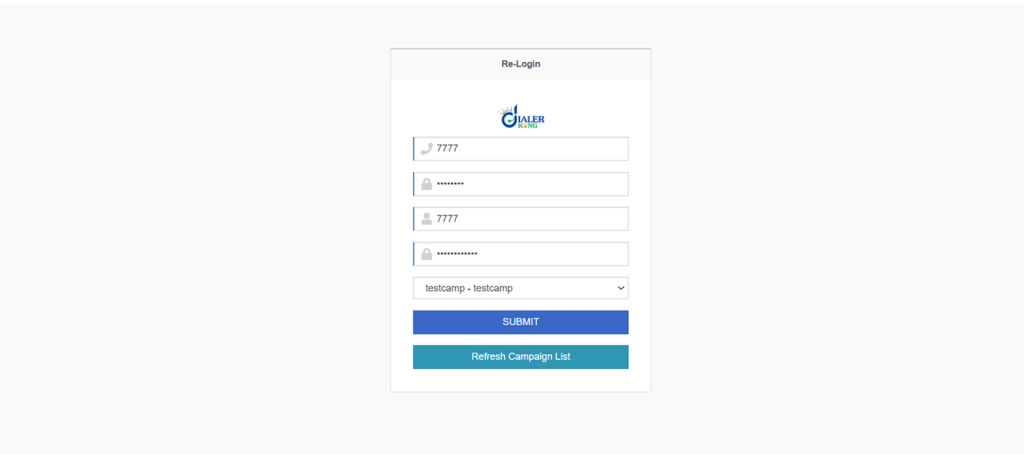
To fix this the right way, start by running a complete firewall validation to ensure all required ports remain open. After that, reload the full telephony core so the system refreshes all SIP and dialing services. Next, reassign every agent to the correct campaigns to restore proper access control. Finally, restart all services in a clean sequence so every component loads in the correct order.
VICIdial Login Issue After Server Restart
If the login works fine normally but breaks only after a server restart, the problem usually comes from incorrect auto-start service settings, wrong SIP reload sequence, or network auto-binding delays. Many times, the network service starts late while telephony services start early, which causes SIP and web components to fail during boot.
To fix this, you must set all core services to auto-start properly. After that, start the web server last so the agent login panel loads with all dependencies ready. This startup order alone resolves a large number of post-restart login failures.
Grab Your Offer Now
VICIdial Agent Login Problem With CRM Integration
CRM loads faster than dialer sometimes. Second, it can result in user mismatches, where the system fails to recognize the correct agent credentials. To fix these problems, you should synchronize the CRM API refresh interval to ensure tokens are updated consistently. Additionally, make sure to align user roles across both the CRM and VICIdial systems so that agents have the correct permissions in all platforms.
VICIdial Agent Login From Remote Location Not Working
This returned as the most searched query last year. One common root cause of VICIdial agent login issues is related to network restrictions. This includes problems such as ISP NAT rules, public IP blocking, and geo-based firewall restrictions, all of which can prevent remote agents from successfully logging in.
VICIdial Agent Login Issues – Security, Trends & 2026 Readiness
Now I switch gears. Let me talk about future-proof strategy. Global call centers now move toward:
This keeps systems safe. This also raises VICIdial Agent Login Issues if admins ignore tuning.
- Zero Trust VoIP security
- CRM-biometric verification
- Automated fraud detection
- Behavior-based login validation
Zero Trust Security & Login Controls
Zero trust assumes: Every login request stays hostile until verified. This requires validating the agent’s IP address, checking the session with fingerprinting, implementing one-time password (OTP) verification, and managing the lifecycle of authentication tokens. Great security. High risk of lockouts if misconfigured.
WebRTC Calling and Browser-Based Login Risks
Browser-based dialing grows fast. Public telecom studies show: WebRTC traffic now crossed 62% of modern call center voice usage in 2025.
Real Case Snapshot (Quick Story)
A BPO team in Asia faced daily VICIdial Agent Login Issues for 60 remote agents. Login worked only at night. Daytime failed. Root cause? Their ISP rotated NAT IPs every 6 hours. Firewall killed new IP sessions.
Fix? Dynamic IP allows rules + WebRTC shift. Result? Zero login failures after deployment. Sometimes the smallest change fixes the biggest problem.
Popular Questions (FAQs)
Final Thoughts: Stop Fighting VICIdial Agent Login Issues
Let me say this clearly. VICIdial Agent Login Issues never happen without a reason. Every failure points to:
- Access rules
- SIP registration
- Time alignment
- CRM authentication
- Browser behavior
Once you learn to read the signals, you solve the problem in minutes—not hours. If your teams still face random VICIdial Agent Login Issues, don’t let the system control your business.
Finally, they will validate API authentication to ensure your CRM and other integrations function without login errors. One clean optimization can save thousands of answered calls every month.