- Why Interface Speed Matters More in 2026
- Issue: Inbound and Outbound Calls Mixed in One Report
- How a Custom VICIdial Theme Improves Agent Speed in High-Volume Contact Centers
- What Does It Mean to Customize VICIdial Admin Themes?
- Real Example: Productivity Gain After Theme Customization
- Productivity vs Appearance
- Industry Insight: Interface Clarity Directly Impacts Conversion
- Why 2026 Demands Structured Admin Panels
- Final Thoughts
Speed wins. Clarity wins. Simplicity wins. In high-volume contact centers, even a 2-second delay per action can cost hours every day. Agents click hundreds of buttons. Admins open dozens of reports. Supervisors monitor campaigns every minute. If the Vicidial interface looks cluttered, outdated, or confusing, productivity drops instantly.
That is why businesses now choose to Customize VICIdial Admin Theme as a productivity solution, not as a design upgrade. Most companies stop at basic configuration. Very few offer real theme customization focused on workflow speed. DialerKing Technology changes that. We build structured, performance-focused admin themes that improve navigation, reduce report confusion, and increase agent handling speed.
This blog explains how customization works, why it matters in 2026, and how you can implement it safely without breaking your system.
Why Interface Speed Matters More in 2026
Search behavior changed. Buyers research deeply. They compare tools. They search things like:
- How to make VICIdial faster
- Why admin panel feels slow
- How to reduce agent handling time
- How to separate inbound outbound reports
Search engines now reward real help pages. They prefer structured guides that show practical steps, real issues, and fixes. When you Customize VICIdial Admin Theme, you do not change colors for beauty. You reorganize workflow.
You remove friction, reduce confusion and increase action speed.
Many systems show mixed data. Many managers waste time filtering reports manually. A customized admin theme solves this confusion by reorganizing report sections visually and structurally.
This small structural change improves daily efficiency more than most realize.
Issue: Inbound and Outbound Calls Mixed in One Report
Many contact centers face this real problem.
What Happens?
Why Does This Happen?
Because default reporting views combine call categories under broader filters. The system does not visually separate them clearly.
Step-by-Step Fix
- Access Admin Panel
- Navigate to Reports
- Select Call Log Custom View
- Create separate saved filters
- Save custom report views
- Assign quick access buttons on dashboard
When you Customize VICIdial Admin Theme, you embed these filtered views directly on the admin dashboard. You eliminate repetitive filtering steps. You save time daily.
This approach improves reporting clarity instantly.
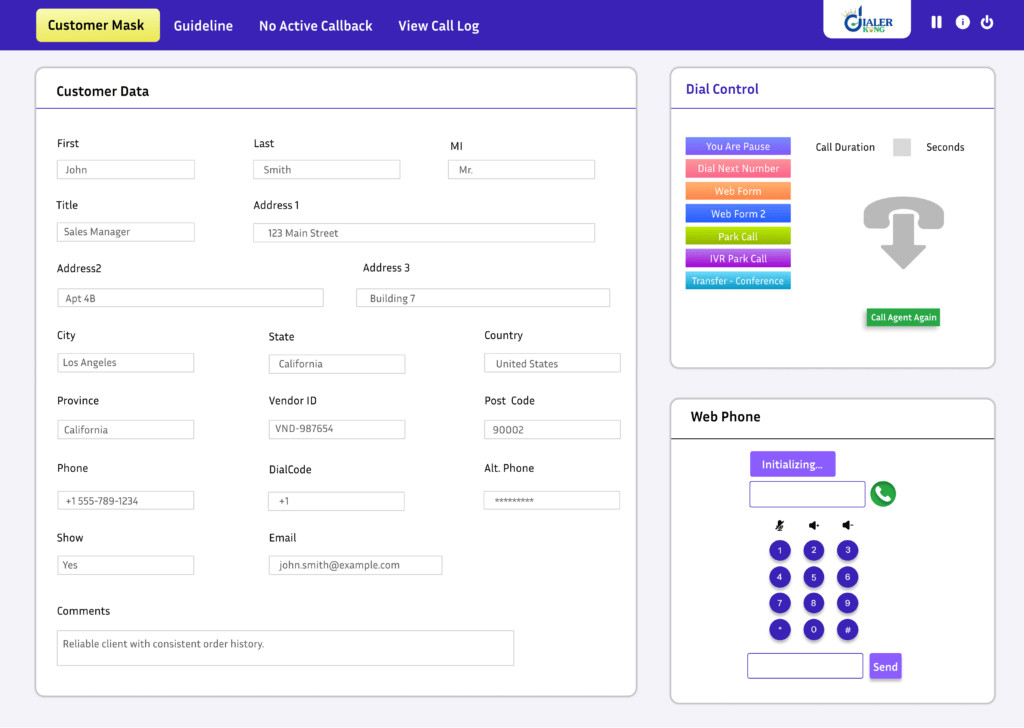
How a Custom VICIdial Theme Improves Agent Speed in High-Volume Contact Centers
High-volume contact centers handle 5,000 to 50,000 calls daily. Every second matters. Let us calculate something real.
If one agent wastes 3 seconds searching buttons per call, and handles 250 calls daily:
3 seconds × 250 calls = 750 seconds
750 seconds = 12.5 minutes per agent
Now multiply by 50 agents:
12.5 minutes × 50 = 625 minutes
625 minutes = more than 10 hours daily
One small UI delay costs 10+ hours daily.
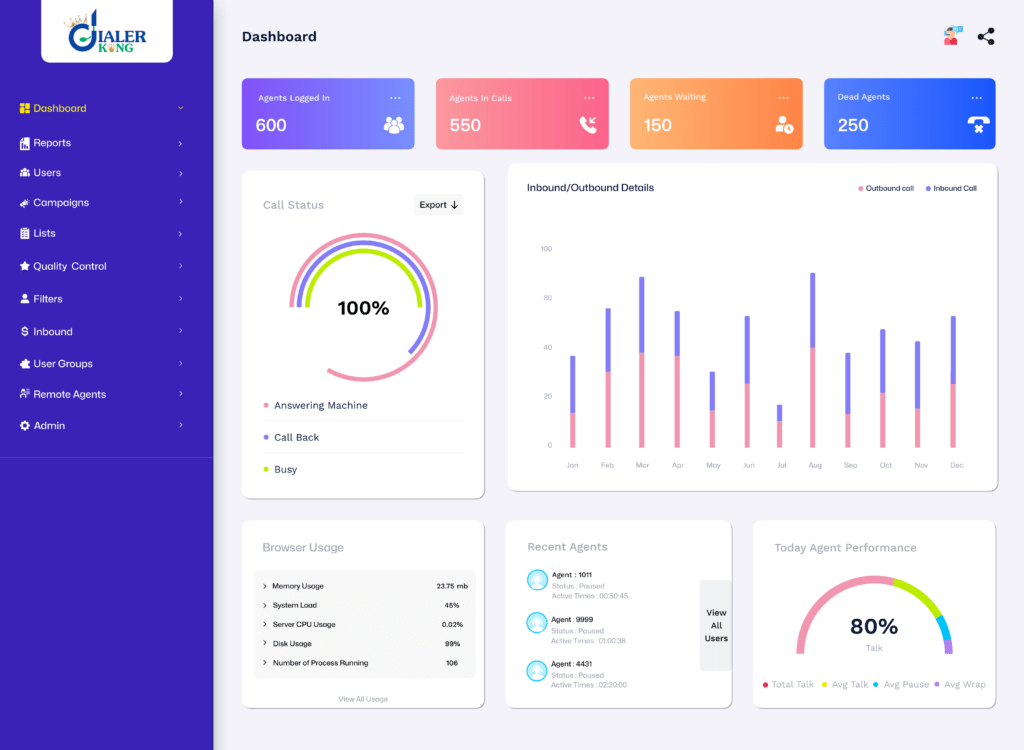
When you Customize VICIdial Admin Theme, you reposition buttons based on usage frequency. You increase font clarity, You highlight active campaigns, You reduce scrolling, You simplify call disposition placement. Agents click faster. Supervisors monitor faster. Admins generate reports faster. Speed equals revenue.
What Does It Mean to Customize VICIdial Admin Themes?
It means you redesign workflow without touching core logic.
You improve:
- Navigation hierarchy
- Dashboard layout
- Report grouping
- Campaign visibility
- Agent screen structure
- Color contrast for quick scanning
- Button placement based on frequency
Why Buyers Ask Important Questions Before Customization
Buyers think logically. They ask:
- Who will do it?
- Is it safe?
- Will it break my system?
- Can my agents handle the new layout?
These concerns make sense.
We implement theme customization carefully, We test changes in controlled environments, We ensure system logic remains untouched, We only adjust the presentation layer and navigation mapping.
We design layouts that feel familiar but faster. Agents adapt quickly because we improve clarity instead of overcomplicating structure.
Real Example: Productivity Gain After Theme Customization
One mid-sized contact center handled 12,000 daily calls. Admins complained about slow report filtering. Agents struggled with cluttered screens.
We reorganized:
- Dashboard layout
- Report quick-links
- Campaign color indicators
- Disposition placement
After 30 days:
Average handling time dropped by 6%. Report generation time reduced by 40%. Supervisor monitoring improved significantly. No system instability, no workflow confusion. Only structural clarity. That shows what happens when you customize VICIdial Admin Themes strategically.
Productivity vs Appearance
Many businesses treat theme changes as visual upgrades. We treat it as operational improvement.
Productivity solution means:
Less confusion, less scrolling, less repetitive filtering and less misreporting. More speed and more clarity. When you Customize VICIdial Admin Theme, you align the Vicidial interface with the real workflow instead of forcing workflow to adapt to default layout. That mindset changes everything.
Can Customization Break the System?
No, if experts handle it properly. We avoid core file modifications, keep upgrade compatibility in mind. We document structural changes, and test after each adjustment. You maintain stability and gain speed. That builds trust.
Can Agents Handle the New Layout?
Yes, when changes follow logical structure.
We design:
- Larger, clearer action buttons
- Reduced clutter
- Highlighted active campaigns
- Clean disposition placement
Agents usually adapt within one day. Many report faster navigation instantly. When you Customize VICIdial Admin Theme, you simplify instead of complicate.
Industry Insight: Interface Clarity Directly Impacts Conversion
Studies from sources like Google and HubSpot show that usability directly affects engagement and efficiency. Clean structure reduces cognitive load. When users think less about navigation, they focus more on performance.
Contact centers operate under pressure. Every improvement compounds. Based on real VICIdial reporting implementations by KingAsterisk Technology. We implement theme customization in live production environments with structured testing and workflow validation. We do not experiment blindly but build productivity systems.
Why 2026 Demands Structured Admin Panels
Competition increases yearly. Customer expectations rise. Supervisors demand instant reporting accuracy. Management wants performance dashboards at a glance. Default layouts no longer satisfy high-volume operations. When you Customize VICIdial Admin Theme, you future-proof your operations.
You create:
- Faster agents.
- Smarter admins.
- Cleaner reports.
- Stronger oversight.
Final Thoughts
Do not treat theme customization as cosmetic work. Treat it as a productivity engine. If your reports mix inbound and outbound data, fix it structurally, your agents scroll too much, redesign Vicidial layout. If admins waste time filtering reports daily, create saved custom views.
Small structural upgrades create massive operational gains. In 2026, smart contact centers will not work harder. They work cleAnd clarity starts when you customize the VICIdial Admin Theme the right way.