
Key Takeaways
- Memory Leaks and Uncontrolled Resource Consumption
- SIP Registration Failures and Trunk Instability
- Dialplan Configuration Errors Causing Call Routing Failures
- Call Quality Degradation from Codec Mismatches
- Excessive Active Channels and System Overload
- Step-by-Step: How to Audit Your Asterisk System for These Issues
- Real-World Use Case: A 250-Seat Contact Center in Crisis
- Frequently Asked Questions
- Conclusion
Asterisk issues are among the most disruptive, and most misdiagnosed, problems a contact center can face. When your Asterisk-based PBX begins behaving unpredictably, the first sign is rarely a clean error message. Instead, agents start reporting dropped calls, supervisors notice degraded audio quality, and dialer campaigns begin stalling. By the time an IT manager pulls up the logs, the underlying issue has often been silently compounding for hours or days.
Asterisk is an extraordinarily capable open-source telephony framework, and it powers millions of contact center seats globally, including many running DialerKing’s VICIdial and IVR deployments. But that flexibility comes with operational complexity. Unlike a managed PBX appliance, Asterisk requires disciplined configuration, routine maintenance, and a clear understanding of how the platform behaves under production load.
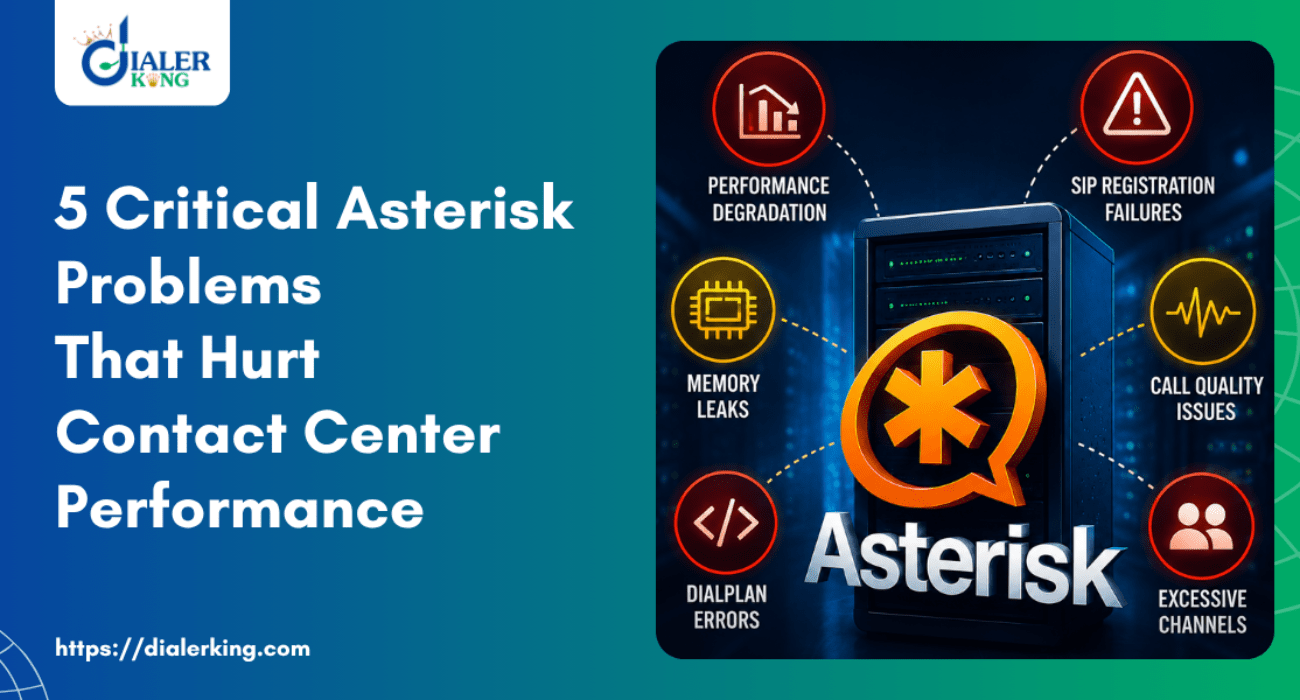
In this article, we break down the five most critical Asterisk issues we consistently encounter when supporting contact center deployments, explain why they occur, and give you actionable fixes for each one. Whether you manage a 20-seat blended dialer or a 500-seat outbound operation, these problems will look familiar, and so will the relief when they are resolved.
Memory Leaks and Uncontrolled Resource Consumption
What It Looks Like
Your Asterisk process gradually consumes more RAM over 12–48 hours. The system starts swapping, call processing slows, and eventually the Asterisk daemon either crashes or becomes completely unresponsive. The server itself may appear healthy at the OS level while Asterisk quietly exhausts its allocated memory.
Why It Happens
Memory leaks in Asterisk PBX performance are most commonly tied to three root causes:
- Third-party module issues. Modules that are not actively maintained—especially older chan_sip-linked modules—can fail to release memory after calls terminate.
- Unresolved call legs. Calls that enter an error state mid-dialplan without a clean hangup routine leave orphaned channel objects in memory.
- Improper use of AGI scripts. Poorly written AGI (Asterisk Gateway Interface) scripts that do not close database connections or file handles will gradually exhaust system resources.
How to Fix It
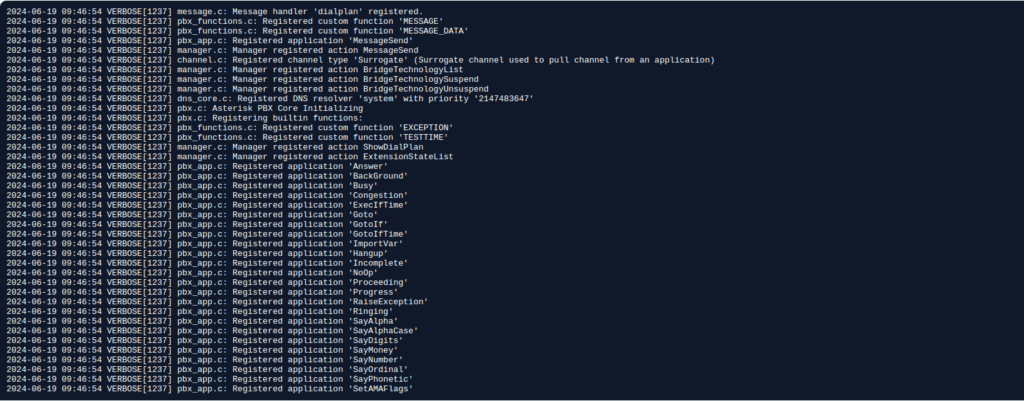
Run the following from the Asterisk CLI to get a baseline
asterisk -rx "core show channels count"
asterisk -rx "module show"Check for zombie channels, active channel counts that do not decrease after calls complete. Review your extensions.conf or extensions.lua for missing Hangup() calls at the end of dialplan contexts. Disable any module not explicitly required for your deployment using noload directives in modules.conf.
For long-running deployments, schedule a controlled Asterisk reload (not a full server restart) during low-traffic periods using asterisk -rx “core restart gracefully” to flush accumulated orphaned objects without dropping active calls.
SIP Registration Failures and Trunk Instability
What It Looks Like
Agents cannot make outbound calls. Inbound calls fail silently or go straight to a busy signal. The Asterisk CLI shows trunks in a UNREACHABLE or LAGGED state. Call attempts to the trunk log a 403 Forbidden or 401 Unauthorized SIP response.
Why It Happens
SIP registration failures are one of the most frequently reported Asterisk issues in contact center environments, and they almost always stem from one of the following:
- Credential mismatch. A username, password, or realm in sip.conf or pjsip.conf does not match what the carrier expects.
- NAT traversal problems. The Asterisk server is behind a NAT device, and the externip / externaddr setting is incorrect or absent, causing the wrong IP address to be sent in the Contact header.
- Firewall rules blocking re-registration. SIP REGISTER messages are sent on a timer. If a firewall state table entry expires between registrations, the next REGISTER is dropped, and the trunk goes offline.
- Clock drift. SIP digest authentication is time-sensitive. A server clock drifted more than 30 seconds from the carrier’s clock will produce authentication failures that look like credential errors.
How to Fix It
For chan_pjsip (recommended for Asterisk 13+):
[my-trunk]
type=registration
transport=transport-udp
outbound_auth=my-trunk-auth
server_uri=sip:sip.carrier.com
client_uri=sip:username@sip.carrier.com
retry_interval=20
expiration=120Verify NAT settings are correctly declared in the [transport] block:
[transport-udp]
type=transport
protocol=udp
bind=0.0.0.0
external_media_address=<your-public-ip>
external_signaling_address=<your-public-ip>
local_net=192.168.0.0/16Synchronize server time using chronyc tracking and ensure NTP is active. For firewall issues, reduce the SIP registration expiry to 90 seconds and configure your firewall to maintain SIP ALG state, or disable SIP ALG entirely if your router supports it, as SIP ALG frequently rewrites SIP headers incorrectly.
Dialplan Configuration Errors Causing Call Routing Failures
What It Looks Like
Calls reach Asterisk but are immediately disconnected, routed to the wrong queue, or deposited into an unintended IVR branch. In some cases, calls loop indefinitely between contexts. Agents report calls ringing but never connecting. The Asterisk verbose log shows No such extension or Unable to find context errors.
Why It Happens
The Asterisk dialplan, defined in extensions.conf, AEL, or Lua, is a powerful but unforgiving configuration layer. Errors here are responsible for a disproportionate share of Asterisk issues in production contact centers:
- Typos in extension patterns. A single misplaced X, ., or ! wildcard in a pattern match causes entire blocks of numbers to route incorrectly.
- Missing priority chains. Asterisk executes dialplan applications in priority sequence (1, 2, 3… or using n for next). A missing priority breaks the chain silently.
- Context inheritance errors. Failing to use include => correctly between contexts means certain call paths never find their intended dialplan logic.
- Reload not applied. Engineers edit extensions.conf but forget to issue dialplan reload in the CLI, leaving the running system on the old configuration.
How to Fix It
Always validate dialplan changes before applying them. Use the Asterisk CLI to test pattern matching without live calls:
asterisk -rx "dialplan show [context-name]"Check for missing extension priorities:
asterisk -rx "dialplan show [extension]@[context]"Enable verbose logging during a test call:
asterisk -rx "core set verbose 5"Then trace the exact path the call takes through your dialplan in real time via the CLI output. This is far faster than reading log files retroactively and will immediately expose routing gaps.
Call Quality Degradation from Codec Mismatches
What It Looks Like
Agents and customers report choppy audio, one-way audio, or excessive echo. Audio problems appear on certain trunk groups but not others. Calls connected through a conference bridge or a recording module sound significantly worse than direct calls.
Why It Happens
Codec mismatches and transcoding overhead are a persistent source of call quality degradation in Asterisk PBX performance. When an incoming call arrives in G.711 (ulaw/alaw), is transcoded to G.729 for the trunk, then transcoded back to G.711 for the agent channel, the compounded transcoding introduces latency and quality loss, particularly visible in high-call-volume deployments.
Additionally, an Asterisk server performing excessive real-time transcoding will spike CPU utilization, which creates a secondary performance problem: when the CPU is overwhelmed, audio packets are delayed at the OS level, producing jitter and dropped audio segments.
How to Fix It
Define codec preference order explicitly in sip.conf or pjsip.conf and enforce matching codecs end-to-end wherever possible:
; In sip.conf [general] or peer definition
disallow=all
allow=ulaw
allow=alawFor pjsip.conf, set codec preferences in the endpoint definition:
[my-endpoint]
type=endpoint
allow=!all,ulaw,alawUse the Asterisk CLI to inspect active channel codec negotiation:
asterisk -rx "core show channel [channel-name]"Look for the Format field, if it shows a codec different from what you expect, the negotiation is failing somewhere upstream. Where transcoding is unavoidable (for example, a carrier that only supports G.729), ensure the Asterisk server’s CPU headroom is sufficient to handle the transcoding load without contention.
Excessive Active Channels and System Overload
What It Looks Like
The Asterisk server gradually slows over the course of a campaign. New call attempts take longer to connect. The system load average climbs steadily. Eventually, the server stops accepting new calls entirely, even though individual channel objects appear normal.
Why It Happens
In high-volume predictive dialing environments, common with VICIdial deployments on DialerKing infrastructure, it is easy to inadvertently exceed the Asterisk server’s practical channel ceiling. This ceiling is not a hard-coded limit; it is determined by the available CPU, RAM, file descriptors, and the complexity of the dialplan being executed per call.
Two specific conditions accelerate overload:
- Zombie channels. Calls that encounter an error mid-dialplan and are not cleanly hung up remain as active channels indefinitely, consuming file descriptors and memory.
- Dialer pacing misconfiguration. A VICIdial dialer ratio set too aggressively generates more simultaneous Asterisk channels than the server can sustain, particularly during peak campaign hours.
How to Fix It
Monitor active channel count continuously:
asterisk -rx "core show channels count"Set a soft limit by configuring maxcalls in asterisk.conf:
[options]
maxcalls=500This prevents Asterisk from accepting new calls beyond the defined ceiling, giving you a controlled degradation boundary rather than a chaotic crash.
Increase system file descriptor limits in /etc/security/limits.conf:
asterisk soft nofile 65536
asterisk hard nofile 65536And in VICIdial’s campaign settings, reduce the dial level during load testing to find the sustainable channel ceiling for your specific server configuration before running live campaigns.
Step-by-Step: How to Audit Your Asterisk System for These Issues
Follow this structured sequence to systematically identify which of the five issues above is affecting your system:
- Check active channels and memory footprint. Run core show channels count and compare with expected active call volume. Run top or htop to monitor Asterisk process memory. Flag any discrepancy.
- Review SIP trunk registration status. Run pjsip show registrations (or sip show registry for chan_sip). All trunks should show Registered. Investigate any showing Rejected, Failed, or Unregistered.
- Validate the dialplan against your current routing logic. Run dialplan show for each active context. Cross-reference against your IVR call flow documentation and campaign routing rules. Look for patterns that no longer match your current DID range.
- Inspect codec negotiation on a live test call. Place a test call through each trunk group and run core show channel [channel] mid-call. Confirm the negotiated codec matches the configured preference.
- Review the Asterisk log for the past 24 hours. Use grep -i “error\|warning\|failed” /var/log/asterisk/full to extract actionable log lines. Sort by frequency to identify repeating failure patterns.
- Check system resource limits. Run ulimit -n under the Asterisk system user to confirm file descriptor limits are applied. Review /proc/[asterisk-pid]/fd to count open file descriptors against the limit.
- Document and schedule remediation. For each confirmed issue, assign a priority, a responsible engineer, and a maintenance window. Do not apply multiple configuration changes simultaneously, isolate each fix to confirm its effect.
Real-World Use Case: A 250-Seat Contact Center in Crisis
A DialerKing client operating a 250-seat outbound collections contact center in Southeast Asia reported a recurring pattern: every weekday around 11:00 AM, call connection rates would drop sharply, agents would report one-way audio on roughly 15% of connected calls, and the dialer campaign would effectively stall until a manual Asterisk restart was performed.
The initial assumption was a network problem. After a full audit using the steps above, the root cause turned out to be a combination of Issues #1, #4, and #5 operating in sequence:
- The VICIdial predictive dialer was configured with an aggressive dial ratio that pushed the Asterisk server to approximately 280 simultaneous channels by 11:00 AM.
- At that channel density, the server’s CPU was spending 35–40% of its cycles on G.729-to-G.711 transcoding for a carrier trunk that did not support G.711 natively.
- The elevated CPU utilization was causing AGI scripts (used for real-time disposition logging) to run slowly, which in turn left orphaned channels that were not cleanly terminated.
- Those zombie channels compounded the active channel count, which further stressed the CPU, which worsened the transcoding lag, a self-reinforcing loop until the system failed.
The fix involved three changes: enforcing G.711 end-to-end by negotiating codec alignment with the carrier, reducing the dialer ratio ceiling by 18%, and adding explicit Hangup() calls to all AGI error-handling branches. Call quality issues were eliminated within the first hour of implementation, and no manual Asterisk restarts have been required since.
Frequently Asked Questions
Conclusion
Asterisk issues rarely appear without warning, the signals are almost always present in your logs, your channel counts, and your codec negotiation before a full system failure occurs. The five problems covered in this article, memory leaks, SIP registration failures, dialplan configuration errors, codec mismatches, and excessive channel overload, account for the overwhelming majority of Asterisk PBX performance incidents we resolve for contact center clients each year.
The most effective strategy is not reactive troubleshooting but structured, scheduled auditing. Review your dialplan after every IVR or routing change. Monitor active channel counts during campaign peaks. Validate codec alignment with every new carrier trunk. Keep your log monitoring consistent and act on repeating warning patterns before they escalate.
If your team is dealing with persistent Asterisk issues and needs hands-on engineering support, whether for a fresh deployment, a system audit, or emergency stabilization, contact DialerKing today. Our senior engineers work directly with your infrastructure, not around it.
Authored by the DialerKing Senior Engineering Team, with hands-on experience deploying and stabilizing Asterisk-based contact center systems across enterprise and SMB environments globally.