
- Why VICIbox Campaigns Stop Dialing
- Pre-Flight: Five Things to Verify First
- Campaign-Level Configuration Checks
- Trunk and Channel Configuration
- Server Processes and the Dialer Daemon
- Real-World Use Case: BPO With Zero Live Calls at Shift Start
- Reading Logs to Confirm the Root Cause
- Frequently Asked Questions
- Conclusion
A VICIbox campaign not dialing is one of the most disruptive issues a contact center manager can face at the start of a shift, agents are logged in, leads are loaded, but the phones simply stay silent. This Custom Vicidial guide systematically addresses every confirmed root cause, from misconfigured campaign flags and idle agent states to failed Asterisk trunk registrations and crashed dialer processes. Follow it in order and you will isolate the problem before the first hour is out.
Why VICIbox Campaigns Stop Dialing
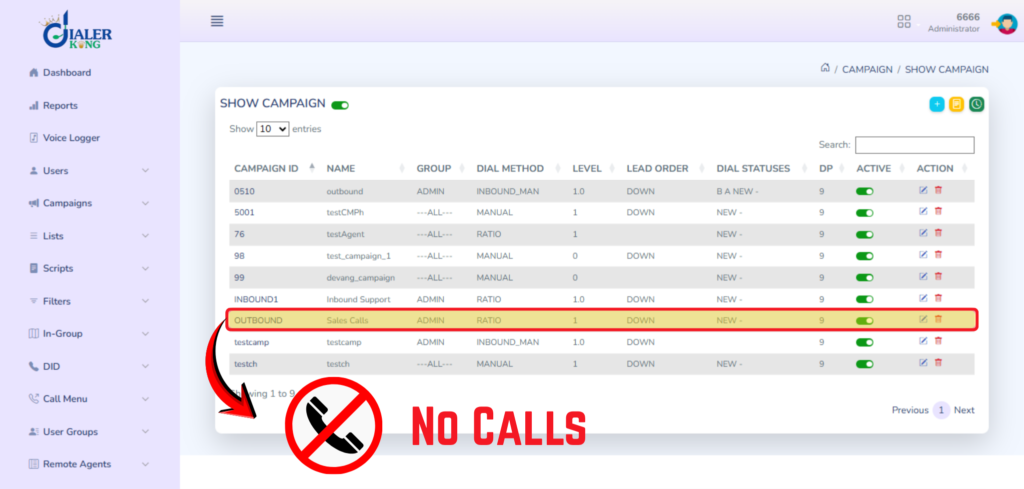
VICIdial on VICIbox is an interdependent stack. The outbound dialing engine, AST_manager and the campaign-specific auto-dialer, require several conditions to be simultaneously true before it will place a single outbound call. If even one layer is broken, the campaign appears active in the admin panel yet generates zero live calls.
The most common trigger categories, in order of frequency based on production deployments, are:
- Campaign is paused, inactive, or has a start/stop time mismatch
- No agents logged into the campaign in a READY state
- Asterisk trunk is unregistered or the carrier rejected the auth credentials
- Dial level set to zero, or the available lead count is exhausted
- The send_calls daemon or Asterisk process has crashed silently
- Network ACL or firewall blocking SIP signaling on port 5060
Each of these has a specific fix. The sections below walk through them in a logical diagnostic order so you are not jumping between subsystems unnecessarily.
Pre-Flight: Five Things to Verify First
Before diving into individual subsystems, confirm these five quick items. In roughly 40% of cases, the answer is found here within two minutes.
1. Is the campaign set to Active?
Navigate to Admin → Campaigns, open the campaign, and confirm Campaign Status is set to ACTIVE. A status of PAUSED, INACTIVE, or a scheduled stop-time that has already passed will halt all dialing without any visible error to agents.
2. Does the campaign have a valid lead list attached?
Under the campaign detail, scroll to the Lead List. Confirm at least one active lead list is associated and that the list contains dials with an eligible status, typically NEW or CBHOLD. If all leads are in a DNC, DEAD, or COMPLETE status, the campaign will not generate outbound calls regardless of any other setting.
3. What is the current dial level?
Check Dial Level inside the campaign settings. A value of 0 effectively pauses dialing. For a predictive campaign, a value between 1.0 and 2.0 is a reasonable starting point. If the adaptive dialer has automatically dropped it to zero due to agent unavailability, manually resetting it to 1 will usually restore calls immediately.
4. Is the server time correct?
VICIdial compares the server’s system time against the campaign’s allowed calling hours. If the server clock has drifted, even by a few minutes, it may believe calls are outside the permitted window. Run date in the terminal and compare against your local time zone.
5. Are agents logged in and in a READY state?
Open Real-Time → Agent Status. Agents must be logged into a campaign, not just connected to the web interface. An agent sitting in PAUSED, DISPO, or DEAD state does not count as available to receive a live call. The dialer will not place calls if it calculates zero available agents.
Campaign-Level Configuration Checks
If the pre-flight checks pass and you still have a VICIbox campaign not dialing, move into the campaign configuration itself. Several settings interact in non-obvious ways.
1. Allowed Calling Hours
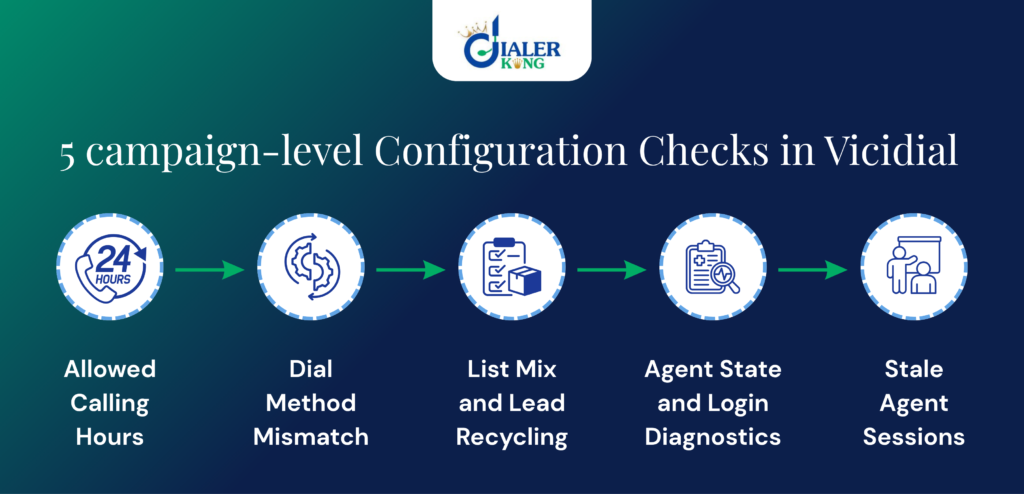
VICIdial enforces calling hours at the campaign level and, separately, at the lead list level. If both are configured, both must permit the current time. Navigate to Campaign Detail → Dial Statuses and confirm the Call Start Time and Call Stop Time bracket your current server time. A common mistake is setting these in UTC on a server configured for a local time zone.
2. Dial Method Mismatch
Verify the dial method is appropriate for your current agent count. A RATIO or ADAPT_HARD_LIMIT campaign configured for large teams may refuse to dial if the ratio calculation produces a negative or fractional result with fewer agents. For testing or small teams, switching temporarily to MANUAL or PREVIEW confirms whether the method itself is the blocker.
3. List Mix and Lead Recycling
When using list mix, confirm the mix is set to EVEN or a valid custom ratio. An improperly defined list mix, for example, referencing a deleted list ID, silently prevents the dialer from generating call attempts.
4. Agent State and Login Diagnostics
The VICIdial predictive engine continuously calculates how many calls to place based on available agents. An outbound dialing issue on VICIbox is frequently traced here, especially after a shift transition or a browser session timeout.
Checking the vicidial_live_agents Table SSH into the VICIbox server and query the database directly:
mysql -u root vicidial

SELECT agent_user,status,campaign_id,last_update_time
FROM vicidial_live_agents;If this query returns zero rows, no agents are logged in at the database level, even if they appear connected in the browser. This typically means sessions have timed out. Have agents fully log out and log back in through the agent interface.
5. Stale Agent Sessions
VICIdial tracks agent sessions with a heartbeat. If an agent’s browser crashed or they lost connectivity without logging out, a stale row can persist in vicidial_live_agents with an old last_update_time. The CleanupFork process normally removes these, but if it is not running, stale sessions can cause the dialer to believe agents are available when they are not, or vice versa. Check that CleanupFork appears in the active processes list.
Trunk and Channel Configuration
Even with perfect campaign settings and logged-in agents, a dialer not working on VICIbox will persist if the Asterisk trunk is not registered. This is one of the most frequently overlooked steps after a server reboot or carrier maintenance window.
Verifying Trunk Registration
Connect to the Asterisk CLI and check registration status:
asterisk -rvvv

sip show registry

pjsip show registrationsA healthy trunk shows Registered in the State column. If you see Rejected, Timeout, or No Auth, the issue is upstream, verify your carrier credentials in /etc/asterisk/sip.conf or pjsip.conf, then reload with sip reload or pjsip reload.
Maximum Channels and Concurrent Call Limits
If the trunk is registered but calls are still not connecting, check whether the channel limit has been hit. In VICIdial admin under Carriers, locate your carrier and review the Max Calls field. If this is set lower than the number of agents attempting to dial, the excess calls will be silently dropped. Set it to a value at least equal to your maximum concurrent agent count plus a 20% buffer.
Server Processes and the Dialer Daemon
VICIdial’s outbound dialing relies on several background processes that must all be running simultaneously. A crashed send_calls process is the most frequent cause of a campaign appearing fully configured yet generating a VICIbox no live calls problem.
Confirming Core Processes Are Running
# Check all VICIdial-related Perl processes

ps aux | grep -E 'send_calls|AST_manager|agi-conf|CleanupFork'You should see at least one instance of each of the following:
- AST_manager.pl – manages the Asterisk Manager Interface connection
- send_calls.pl – the core outbound dialing daemon
- CleanupFork.pl – cleans stale sessions and housekeeps the DB
- agi-conf.agi – processes active call logic via AGI
Restarting the Dialer Safely
If send_calls is missing from the process list, do not simply kill and restart in isolation. Use the VICIbox management script to perform a full, controlled restart of the dialer suite:
service vicidial stop
sleep 5
service vicidial startAfter restarting, monitor the process list for 60 seconds to confirm all daemons have remained alive. Processes that start and immediately die again typically indicate a configuration error in astguiclient.conf or a missing database table.
Real-World Use Case: BPO With Zero Live Calls at Shift Start
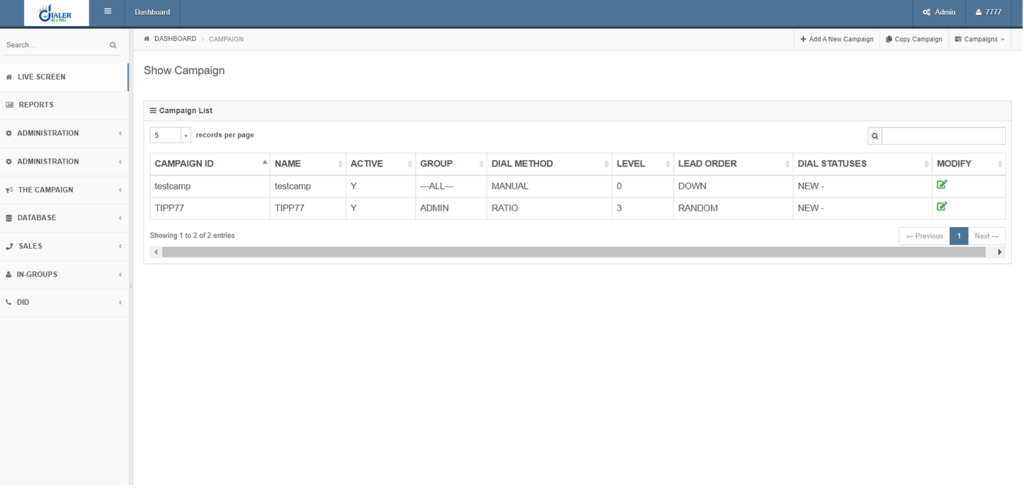
A mid-sized business process outsourcing operation running VICIbox 10 on dedicated hardware reported that every Monday morning their outbound campaign showed zero live calls despite 45 agents being logged in and leads loaded. By Tuesday the issue would resolve itself without any intervention.
After reviewing the vicidial_log table and Asterisk’s /var/log/asterisk/full log, the engineering team discovered that the weekend maintenance cron job was rotating the Asterisk log files but inadvertently sending a SIGHUP to the send_calls process in a way that caused it to enter an infinite wait state rather than exit cleanly. By Monday morning the process was technically alive but not placing calls.
The fix: add a targeted process check to the cron job that re-validates send_calls activity after log rotation, and alerts the on-call engineer via SMS if no calls are placed in the first 10 minutes of shift hours. Zero recurrences in six months of post-fix monitoring.
Reading Logs to Confirm the Root Cause
When the checklist above has not surfaced the issue, logs will. Two sources are definitive for a campaign configuration issue on VICIbox.
The VICIdial Outbound Log
tail -f /var/log/astguiclient/VICIDIAL_auto_calls_send.txtLook for lines containing ERROR, NO AGENTS, DIAL LEVEL 0, or NO LEADS. Each of these corresponds directly to one of the root causes described above. The timestamp on these entries also confirms whether the dialer is even attempting to run the campaign loop.
Asterisk Full Log
# Filter for NOTICE and WARNING level entries

grep -E 'NOTICE|WARNING|ERROR' /var/log/asterisk/full | tail -100Registration failures, codec mismatches, and dialplan errors that prevent outbound calls from connecting all appear here. A Registration Timeout or 403 Forbidden SIP response from your carrier confirms a trunk-side issue that requires credential verification with your provider.
Frequently Asked Questions
How do I fix the outbound dialing issue on ViciBox after a server reboot❓
After a reboot, Asterisk may not automatically re-register trunks and VICIdial daemons may not restart cleanly. Run sip show registry in the Asterisk CLI to verify trunk status, then check that send_calls.pl and AST_manager.pl are both listed in the active process list. If missing, restart the vicidial service.
What does “no live calls” mean in VICIdial’s real-time report❓
It means the dialer engine is not generating outbound call attempts, or attempts are being placed but failing to connect before being answered. The distinction matters: if calls are being attempted but dropped, the problem is likely at the trunk or carrier level. If zero attempts are showing, the issue is within the campaign or dialer daemon configuration.
Can a ViciBox campaign stop dialing if leads run out partway through a session❓
Yes. Once all leads in the attached lists reach a terminal status, such as COMPLETE, DNC, or DEAD, the dialer will stop placing new calls even if agents are available. Add a fresh lead list, reset eligible lead statuses via the list management screen, or enable lead recycling in the campaign settings to resume dialing.
How can I tell if the ViciBox campaign configuration issue is on the server or the carrier side❓
If sip show registry shows your trunk as Registered but calls are still failing, run a test call from the Asterisk CLI using channel originate SIP/yourtrunk/testnumber application Echo. A successful origination that returns audio confirms Asterisk is working and narrows the fault to the VICIdial application layer rather than the carrier or trunk.
Conclusion
A VICIbox campaign not dialing is a multi-layer problem, but it follows a predictable diagnostic path. Start with campaign status and dial level, confirm agent readiness, verify trunk registration, check that all dialer processes are alive, and use the logs to confirm your diagnosis before making changes. In the majority of production incidents, one of these five areas is the culprit.
The structured approach in this guide, covering everything from the vicidial_live_agents table to Asterisk SIP registration and daemon process validation, is designed to cut troubleshooting time from hours to minutes. Bookmark this page as a reference for shift supervisors and system administrators alike.
If your team has worked through every step here and the issue persists, there may be a deeper platform-specific configuration or a hardware-level constraint that requires hands-on investigation. DialerKing’s engineering team has deployed and maintained VICIdial and VICIbox systems for contact centers across multiple continents, we know where the edge cases hide.
Still Stuck? Let Our Experts Take a Look.
DialerKing provides hands-on VICIdial, VICIbox, and Asterisk support for contact centers worldwide. From trunk configuration to full system audits, we resolve the issues that guides cannot.