- What is VICIdial Dialer and what is it used for?
- How the dialing modes work in practice
- Agent experience: login, interface, and scripts
- Real-world use case: blended outbound and inbound campaign
- Administration: managing campaigns, queues, and reporting
- Getting started: download, setup, and sign-up
- Who owns VICIdial?
- Working with DialerKing for deployment
- Frequently Asked Questions
- Conclusion
VICIdial Dialer is one of the most widely deployed open-source contact center platforms in the world, and for good reason: it gives operations of any size – from a ten-seat outbound sales team to a multi-site enterprise operation – a production-grade telephony VICIdial platform without a proprietary software bill.
This guide covers how the system works, how agents and administrators actually use it day to day, and what you need to know before deploying or expanding a VICIdial environment. Whether you are evaluating it for the first time or planning a configuration overhaul, the sections below give you the technical grounding to make confident decisions.
What is VICIdial Dialer and what is it used for?
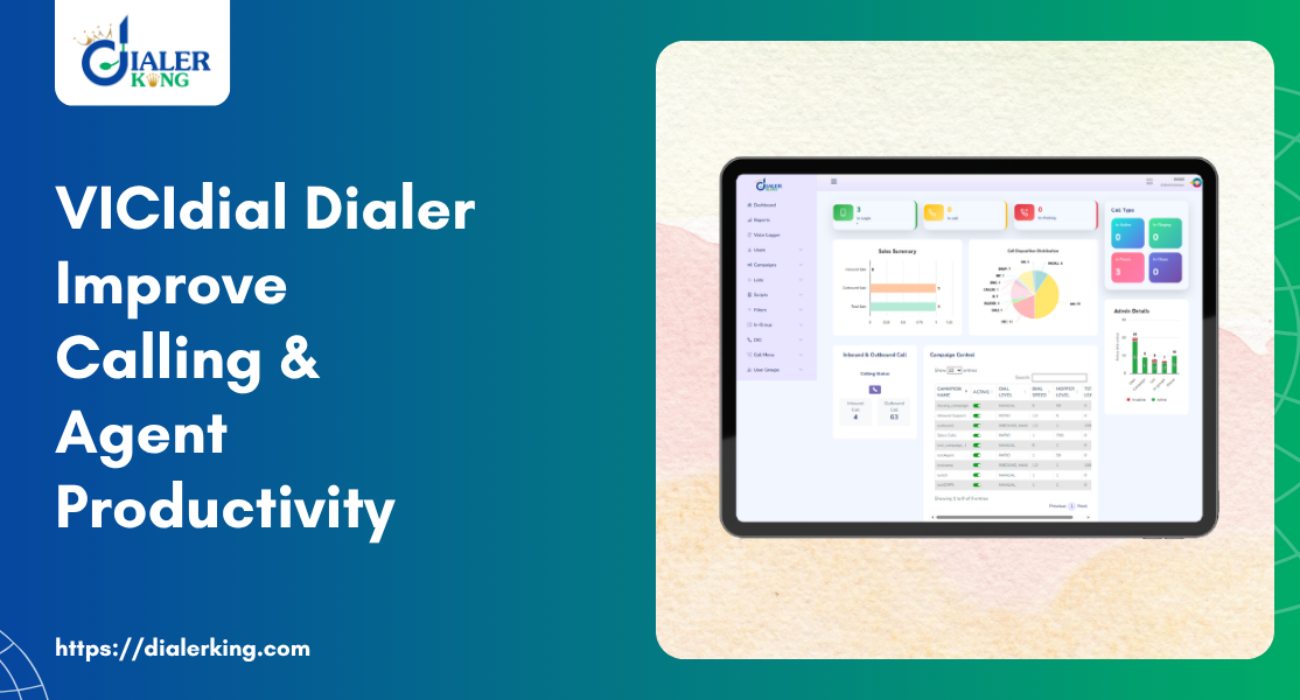
VICIdial is an open-source contact center suite built on top of Asterisk, the widely used telephony framework. The project was created by Matt Florell and has been developed continuously since 2001. It handles both outbound dialing campaigns and inbound queue management, making it a full-cycle platform rather than a point tool for one calling direction.
In practical terms, contact centers use it to manage agent workloads across multiple simultaneous campaigns, route incoming contacts to the right queue or agent group, record interactions for compliance and quality purposes, and generate the kind of granular reporting that supervisors need to run a productive floor.
It integrates directly with Asterisk, which means it works with standard SIP trunks and PSTN gateways – the underlying channel technology is not locked to any particular provider.
Common deployment scenarios
- Outbound sales teams running predictive dialing campaigns against CRM lead lists
- Customer service operations balancing inbound queues with outbound follow-up callbacks
- Collections departments using manual and preview dialing modes to comply with regulatory requirements
- Market research firms running scripted survey campaigns with branching logic
- Helpdesk environments routing tickets through a telephony queue alongside other channels
How the dialing modes work in practice
Understanding the dialing modes is the most important operational decision when setting up a campaign. Each mode has a different impact on agent utilisation, compliance exposure, and contact experience.
Predictive dialing
This mode uses an algorithm to calculate how many lines to dial simultaneously based on current agent availability and average handle time. The system places more calls than there are available agents, anticipating that not every call will be answered. When a contact picks up, the platform connects them to the next available agent almost instantly.
Predictive dialing produces the highest talk time per agent hour, but it requires a sufficiently large active agent pool – typically at least four or five concurrent agents per campaign – to avoid dropped connections.
Progressive dialing
In progressive mode, the system dials one number per available agent. A call is only placed when an agent is confirmed to be free. This eliminates the drop-call risk of predictive dialing while still automating the dialing process. Talk time per hour is lower than predictive, but it is a better fit for smaller teams or campaigns where the conversation requires preparation before the agent speaks.
Preview dialing
The agent reviews the contact record before the call is placed. They initiate each dial manually after reading the relevant lead information. This mode is common in collections and high-value sales campaigns where the conversation context matters from the first second.
Manual dialing
Agents enter numbers directly. This is used in environments with strict compliance requirements, where automated dialing is not appropriate for specific lists or contact types.
Inbound queues
VICIdial Dialer handles inbound contacts through a queue management system with configurable routing rules. Calls can be routed by agent skill, campaign, time of day, or priority level. Agents can be assigned to handle both inbound and outbound traffic from the same interface, which VICIdial calls blended mode.
Agent experience: login, interface, and scripts
VICIdial agent login
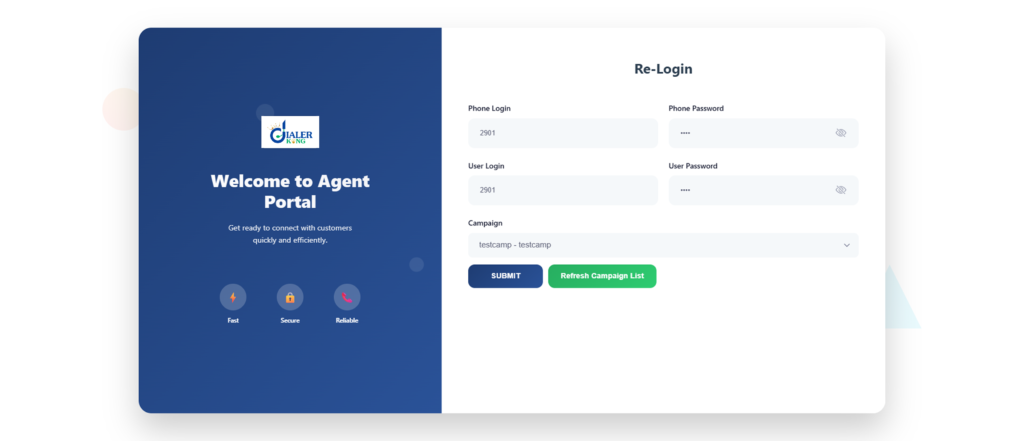
Agents access VICIdial through a standard web browser. There is no dedicated desktop application required. The agent login page is served from the VICIdial server and accepts a username, password, and phone extension (or softphone configuration) as credentials. Once authenticated, the agent selects the campaign they are working on and enters an active state to begin receiving or placing calls.
The agent interface is session-based, which means agents can log in from any workstation on the network without additional software installation. This is useful in shift-based operations where a workstation is shared across multiple agents in a day.
The agent screen
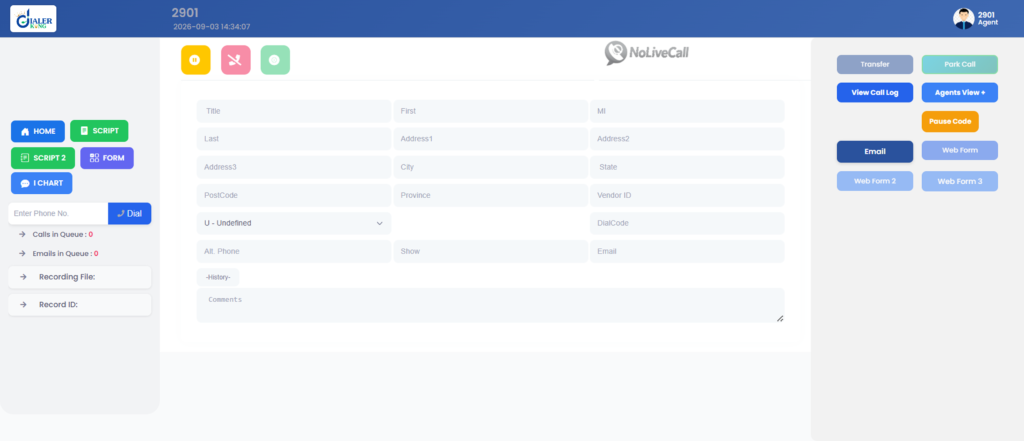
During an active call, the agent screen displays the contact’s details from the loaded lead list, the campaign script, any custom data fields relevant to the campaign, and call controls. Disposition codes – used to log call outcomes such as ‘interested’, ‘callback scheduled’, or ‘do not contact’ – are submitted at the end of each interaction. The next call queues automatically based on the dialing mode and the agent’s current state.
VICIdial Dialer scripting
The built-in script editor allows administrators to build structured conversation guides that display inside the agent interface during a live call. Scripts support conditional branching – for example, showing a different response template depending on which product the contact is asking about.
They can also include hyperlinks, embedded forms for data capture, and escalation prompts. For complex campaigns with multiple products or customer segments, scripting significantly reduces agent training time and improves consistency across the team.
Real-world use case: blended outbound and inbound campaign
A financial services company running a loan application follow-up campaign used VICIdial Dialer to handle both outbound callback scheduling and inbound customer queries from the same agent pool. During off-peak inbound hours, the system automatically shifted agents into predictive outbound mode against a pending callback list. When inbound call volume increased, agents were pulled back into queue mode without any manual reassignment by the supervisor.
The result was a measurable improvement in agent utilisation without adding headcount. The supervisor monitored both queues from a single real-time dashboard and used the live listen-in feature to coach agents on complex inbound interactions without interrupting the call.
Administration: managing campaigns, queues, and reporting
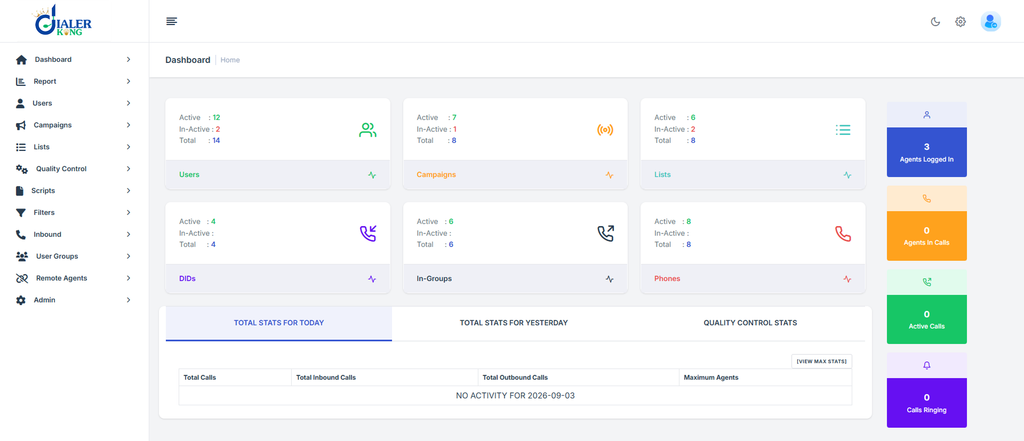
VICIdial administration is handled through a web-based admin panel that covers every configuration aspect of the platform. Access is role-based – a supervisor account has different permissions from a full admin account, which is important in environments where multiple team leads need reporting access without full system control.
Campaign configuration
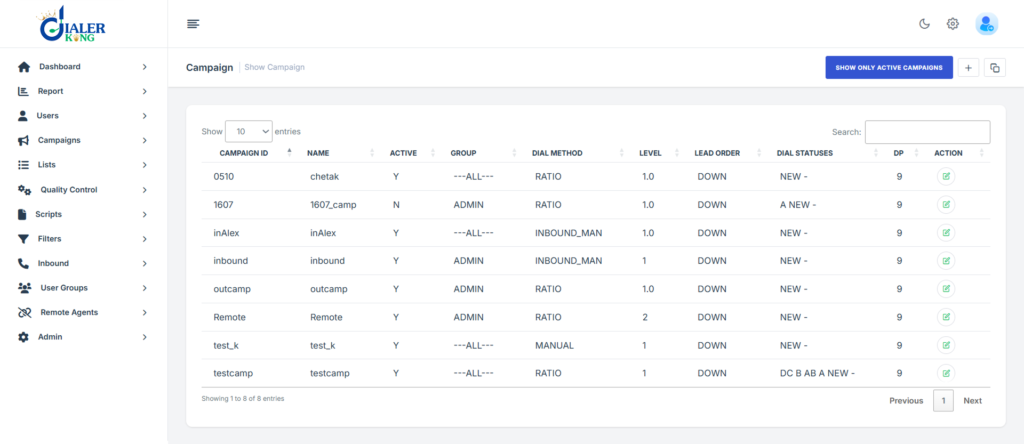
Each campaign is configured with its own dialing mode, lead list, call schedule, dial level (for predictive campaigns), recording settings, and agent assignment. Administrators can set campaign-level dial restrictions – for example, preventing the system from dialing contacts outside defined hours – and apply DNC (Do Not Contact) lists at the campaign or system level.
Real-time monitoring
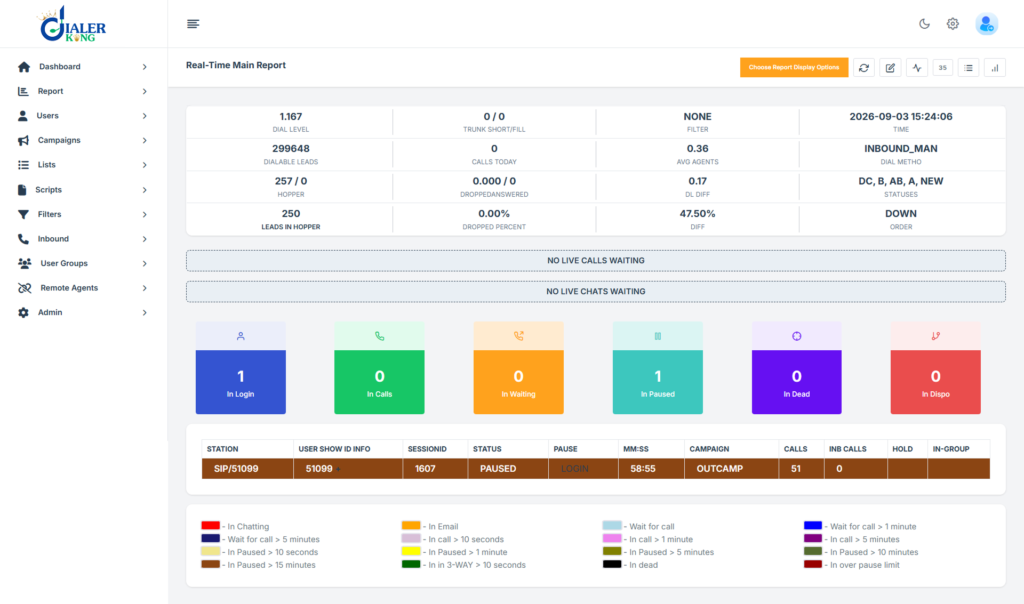
The supervisor dashboard shows agent status, call counts, queue depth, and average handling time updated in real time. Supervisors can listen to live calls without the agent or contact being aware, or barge in on a call to assist the agent. These tools are particularly useful during the first weeks of a new campaign or when onboarding new agents.
Reporting
VICIdial Dialer includes a substantial reporting module covering call outcomes by campaign, agent performance, lead list penetration rates, hourly call distribution, and queue wait times. Reports can be filtered by date range, agent, campaign, or disposition code and exported for further analysis. For operations that require custom reporting formats, the underlying MySQL database is accessible for direct query work.
Getting started: download, setup, and sign-up
VICIdial download
The VICIdial installer and source code are available from the official project repository at vicidial.org. The standard installation path uses a purpose-built Linux distribution (ViciBox) that bundles VICIdial and Asterisk together with the required dependencies pre-configured. This significantly reduces the time required to reach a working base installation compared to installing components individually on a bare OS.
Server requirements
VICIdial runs on standard x86 server hardware. Minimum specifications depend heavily on expected concurrent agent count and campaign volume. A small operation (up to 20 concurrent agents) can run adequately on a mid-range server with 16 GB of RAM and a four-core processor.
Larger deployments – particularly those running predictive dialing at high dial ratios – require more headroom for the Asterisk channel processing and database operations that happen on every call.
Who owns VICIdial?
The VICIdial project was created and is maintained by Matt Florell through the VICIdial Group. It is an open-source project with an active community of contributors. The VICIdial Group also offers paid support contracts and hosted services for organisations that want a supported path rather than self-managing the platform.
Working with DialerKing for deployment
DialerKing handles VICIdial deployment projects across a range of scales – from initial server setup and trunk configuration through to full campaign buildout, agent onboarding support, and ongoing system management. If your team does not have in-house Asterisk or Linux expertise, working with an experienced deployment partner significantly reduces time to production and avoids the most common configuration pitfalls that affect new VICIdial installations.
Frequently Asked Questions
Is VICIdial a dialer❓
Yes. VICIdial includes multiple dialing modes – predictive, progressive, preview, and manual – that automate or assist the process of placing outbound calls. It is also a full inbound queue management system, so the dialing capability is one part of a broader contact center platform.
Is VICIdial free for calling❓
VICIdial software itself is free under the AGPL open-source licence. There are no per-seat or per-call software fees. However, the telephone calls placed through VICIdial are charged by your SIP trunk provider, and you will need server infrastructure to run the platform. Professional deployment and configuration support typically has a cost depending on project scope.
How does the VICIdial agent login work❓
Agents log in through a web browser using a username, password, and phone extension assigned by the administrator. No additional software is required on the agent’s workstation. After logging in, the agent selects their campaign and enters an active state. The interface then presents calls, scripts, and contact data as the campaign runs.
Can VICIdial handle both inbound and outbound calls at the same time❓
Yes. VICIdial supports blended mode, where agents are assigned to handle inbound queue calls and outbound campaign calls from the same interface. The system manages agent state transitions between the two automatically based on queue conditions and campaign priority rules set by the administrator.
Conclusion
VICIdial Dialer gives contact centers a production-grade platform with no software licence overhead and enough configurability to fit a wide range of operational models. The four dialing modes cover everything from high-volume predictive outbound campaigns to careful, agent-led preview dialing.
The agent interface is browser-based, the scripting engine supports branching logic, and the administration panel gives supervisors the real-time visibility they need to manage team performance effectively.
DialerKing has deployed and supported VICIdial environments for contact center operations globally. If you are planning a new installation, migrating from a different platform, or looking to extend an existing VICIdial setup, contact our team to discuss the specifics of your operation.
Ready to deploy VICIdial for your contact center?
DialerKing handles everything from server installation and campaign configuration to agent scripting and live system monitoring. Contact our team to discuss your requirements.