- What Do VICIdial Support Services Actually Include?
- VICIdial Installation Support: Getting the Foundation Right
- Accessing the VICIdial Admin and Agent Panels
- VICIdial Maintenance Services: Keeping the System Healthy
- Where to Find VICIdial Documentation, Forums, and Additional Help
- Why Choose DialerKing for VICIdial Support Services
- Frequently Asked Questions
- Conclusion
VICIdial can run a massive contact center, but it only works as well as you configure and maintain it. One misplaced server setting, an expired database token, or a quick mistake from a junior admin can freeze your entire outbound line in seconds. That is exactly why businesses across the globe search for dependable VICIdial Support Services rather than attempting a do-it-yourself deployment.
At DialerKing, we work with contact centers, BPOs, and lead generation companies that rely on VICIdial and Asterisk every single day. This guide walks through what complete VICIdial support really covers – from first-time installation to long-term maintenance, troubleshooting, and API-driven integrations – so you know exactly what to expect when you bring in a dedicated support partner.
What Do VICIdial Support Services Actually Include?
“Support” for a dialer platform is rarely a single task. A proper VICIdial support engagement typically spans:
- Server sizing, hardware recommendation, and initial installation
- Operating system and dependency configuration
- Admin and agent panel setup, including custom themes
- Ongoing maintenance: database health, user permissions, and system monitoring
- Troubleshooting connection errors, call transfer issues, and reporting problems
- API-based integration with CRMs and third-party business systems
- Guidance on best practices, documentation, and agent readiness
Because VICIdial is open-source, plenty of documentation and community forums exist – but applying that knowledge correctly to a live, revenue-generating contact center is a different challenge altogether. That’s the gap professional support services are built to close.
VICIdial Installation Support: Getting the Foundation Right
Every successful VICIdial deployment starts with the right server foundation. Before a single line of configuration is touched, the hardware and operating system need to match the expected call volume, number of concurrent agents, and recording requirements.
At DialerKing, our installation support covers:
Hardware Recommendations Based on Requirements – We evaluate your expected agent count, call volume, and recording needs before suggesting server specifications.
Intel and AMD Hardware Options – Both processor families are supported, and our team can guide procurement decisions either way.
Installation and Configuration Support – From base OS setup through the full VICIdial stack, our engineers handle the technical heavy lifting.
Compatibility Across Multiple Server Environments – Deployments are supported on Linux-based servers, including Ubuntu environments, for VICIdial and Asterisk-powered contact center systems.
If you’re evaluating where to get VICIdial itself, the platform is distributed as open-source software through its official project channels. However, downloading the code is only the first step – pairing that VICIdial download with correctly configured server infrastructure and telephony settings is where most self-managed installations run into trouble, and where a support partner adds the most value.
Accessing the VICIdial Admin and Agent Panels
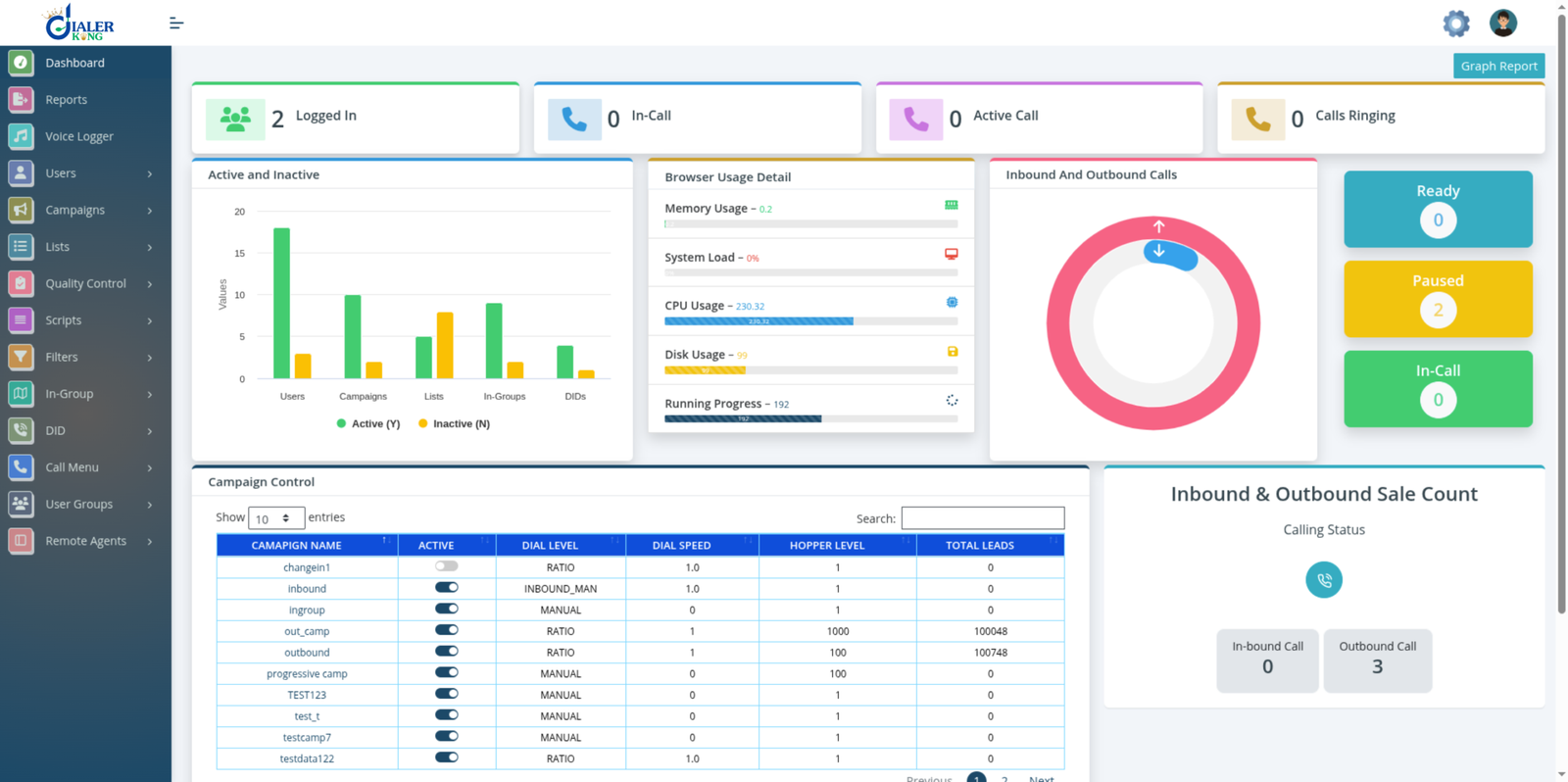
Once installation is complete, two separate access points come into play, and understanding both is essential for administrators.
| Interface | Standard URL | Purpose |
|---|---|---|
| Admin Panel | http://[YOUR_SERVER_IP]/vicidial/admin.php | System administration, campaigns, users, and reporting |
| Agent Interface | http://[YOUR_SERVER_IP]/vicidial/vicidial.php | Live agent call handling and campaign activity |
On custom-themed deployments – such as the ones DialerKing builds – these paths are often restructured. Default usernames and passwords are publicly documented, and leaving them unchanged represents one of the highest-risk vulnerabilities in any new contact center deployment. Credentials should be updated through Admin – Users – Edit User as one of the very first configuration steps.
VICIdial Maintenance Services: Keeping the System Healthy
Installation is only the beginning. A contact center running on VICIdial needs ongoing maintenance to stay stable as call volumes, campaigns, and user counts grow. Two of the most common maintenance requests our support desk receives are database connectivity issues and administrative permission management.
Managing Admin Permissions and Report Access
Not every user needs full administrative control. A common request is limiting a supervisor or manager to a single report – such as the Agent Time Detail Report – without exposing broader admin functions. VICIdial handles this through User Groups combined with report-specific permissions:
- Create a dedicated User Group (for example, REPORT_USERS) under Admin – User Groups.
- Restrict the Allowed Reports setting for that group to only the report the user should see.
- Create the user with an appropriate User Level, assign them to the restricted group, and set View Reports = 1 while leaving all other administrative permissions – Modify Users, Modify Campaigns, Modify Lists, Delete Users, Load Leads – set to 0.
- For multi-team environments, the Allowed User Groups setting can further limit which teams’ data a given group is permitted to view.
Getting this configuration right the first time prevents both over-permissioned accounts (a security risk) and under-permissioned ones (a productivity bottleneck) – and it’s a frequent focus of our ongoing administrative support engagements.
VICIdial API Integration Support
Modern contact centers rarely run VICIdial in isolation – CRMs, lead generation tools, and reporting dashboards all need to talk to the dialer. DialerKing’s support and development team works with both of VICIdial’s native integration paths, plus custom REST-based interfaces built for specific client environments.
| API Type | Endpoint | Purpose |
|---|---|---|
| Agent API | /agc/api.php | Controls an already-active agent session |
| Non-Agent API | /vicidial/non_agent_api.php | System-level automation without an agent login |
The Non-Agent API is the one most integrations rely on, since it doesn’t require an active agent session. It’s commonly used for injecting new lead lists, updating prospect records, checking list tallies, pulling campaign statistics, and managing users – all without a human administrator logging into the graphical interface.
The Agent API, by contrast, is used for click-to-call actions, pause and resume controls, dispositions, and other live-session functions tied to a logged-in agent.
For clients needing deeper, structured integration, our team also builds and documents custom REST API layers covering lead management, campaign and list operations, agent and call reporting, inbound routing, recording metadata, and system health monitoring – giving external CRMs and business intelligence tools a clean, versioned interface into the dialer rather than relying solely on the legacy scripts.
Ongoing Technical Support: Beyond the Initial Setup
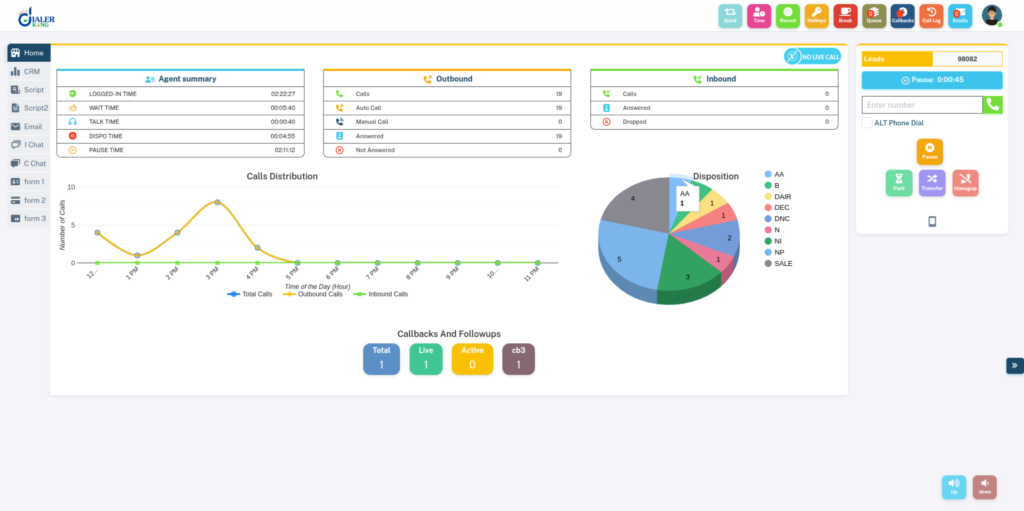
Support doesn’t stop once a system is live. Day-to-day operational issues are just as important to resolve quickly, and our ongoing support plans are built around real operational scenarios, including:
Call transfer configuration
Helping teams correctly set up both Blind Transfer (an immediate handoff where the agent leaves the call) and Attended/Warm Transfer (where the agent briefs the receiving party before connecting the customer), depending on the workflow.
CRM connectivity
Integrating VICIdial with other platforms, and custom-built CRMs, including click-to-call, screen pop-ups, and bidirectional data sync.
Browser-based agent tools
WebRTC softphone setup for agents working from standard browsers rather than dedicated hardware.
Custom theme and admin panel support
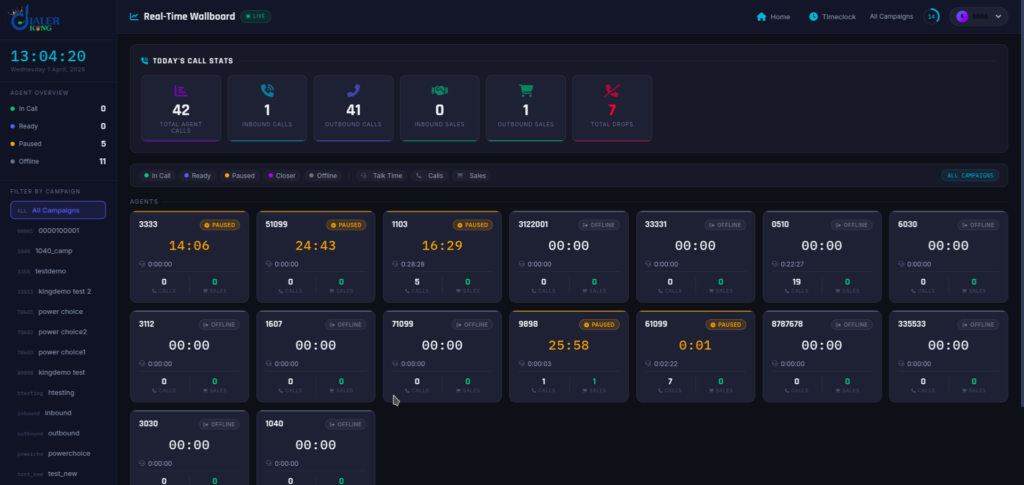
Including the modern, React and Tailwind CSS-based custom interfaces DialerKing builds for clients who want a more contemporary agent and supervisor experience while retaining full VICIdial functionality underneath.
Performance tuning
Database optimization, query tuning, and multi-server architecture guidance for high-concurrency environments handling large lead volumes.
We generally recommend a support package tailored to deployment size rather than a one-size-fits-all plan – a five-agent outbound campaign has very different needs than a multi-hundred-seat environment running blended inbound and outbound traffic.
Where to Find VICIdial Documentation, Forums, and Additional Help
The VICIdial project maintains official documentation and an active community support forum where administrators share configuration tips, patches, and troubleshooting threads. These resources are genuinely useful for general reference and are worth bookmarking.
That said, community forums are typically best suited to non-urgent questions – response times vary, and advice isn’t always specific to your exact server environment, custom theme, or integration setup.
For time-sensitive issues – a campaign that won’t dial, agents locked out mid-shift, or a database that’s gone down during business hours – a dedicated VICIdial support services provider with direct visibility into your environment is generally the faster, more reliable path.
If you’re looking for VICIdial support services in India or need a support contact for an existing DialerKing deployment, our team can be reached directly through our website’s contact and consultation channels for current phone and response-time details.
Why Choose DialerKing for VICIdial Support Services
- Extensive, hands-on VICIdial and Asterisk expertise across installation, maintenance, and custom development
- Full-stack development capability for custom admin panels, agent interfaces, and reporting dashboards
- Deep experience integrating VICIdial with major CRM platforms via API
- Support for both Intel and AMD hardware, with guidance based on your actual traffic patterns
- Ongoing, package-based support rather than one-off, disconnected fixes
- A track record of scalable, multi-server architecture for growing contact center operations
Frequently Asked Questions
How do I access the VICIdial administration login❓
On a standard installation, the admin panel is reached at /vicidial/admin.php on your server’s IP address. Custom-themed deployments often use a different path, such as /dialer/admin.php, though the login mechanism itself stays the same.
Does DialerKing provide VICIdial support services internationally❓
Yes, DialerKing supports clients globally, covering installation, maintenance, and ongoing technical support regardless of the client’s location.
Is VICIdial certification necessary to manage a dialer system❓
There isn’t a single mandatory certifying body for VICIdial, but structured training and hands-on onboarding significantly reduce configuration errors and help internal teams manage day-to-day operations more confidently.
How do I contact VICIdial customer service or DialerKing’s support team❓
For DialerKing’s VICIdial support services phone number and current contact details, reach out through the official website’s contact or consultation form, where our team can respond with the appropriate support channel for your region.
Conclusion
VICIdial is distributed as open-source software through its official project channels. Since it needs to be paired with correctly configured server infrastructure, most teams pair the download with professional installation support. The official VICIdial project maintains documentation and a community forum for general reference. For urgent or environment-specific issues, direct support from a provider familiar with your setup is usually faster.
Ready to get expert help with your VICIdial installation, maintenance, or support needs? Contact DialerKing today for a consultation, and let our team build a support plan tailored to your contact center’s size and workflow.