
- Is VICIdial a CRM Software?
- Two ways to connect VICIdial to a CRM
- Core endpoints that carry a CRM Lntegration
- Step-by-step: building the integration
- Keeping both systems in sync after launch
- Common integration faults and how to diagnose them
- Which CRM platforms can be integrated with VICIdial?
- Frequently asked questions
- Get your VICIdial and CRM systems talking properly
Most outbound and inbound teams running VICIdial don’t run it in isolation. The dialer handles the phone side – hopper logic, agent screens, recordings, dispositions – while a separate VICIdial Integration with CRM holds the actual account history, deal stage, and support notes.
When those two systems don’t talk to each other, agents end up working from two screens, lead status goes stale in one system while it updates in the other, and supervisors lose a reliable view of what actually happened on a call.
VICIdial integration with CRM closes that gap: leads flow into the dialer automatically, call outcomes flow back into the CRM record, and neither system becomes the single source of truth by accident.
This guide covers how the integration layer actually works, which endpoints do the heavy lifting, a practical step-by-step build sequence, how to keep both systems in sync after go-live, and how to diagnose the integration faults that show up most often in production – including a real fault pattern where leads import correctly but agents still can’t get a manual dial to fire.
Is VICIdial a CRM Software?
No. VICIdial is a telephony and campaign-dialing platform – it manages outbound dialing methods, inbound queues, agent screens, recordings, and dispositions. A CRM manages the customer relationship itself: contact history, deal or ticket stage, notes from every department that has touched the account, and long-term reporting that isn’t tied to a single call.
VICIdial does hold a version of the lead record (vicidial_list) with status, owner, and custom fields, which is enough to run a campaign, but it isn’t built to be the organisation’s system of record for a customer relationship.
That’s precisely why integration matters: instead of duplicating contact data in both places and hoping someone remembers to update both, the CRM stays the source of truth for the customer, and VICIdial stays the source of truth for what happened on the phone.
Why integrate VICIdial with your CRM
- New leads created in the CRM reach agents without a manual export-and-upload step.
- Call outcomes, recordings, and disposition notes land back on the CRM record automatically, so account owners aren’t chasing agents for updates.
- Duplicate and do-not-call checks run against a single dataset instead of two lists drifting apart.
- Supervisors and account managers get one number for lead-to-sale conversion instead of reconciling two reports.
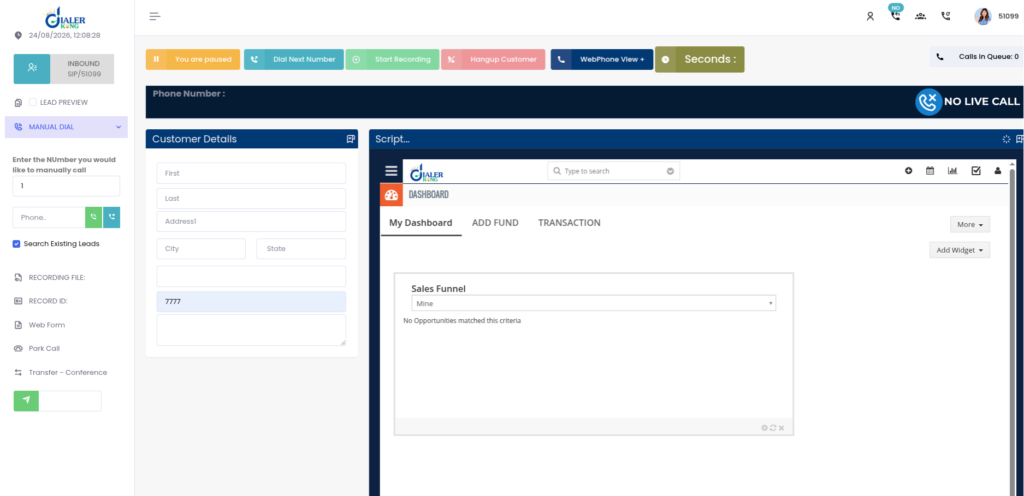
- Screen pops and click-to-call give agents customer context the moment a call connects, without opening a second application.
Two ways to connect VICIdial to a CRM
VICIdial deployments generally expose two integration surfaces, and most production builds use both.
The Non-Agent API (non_agent_api.php)
This is VICIdial’s original script-based interface, reached at a URL such as http://your-server-ip/vicidial/non_agent_api.php. It doesn’t require an active agent session, which makes it the right tool for background jobs: injecting leads, updating records, pulling list tallies, and checking campaign statistics without a human logged into the admin screen.
It sits alongside the Agent API (agc/api.php), which is scoped differently – that one controls an already-logged-in agent’s live screen for actions like click-to-call, pause and resume, and disposition submission. As a rule: use the Non-Agent API for CRM sync, lead uploads, reporting, and callback management, and use the Agent API for anything touching a live agent session.
The structured REST API layer
On top of the native scripts, a REST layer such as DialerKing’s v1 specification wraps the same underlying data in a conventional JSON-over-HTTPS interface: bearer token authentication, ISO 8601 timestamps, E.164 phone number formatting, standard HTTP status codes, and a consistent success and error envelope on every response.
This is generally the easier surface for a CRM’s own integration or workflow tooling to consume, because failures come back as structured, per-field validation errors rather than a batch summary that needs to be parsed.
Example error response for a rejected lead:
{
  "success": false,
  "code": 422,
  "message": "Validation Failed",
  "errors": [
    { "field": "phoneNumber", "message": "Phone Number is required." }
  ]
}Core endpoints that carry a CRM Lntegration
A handful of endpoints do most of the work in any VICIdial-to-CRM build:
- Lead Import – POST /api/v1/leads – pushes a new contact from the CRM into a VICIdial list and campaign.
- Lead Lookup – GET /api/v1/leads/search – retrieves a lead by CRM reference ID, phone number, or vendor code, so the CRM can verify what VICIdial currently holds.
- Lead Update – PUT /api/v1/leads/{leadId} – pushes status, owner, or note changes without touching fields that weren’t supplied.
- Bulk Lead Update – PUT /api/v1/leads/bulk – updates up to 500 records in one call, which matters for nightly CRM sync jobs.
- Campaign List and List Inventory – populate campaign and list selection in the CRM before a lead ever gets pushed.
- Call History and Call Disposition – pull talk time, status, and agent notes back onto the CRM record after a call ends.
- DNC Lookup – GET /api/v1/dnc/check – checks a number against VICIdial’s do-not-call list before it’s imported or dialled.
- Webhook Registration – POST /api/v1/webhooks – subscribes the CRM’s endpoint to real-time events instead of polling.
A typical lead push from a CRM looks like this:
POST /api/v1/leads
Authorization: Bearer <token>
Content-Type: application/json

{
  "data": {
    "clientReferenceId": "CRM500001",
    "phoneNumber": "+61280001234",
    "firstName": "John",
    "lastName": "Smith",
    "listId": 1001,
    "campaignId": "OUTBOUND001",
    "vendorLeadCode": "RM10001",
    "source": "Website Enquiry",
    "customFields": { "product_interest": "Solar" }
  }
}VICIdial writes the core fields into vicidial_list (phone_number, first_name, last_name, list_id) and routes anything under customFields into vicidial_list_custom, keyed to that lead. A duplicate phone number against the same campaign’s duplicate settings comes back as a 409 with the existing lead ID rather than silently creating a second row – worth building explicit handling for on the CRM side, since a silent failure there is how lists end up with quiet duplicates months later.
Step-by-step: building the integration
1. Confirm authentication.
Generate and store the bearer token (or refresh token flow) the CRM’s integration will use, and confirm it against a low-risk endpoint such as GET /api/v1/health before building anything else on top of it.
2. Map fields before writing a single line of integration code.
List every CRM lead field against the matching VICIdial column, and decide upfront where CRM-specific fields (deal stage, lead source, product interest) will live in vicidial_list_custom.
3. Build the outbound push.
New or updated CRM leads use Lead Import or Lead Update, checking DNC status first if the CRM doesn’t already run its own suppression list.
4. Build the return path.
Register webhooks for Call Completed, Sale Completed, and Callback Created so outcomes land back on the CRM record without a scheduled poll.
5. Handle campaign and list selection dynamically.
Call the Campaign List and List Inventory endpoints rather than hardcoding campaign IDs, so a renamed or retired campaign doesn’t silently break the feed.
6. Test duplicate and validation handling deliberately.
Push a lead twice, push one with a missing required field, and confirm the CRM surfaces both outcomes to whoever’s watching the integration, not just a generic failure.
7. Reconcile before go-live.
Run a lead count comparison between the CRM segment and the VICIdial list it fed, and repeat that check on a schedule after launch – a silent mapping error is far easier to catch at 200 records than at 20,000.
Keeping both systems in sync after launch
Polling VICIdial for changes on a fixed interval works, but it’s wasteful at scale and introduces lag between something happening and the CRM knowing about it. Webhooks are the better long-term pattern: register the CRM’s endpoint against the events that actually matter to it (typically Lead Imported, Call Completed, Recording Ready, Callback Created, and Sale Completed), and let VICIdial push the update the moment it happens.
A Call Completed event, for example, arrives with the call ID, agent, and disposition, which is enough for the CRM to pull the fuller Call Details or Call Disposition record only when it needs it, rather than fetching every call on a timer.
Common integration faults and how to diagnose them
Most integration issues fall into one of three buckets: the lead never left the CRM, the lead landed in VICIdial but never reached an agent, or the lead reached an agent but wouldn’t dial. The first two are usually visible in the API response or the list’s lead count. The third is the one that gets misdiagnosed most often as an integration problem, when it isn’t.
Fault: leads import cleanly but manual dialing doesn’t fire
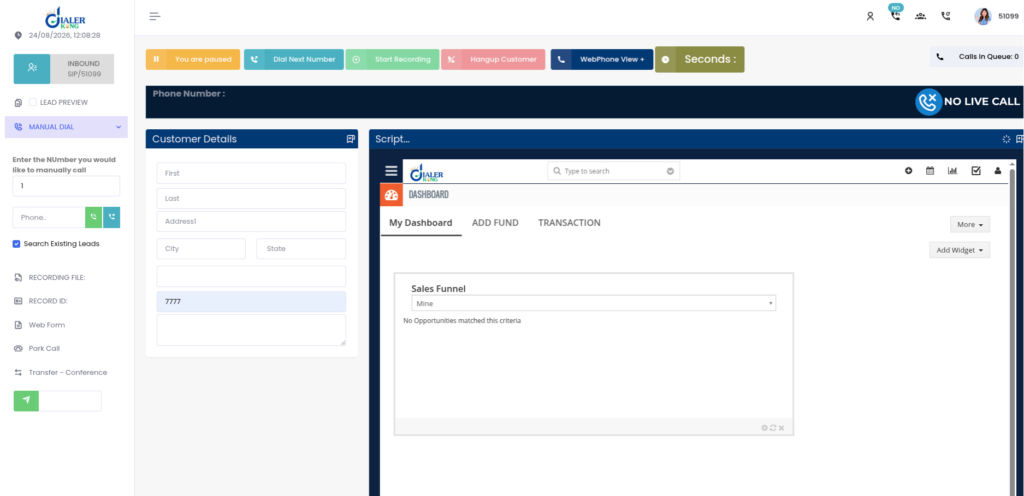
A common support pattern: a CRM push confirms success, the lead count on the list goes up, an agent logs in, sees the Dial Next Number button, and clicks it – and nothing happens. No outbound call, no screen update, no origination. Before assuming the integration is at fault, check the agent’s live session state directly:
SELECT user, status, campaign_id
FROM vicidial_live_agents;
Returns:
TEST_AGENT | PAUSED | SAMPLE_CAMPAIGNA PAUSED agent status blocks manual dial actions even though the button stays clickable in the interface – the request never reaches Asterisk. Cross-check the campaign’s dial level at the same time:
Campaign: SAMPLE_CAMPAIGN
auto_dial_level=0auto_dial_level=0 is the expected, correct setting for a manual dialing campaign, so that value on its own isn’t the fault – it confirms the campaign is configured as intended. Combined with a PAUSED agent status, the actual fix is clearing the pause state and confirming the agent’s phone extension is registered, not re-checking the lead data or the import payload that put the lead there in the first place.
Teams that troubleshoot from the CRM side first often lose time here because the lead record looks completely correct.
Fault: validation errors that never surface in the CRM
If the CRM’s integration only checks the HTTP status code and not the response body, a 422 validation failure can look identical to a silent no-op from the CRM user’s side of things. Make sure the CRM’s error handling reads the errors array and surfaces the specific field and message, not just a generic “import failed” notice – otherwise every rejected record needs to be traced back through server logs manually.
Fault: duplicate leads accumulating despite duplicate detection
Duplicate detection in VICIdial follows the campaign’s own duplicate settings, which may be scoped to a single list rather than the whole campaign. If a CRM pushes the same contact into two different lists under one campaign, both will succeed, and the same person ends up in the hopper twice.
Scope duplicate checks at the campaign level in VICIdial’s configuration if that’s the intended behaviour, or have the CRM run its own Lead Lookup check before pushing.
Which CRM platforms can be integrated with VICIdial?
There isn’t a single correct answer – the right CRM depends on team size, industry, and what the sales or support workflow already looks like – SuiteCRM and Vtiger connect cleanly to VICIdial’s API layer.
SuiteCRM and Vtiger tend to suit larger organisations with existing enterprise workflows and complex approval chains. Whichever platform is already in use, the integration pattern is the same: authenticate, map fields, push and pull through the endpoints above, and register webhooks for the events that matter.
Custom integration builds
Standard field mapping and webhook registration cover most CRM connections, but a few requirements come up often enough to be worth planning for upfront: click-to-call from inside the CRM record, screen pops that open the customer’s account the moment a call connects, bidirectional sync where updates in either system reach the other without conflict, and appointment synchronisation for teams that book site visits or callbacks directly from a call.
Where the standard endpoints don’t cover a workflow exactly as the team runs it, a custom endpoint or a dedicated middleware layer sitting between VICIdial and the CRM is usually a cleaner long-term fix than forcing an unusual field mapping through the generic APIs.
Frequently asked questions
Which CRM is best for contact centers❓
It depends on team size and existing workflow. All of them connect to VICIdial through the same core API pattern.
Is VICIdial a CRM software❓
No – VICIdial is a dialing and campaign management platform, not a customer relationship management system. It holds enough lead data to run a campaign, but a proper CRM remains the system of record for the broader customer relationship. Integrating the two lets each system do the part it’s actually built for.
Can VICIdial and CRM sync lead data in both directions❓
Yes. A properly configured VICIdial integration with CRM can support two-way data synchronization. New CRM leads can be pushed into VICIdial, while call dispositions, notes, callbacks, and other outcomes can be sent back to the CRM using APIs or webhooks.
What should I check if VICIdial CRM integration stops syncing❓
Start by checking API authentication, endpoint responses, field mapping, campaign and list settings, webhook delivery, and duplicate rules. Also verify that the CRM workflow is still triggering correctly. Checking API logs and recent failed requests can help identify whether the issue starts in the CRM, integration layer, or VICIdial.
Get your VICIdial and CRM systems talking properly
DialerKing Technologies builds VICIdial-to-CRM integrations covering lead sync, click-to-call, screen pops, call logging, and webhook-based bidirectional updates. If leads are still moving between systems manually, or an existing integration keeps breaking under real campaign volume. Get in touch to review your current setup and scope a build that holds.