- What is VICIdial used for?
- Is VICIdial a dialer, and is it free for calling?
- VICIdial download and sign up: what to expect before your first login
- How do I login to VICIdial? Step-by-step process
- VICIdial script: what handles login behind the scenes
- Common VICIdial login issues and how to fix them
- Frequently asked questions
- Get your VICIdial log in issues resolved
VICIdial log in is the first thing every administrator and every agent deals with before a single lead gets touched. It sounds simple: enter a user ID, a password, and start working. In practice, the login process for VICIdial has more moving parts than most people expect. The platform separates administrative access from agent access, and agent access itself depends on campaign settings, extension registration, and session records that update in the background.
This guide walks through the VICIdial log in process from both sides: how an administrator logs into VICIdial administration, and how an agent logs into a campaign through the agent web client.
It also covers the questions people search for most around this topic, including what VICIdial is used for, whether it is free to run, how to get it, and what to check when a login that used to work suddenly stops working.
What is VICIdial used for?
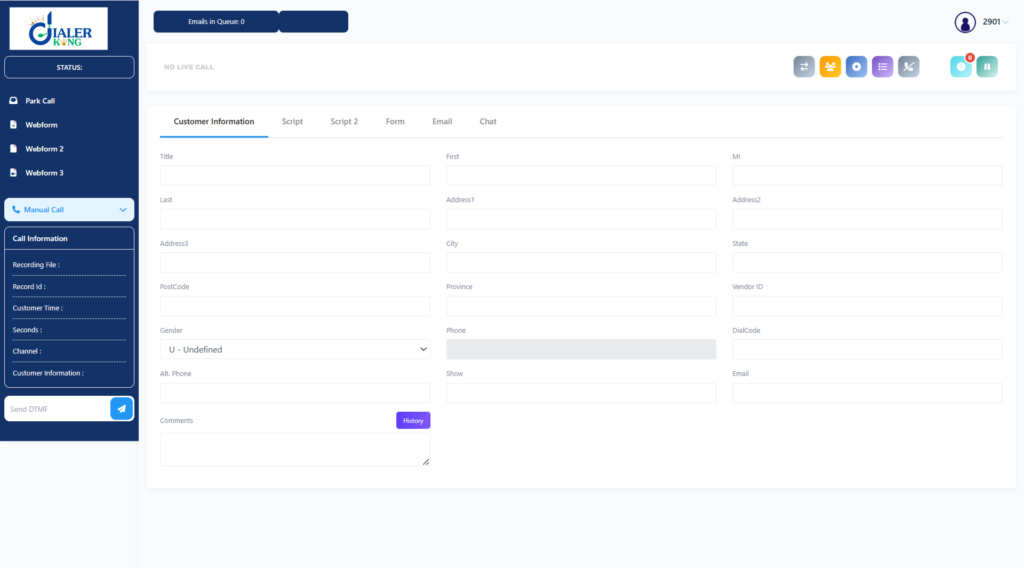
VICIdial is dialer software built for outbound and inbound calling operations that need to manage large volumes of leads and multiple agents at once. Once logged in, an administrator can build campaigns, upload lead lists, assign agents to those campaigns, set dialing rules, and pull reporting on call outcomes. Agents, once logged in, work leads through a browser-based screen that shows them the next lead, lets them dial, log a disposition, and move to the next call.
The platform supports several dialing modes from a single login. An agent working in manual mode clicks a button to place each call themselves. An agent working under a predictive or progressive campaign gets leads delivered to their screen automatically once the system connects a live call. Because all of this activity ties back to a specific agent login and a specific campaign login, getting the login step right is the foundation for everything else the platform does.
Is VICIdial a dialer, and is it free for calling?
Yes, VICIdial is a dialer. It is open source dialer software, released under a public license, which means the source code itself is free to download and install. There is no license fee to log in and use the core dialing, lead management, and reporting features.
That said, “free” applies to the software license, not to the full cost of running it. Two things still cost money outside of VICIdial itself: the server the software runs on, and the telephony trunk that actually carries voice traffic once an agent logs in and dials.
Neither of those is part of a VICIdial log in and neither is controlled by the login screen itself, but they are worth planning for before a first login attempt, since a missing trunk connection is often mistaken for a login failure when the login itself actually succeeded.
VICIdial download and sign up: what to expect before your first login
There is no VICIdial sign up page in the way people usually mean that phrase. There is no form to fill in, no account to activate by email, and no username assigned automatically. VICIdial download works differently: the installer or source package is obtained from the official project distribution, then installed on a Linux server, typically Debian or a compatible distribution, along with the telephony engine it depends on.
Once installation finishes, the very first login happens with a default administrator account that the installation process sets up. From that first VICIdial administration login, the administrator changes the default password, then creates every other login the team will use: additional administrator accounts, campaign records, and individual agent user IDs with their own passwords and phone extensions.
In other words, every login on the system after that first one is created manually by an administrator, not signed up by the end user.
How do I login to VICIdial? Step-by-step process
The exact login path depends on whether the person logging in is an administrator or an agent, since VICIdial keeps these interfaces separate on purpose.
VICIdial administration login
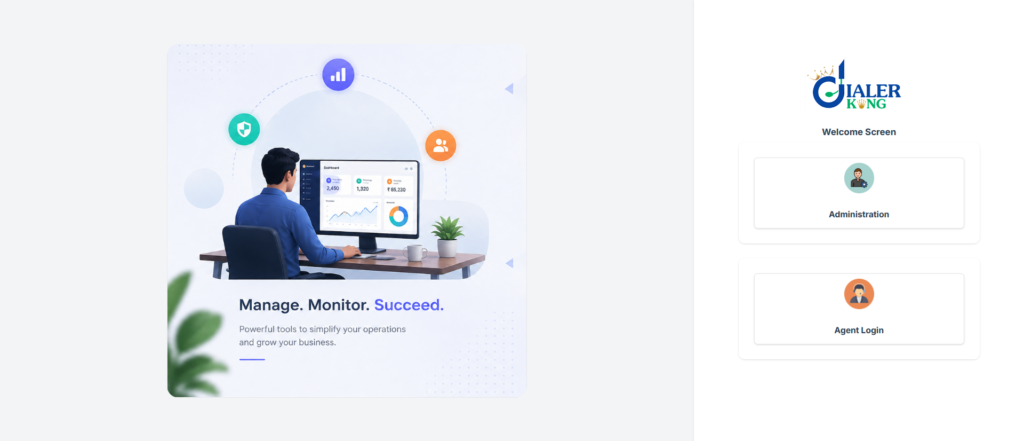
- Open the admin URL supplied by whoever installed the system, which loads the admin.php login screen.
- Enter the administrator user ID and password created during installation, or created for that specific admin account.
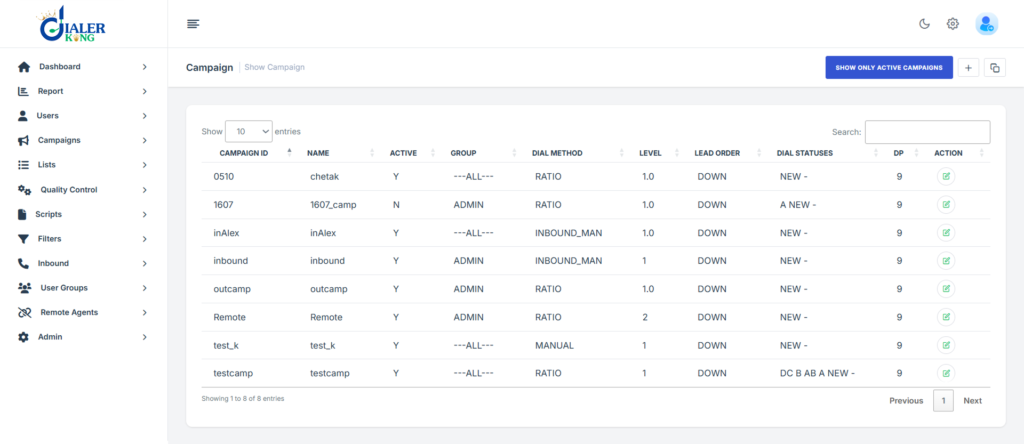
- Submit the form. A successful VICIdial administration login lands on the main admin menu, showing campaign management, user management, lists, and reporting sections.
- If the login screen reloads without an error but also without moving forward, check that the account has not been disabled or that the password was not recently reset by someone else on the team.
An administrator login has no dialing function of its own. It exists to configure campaigns, manage leads, create agent accounts, and review reports, not to place calls.
| 🌐 Live Demo | https://demo.dialerking.com |
| 👨💼 Admin User Name | 6666 |
| 🔑 Admin Password | M1a2n3t4r5a6 |
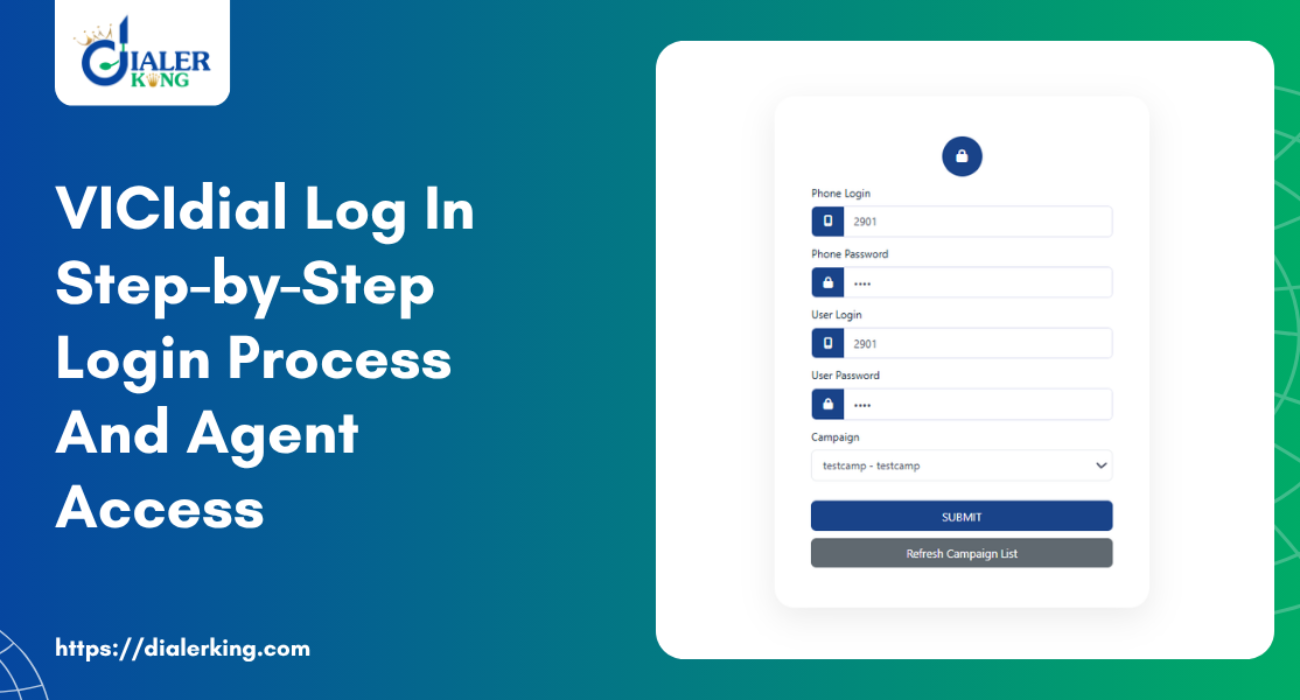
| 📞 Agent Phone Login | 2901 |
| 🔑 Agent Phone Password | 2901 |
| 👤 Agent User Login | 2901 |
| 🔑 Agent User Password | 2901 |
| 🎯 Campaign | testcamp |
VICIdial agent login
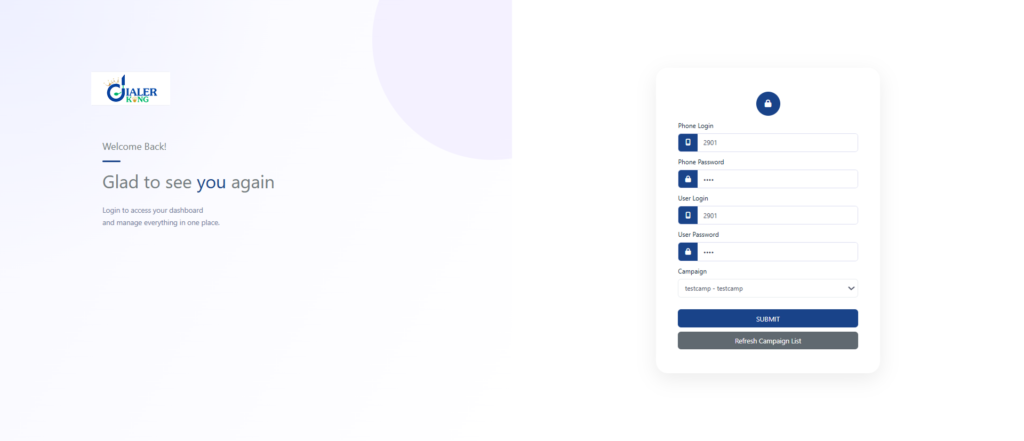
- Open the agent login URL, separate from the admin URL, which loads the agent time clock screen.
- Enter the agent user ID and password set up by an administrator.
- Enter the campaign ID for the campaign the agent is scheduled to work. This field is easy to overlook, but VICIidial agent login will not proceed correctly without it, since the platform needs to know which campaign’s leads and rules apply to that session.
- Submit the form to move into the agent screen itself.
A VICIdial agent login that appears to succeed but leaves the agent sitting on a blank or partially loaded screen is almost always a campaign ID mismatch, not a password problem.
Agent web client: campaign login
The agent web client is the browser screen an agent actually works from after logging in. Two things need to line up here for the login to result in a working session:
The phone extension assigned to that agent needs to already be registered with the telephony engine before login. If the extension has not registered, the agent web client login itself will still complete, but no call path exists yet, and the agent will not be able to place or receive calls until the extension registers.
The campaign entered at login needs to match a campaign the agent is actually authorized for. An agent logged into the wrong campaign login will not see the leads or dialing behavior their supervisor expects.
Once both conditions are met, the agent web client shows the agent as ready, and campaign login is complete.
VICIdial agent login API
Some teams do not want agents typing a user ID, password, and campaign ID by hand every shift. For this, VICIdial supports a VICIdial agent login API path, where those same three values, along with the phone login extension, are passed as parameters directly in the login request rather than typed into a form.
This is commonly used to build a custom start screen, a single sign-on style launcher, or an embedded agent client where the login fields are filled in automatically based on the agent’s identity elsewhere in the business system.
The API login path still checks the same underlying conditions as a manual login: valid user credentials, a valid campaign assignment, and, once the agent screen loads, a registered phone extension before dialing will work. Automating the login fields does not remove the need for those three things to be correct behind the scenes.
VICIdial script: what handles login behind the scenes
VICIdial log in is not a single script. Several scripts and database tables work together, and knowing roughly what each one does makes troubleshooting far faster:
- The administration login runs through admin.php, which checks credentials against the user table and loads the admin menu on success.
- Agent login runs through the agent time clock script, which checks the agent’s user ID, password, and campaign assignment, then writes a record into the live agent table for that session.
- The agent web client script continually reads and updates that live agent record while the agent works, which is how the platform tracks whether someone is logged in, paused, or on a call.
- API based logins, including the VICIdial agent login API path described above, run through a separate script built specifically to accept login parameters instead of a submitted form.
When a login problem does not match a simple typo or wrong campaign, the next place to look is usually whichever of these scripts sits behind the login screen that is misbehaving, along with the database tables it writes to.
Common VICIdial login issues and how to fix them
Most VICIdial log in issues fall into a small number of patterns
Agent logs in but shows as paused, or keeps returning to paused. The agent screen may report a successful login, and a check of the live agent table will show the agent’s user ID against the correct campaign, but the status field keeps reading paused instead of ready.
This usually points to a pause code that is set to trigger automatically, a session record that never fully cleared from a previous shift, or the agent screen losing its keepalive connection to the server partway through. The fix is to check the campaign’s pause code settings first, then clear any stale session record for that agent before the next login attempt.
Login succeeds but the dial next number button does nothing
The login itself worked, the agent shows correctly against the right campaign, but no call ever originates. Before assuming this is a login problem, confirm the agent’s phone extension has actually registered with the telephony engine. A login can complete perfectly while the phone side of that same agent has not connected yet, and the two need to be checked separately.
Administration login works but the admin pages show warnings or load incorrectly
If the admin login screen accepts the password but the pages that follow are missing menu items, showing broken layouts, or throwing warnings referencing undefined values, the login credentials are not the issue.
This points to the underlying database schema being out of step with the installed version, which affects every admin page built on top of that schema, not just the login screen. This is worth checking early, since it can look like a login bug when the actual cause sits deeper in the installation.
Agent login rejects valid credentials.
Double check that the campaign ID field was filled in, since VICIdial treats a missing or incorrect campaign ID as a failed login even when the user ID and password are both correct. If the campaign ID is confirmed correct and the login still fails, verify the account has not been locked, disabled, or had its password changed by an administrator.
Working through login issues in this order, from account and campaign settings first, then phone registration, then the database underneath, resolves the large majority of cases without needing to touch the login script itself.
Frequently asked questions
Where do I get a VICIdial download❓
The installer is obtained from the official project distribution and installed on a Linux server along with its telephony engine dependency. There is no separate paid download tier for the core software.
What is the VICIdial agent login API used for❓
It lets a login be triggered by passing the user ID, password, campaign ID, and phone extension as parameters, instead of an agent typing them into the login form. It is used for custom launchers and embedded agent screens.
What happens during agent web client: campaign login❓
The agent’s phone extension needs to already be registered, and the campaign entered at login needs to match one the agent is authorized for. Once both are true, the agent web client marks the agent as ready to work.
How do I access VICIdial administration❓
Through the admin.php login screen using an administrator account, which is separate from every agent login on the system.
What is a VICIdial script, in the context of login❓
It refers to the individual scripts, admin.php, the agent time clock script, the agent web client script, and the API login script, that each handle a different part of the login process and write to the database tables that track login and session state.
Get your VICIdial log in issues resolved
A login screen that accepts a password but leads nowhere useful is rarely a login bug on its own. It is usually a sign of something else in the installation, a campaign setting, a phone registration, or a database schema, that needs attention.
DialerKing works directly with teams running VICIdial to review installations end to end, fix agent access and login issues, and get administrators and agents back to working logins that actually hold up shift after shift. If your VICIdial log in process is not behaving the way it should, reach out to DialerKing to have it checked.