- The BAD-PHONE error and what it actually means
- Database schema mismatches quietly break the loader
- Custom lead layouts and field mapping
- A step-by-step way to diagnose the VICIdial Lead Loading Problems
- Why this happens more often after partial upgrades
- How DialerKing approaches lead loading issues
- Frequently Asked Questions
- Get your lead loading fixed properly
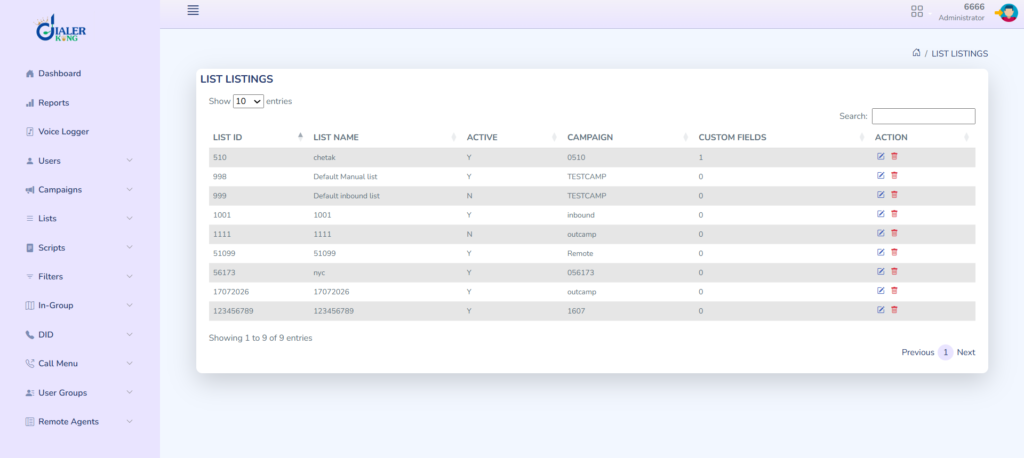
Agents log in, campaigns are configured, and the dial button is ready to go, but the lead count sits at zero. This is one of the more disorienting VICIdial Lead Loading problems in a VICIdial deployment because the interface gives very little useful feedback. The import wizard says the upload finished. No error banner appears. Yet a quick query against the database tells a different story.
SELECT COUNT(*) FROM vicidial_list;If that query returns 0 after an upload that was supposed to add thousands of contacts, something failed between the file being received and the record being written to the table. This article walks through the actual causes we see most often at DialerKing, using real diagnostic output rather than generic troubleshooting advice, so you can work out which one applies to your installation.
The BAD-PHONE error and what it actually means
A common symptom is the import wizard reporting record 0 as BAD-PHONE, no matter which file format is used. Teams often assume this means the phone numbers in the file are formatted wrong, so they try every variation they can think of:
- A phone_number and phone_code split across two columns
- Full E.164 format such as +614xxxxxxxx
- A plain CSV export
- A TXT file with the same data
When every format produces the identical BAD-PHONE result on the same record, the phone numbers are almost never the actual problem. It usually means the loader script itself is failing before it gets far enough to read the phone field correctly, which points to something upstream, not the file content.
This is where checking the Apache error log matters more than re-formatting the file for the fifth time. Two messages tend to show up together in cases like this:
Spreadsheet/XLSX.pm missing
sheet2tab.pl failedThe VICIdial Lead Loading Process depends on a set of Perl modules to parse spreadsheet-style uploads. If Spreadsheet::XLSX.pm is missing from the server’s Perl library path, the conversion step that turns the uploaded file into a format the database can accept never completes. The wizard still shows a completed upload screen because the file transfer itself succeeded. What failed was the parsing stage that comes after.
A related error confirms the same failure pattern from a different angle:
PHP Fatal error
Admin_listloader_fourth_gen.phpadmin_listloader_fourth_gen.php is the script responsible for handing off the uploaded file to the backend loader process. A fatal error here, especially alongside the missing Perl module message, tells you the loading pipeline is broken at the software level, not that any particular lead file is malformed.
Database schema mismatches quietly break the loader
Lead loading problems rarely show up alone. In one diagnostic pass, checking the schema version returned a result that should raise immediate concern:
SELECT db_schema_version
FROM system_settings;

Result: 0A healthy VICIdial installation typically reports a schema version that matches the installed release and upgrade level. A value of 0 means the database was never properly initialized to match the installed codebase, or an upgrade script started and did not finish. This single detail explains a lot of seemingly unrelated symptoms at once.
Alongside the schema version issue, the Apache logs commonly fill with PHP warnings such as:
PHP Warning: Undefined variableshowing up in files including admin.php, admin_header.php, admin_listloader_fourth_gen.php, and vicidial_stylesheet.php. Variables like $menu_name, $ip_address, $lead_filter_sql, $reports_only_user, and $tz_method appearing can be a sign of the schema mismatch.
These files expect certain settings and table columns to exist because the code was written against a newer schema version than what the database actually has. When those expectations are not met, PHP falls back to undefined variables instead of throwing a clean error, which is part of why the problem can look like random instability rather than one root cause.
The practical takeaway: if lead imports are failing and the admin interface is also throwing undefined variable warnings, check the schema version before touching the import file at all. Fixing the schema mismatch first often resolves the loader problem as a side effect, because both symptoms trace back to the same incomplete upgrade or installation.
Custom lead layouts and field mapping
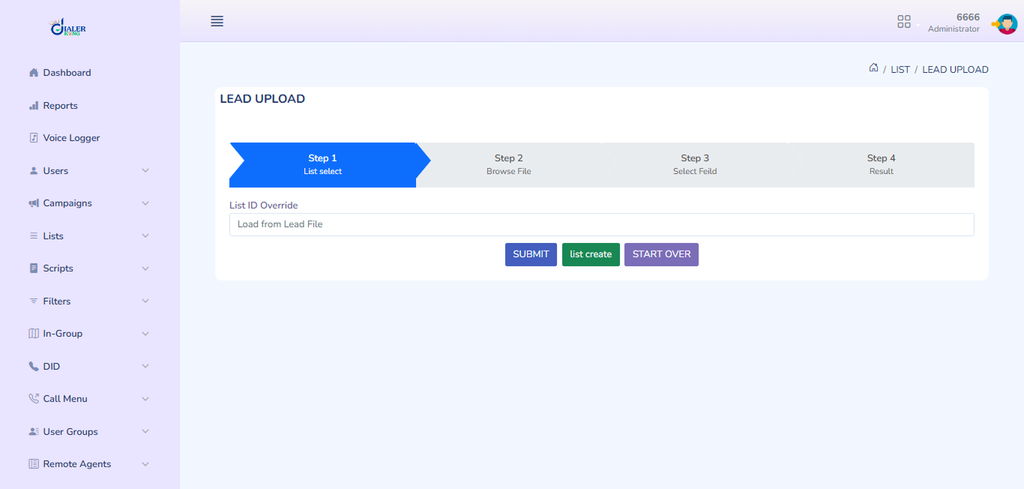
A second, less obvious cause involves custom lead layouts and custom fields. VICIdial lets you define which columns exist in a lead record beyond the defaults, and the import wizard maps the uploaded file’s columns against that layout during the load.
If the custom lead layout does not match the structure of the file being uploaded, one of two things tends to happen. Either the import fails outright with a mapping error, or it appears to succeed while writing incomplete or misaligned records. This second case is more dangerous because it does not look like a failure at first glance.
A count query against vicidial_list might even show a nonzero number, but the lead display format looks wrong, phone numbers land in the wrong field, or agents see blank fields where data should be.
Before assuming the loader itself is broken, it is worth opening the lead layout admin page and confirming that every column in the source file has a matching field defined, in the order the loader expects. Mismatched custom fields are an easy thing to overlook when the more dramatic errors, like BAD-PHONE or a schema mismatch, are competing for attention.
A step-by-step way to diagnose the VICIdial Lead Loading Problems
Rather than trying every fix at once, work through the pipeline in order, since each stage depends on the one before it.
1. Confirm the file actually reaches the server.
Check that the upload completes without a network timeout and that the file lands in the expected temporary directory.
2. Check the Apache error log immediately after an upload attempt
Look specifically for Spreadsheet::XLSX.pm errors, sheet2tab.pl failures, or a PHP fatal error in admin_listloader_fourth_gen.php.
3. Query the schema version
Run the db_schema_version check above. If it returns 0 or looks unusually low for your VICIdial version, treat the schema as the primary suspect.
4. Review the VICIdial Lead Loading Problems and custom fields.
Confirm the column order and field definitions match the file structure exactly.
5. Run a manual insert test.
A direct database write test that succeeds tells you the database itself is reachable and writable, which narrows the problem down to the loader script or schema rather than a connectivity issue.
6. Re-check the lead count.
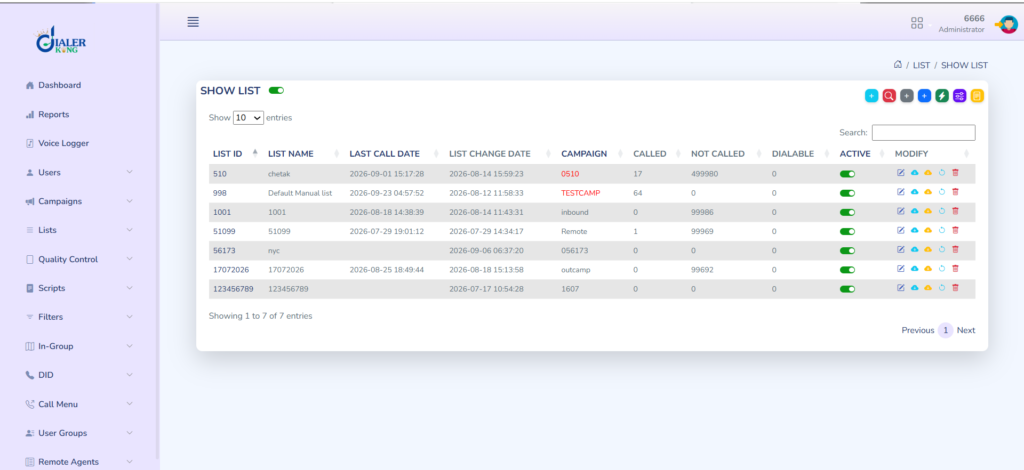
After each fix, rerun the COUNT(*) query against vicidial_list to confirm whether the change had any effect before moving to the next step.
This order matters because fixing a downstream symptom, like reformatting the CSV file, will not help if the actual failure is a missing Perl module or an incomplete schema upgrade further up the chain.
Why this happens more often after partial upgrades
Most of the cases we see at DialerKing involving lead loading failures share a common thread: the installation was upgraded at some point, but the upgrade did not run cleanly to completion. VICIdial’s upgrade process touches the database schema, several PHP admin files, and supporting Perl scripts together.
If any one of those steps is interrupted, whether by a server restart, a missing dependency, or a script error, the system can end up in a state where some components expect the new version and others are still running against the old one.
This is exactly the pattern reflected in the undefined variable warnings and the schema version showing 0. The fix is rarely a single setting change. It typically means re-running the upgrade scripts in sequence, confirming each one completes without error, and validating the schema version afterward before attempting another lead import.
How DialerKing approaches lead loading issues
When a client brings us a VICIdial installation with lead loading failures, we start with the same diagnostic sequence outlined above rather than immediately touching the CSV file. In most cases, the file was never the problem. Confirming the schema version, checking the Apache log for the specific Perl module and PHP fatal errors described here, and validating the lead layout against the source file can resolve many of the cases we see.
For installations where the schema mismatch is confirmed, we walk through the upgrade scripts methodically, verify each stage, and re-test the import with a small sample file before running the full lead list. This staged approach avoids re-importing thousands of records into a system that is still misconfigured underneath.
Frequently Asked Questions
Can I use VICIdial for free❓
VICIdial is open-source software distributed under the GNU Affero General Public License, so the software itself carries no license fee. What typically requires a paid service is the setup, configuration, server management, and ongoing support needed to run it reliably, along with the underlying server infrastructure and telephony trunk costs, which are separate from the software license.
Who uses VICIdial❓
VICIdial is used by outbound and inbound sales, support, and collections teams across a wide range of industries, including solar and energy sales, insurance, debt collection, and lead generation businesses. It is particularly common among teams running high-volume outbound dialing campaigns that need predictive, power, or manual dialing modes alongside detailed reporting.
Get your lead loading fixed properly
If your VICIdial system is showing zero imports, BAD-PHONE errors across every file format, or a schema version that does not look right, the underlying cause is almost always fixable without rebuilding the installation from scratch. DialerKing works through exactly this kind of diagnostic process for clients experiencing VICIdial Lead Loading Problems that have drifted out of a clean, working state.
Reach out through dialerking to have your logs and schema reviewed and your lead loading pipeline restored.