- What Is the VICIdial Modern Theme?
- Core Components of the Modern Theme
- Why Businesses Upgrade to a VICIdial Modern Theme
- What Can Be Customized in a VICIdial Modern Theme?
- Why the Interface Upgrade Actually Matters
- Real-World Use Case: Outbound Collections Team Migration
- Why Choose DialerKing for VICIdial Theme Customization?
- Frequently Asked Questions
- Conclusion
The VICIdial Modern Theme Demo is the fastest way to evaluate a fully redesigned agent interface before committing to a deployment, and if you manage a contact center running VICIdial, it may be the most impactful change you make this year. Out of the box, standard VICIdial ships with a functional but visually dated interface that can slow agents down, increase training time, and contribute to fatigue during long shifts.
The modern theme addresses every one of those friction points with a cleaner layout, improved contrast, and a workspace that simply gets out of the way. This guide covers everything you need to evaluate, install, and configure the modern theme, including color customization, campaign creation, and script integration – so your team can hit the ground running.
What Is the VICIdial Modern Theme?
VICIdial is one of the most widely deployed open-source contact center platforms in the world, used by thousands of organizations ranging from small sales desks to enterprise-level support operations. Its power lies in its flexibility – predictive dialing, inbound queue management, agent scripting, campaign controls, and deep reporting are all built in. What it has historically lacked is a polished front-end experience.
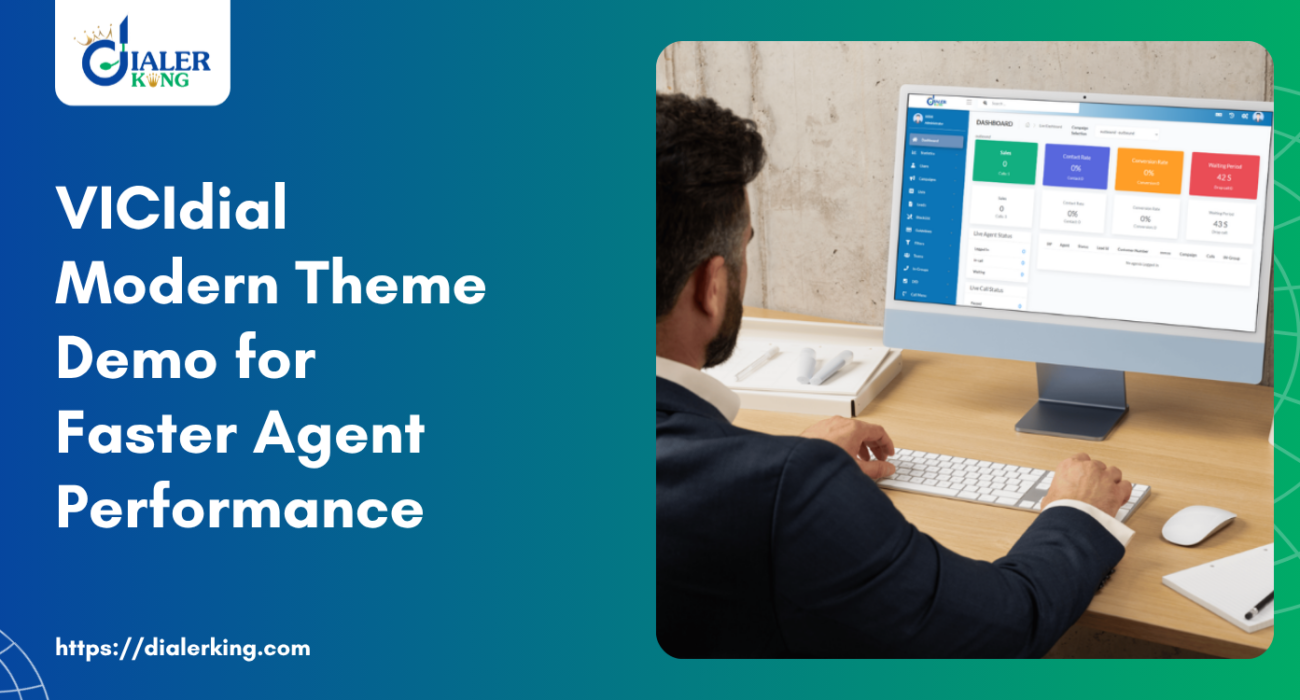
The modern theme is a comprehensive UI overhaul applied on top of the standard VICIdial codebase. It does not modify core functionality or telephony logic, all the familiar VICIdial features work exactly as before. What changes is everything the agent and supervisor see: typography, spacing, button placement, color palette, disposition panels, and the overall visual hierarchy.
Core Components of the Modern Theme
Redesigned Agent Interface:
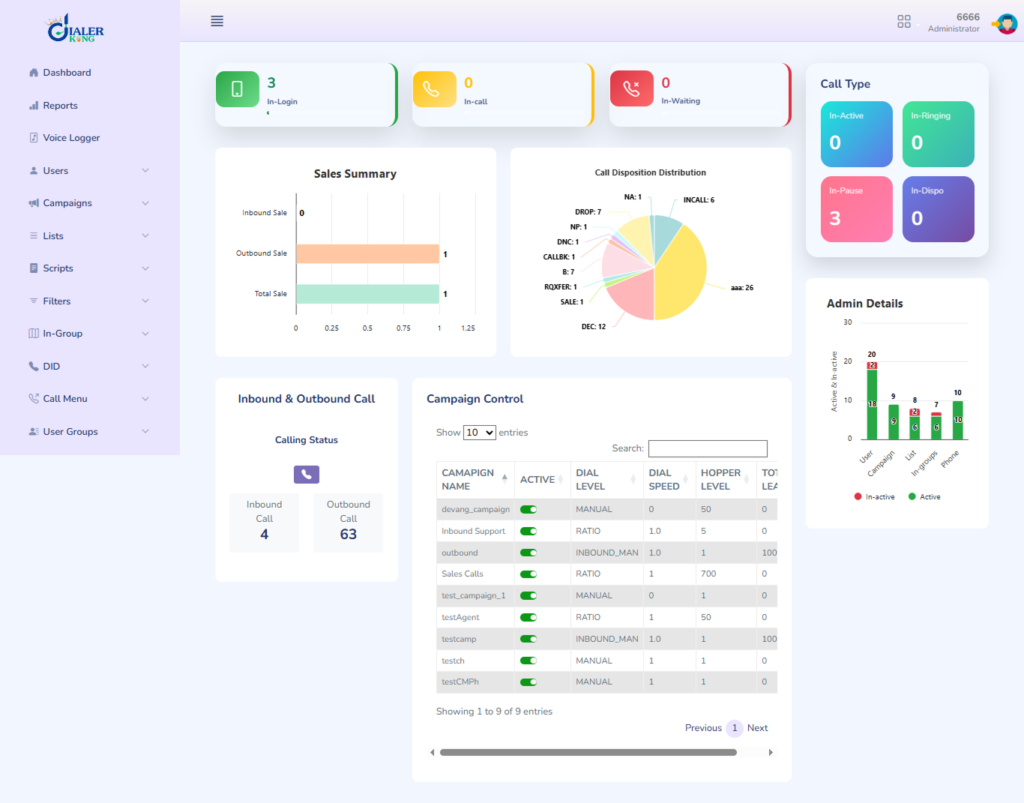
The agent soft-phone panel is reorganized to prioritize the information agents interact with most – call controls, customer data, and disposition buttons are placed in a logical visual flow rather than scattered across the default layout.
Supervisor Dashboard Improvements:
Real-time monitoring views become easier to scan at a glance, with color-coded status indicators that are more immediately readable than the default table-heavy presentation.
Responsive Layout Adjustments:
The modern theme handles various screen resolutions better, which matters in environments where agents work on a mix of monitors.
CSS Variable Architecture:
All visual styling is controlled through a single, well-organized stylesheet, making customization straightforward without touching core VICIdial files.
Why Businesses Upgrade to a VICIdial Modern Theme
The default VICIdial interface is highly functional, but its traditional design can feel outdated for modern contact centers. As teams grow and operations become more complex, agents and supervisors need a cleaner, faster, and more visually organized workspace.
A modern VICIdial theme transforms the user experience by improving navigation, enhancing visibility, and creating a professional working environment. Instead of working with a basic interface, agents can access campaigns, customer data, reports, and call controls through a streamlined dashboard designed for productivity.
At DialerKing, we customize VICIdial themes to match your business requirements, branding, workflow, and operational goals. From color schemes and layouts to custom dashboards and reporting screens, every element can be tailored to your contact center environment.
Whether you operate a sales team, customer support center, collections department, or BPO operation, a modern theme helps create a more efficient and user-friendly experience for both agents and administrators.
What Can Be Customized in a VICIdial Modern Theme?
A VICIdial Modern Theme goes far beyond changing colors and visual elements. At DialerKing, we customize the complete user experience across multiple modules of the platform.
Admin Theme Customization
The administrator panel can be redesigned with modern layouts, simplified navigation, custom menus, branding elements, and role-based access controls.
Agent Theme Customization
Agent screens can be optimized for faster workflows, cleaner customer information displays, improved call controls, and reduced screen clutter.
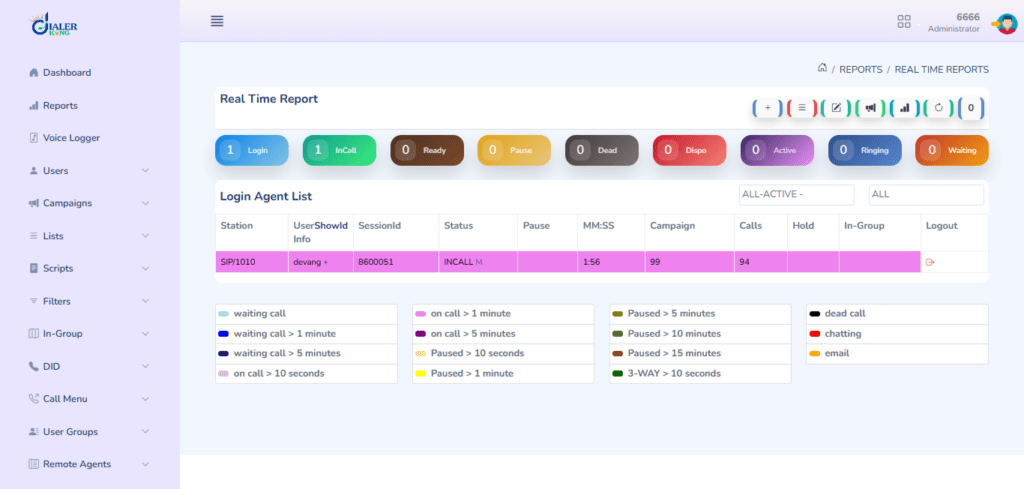
Real-Time Reporting Dashboard
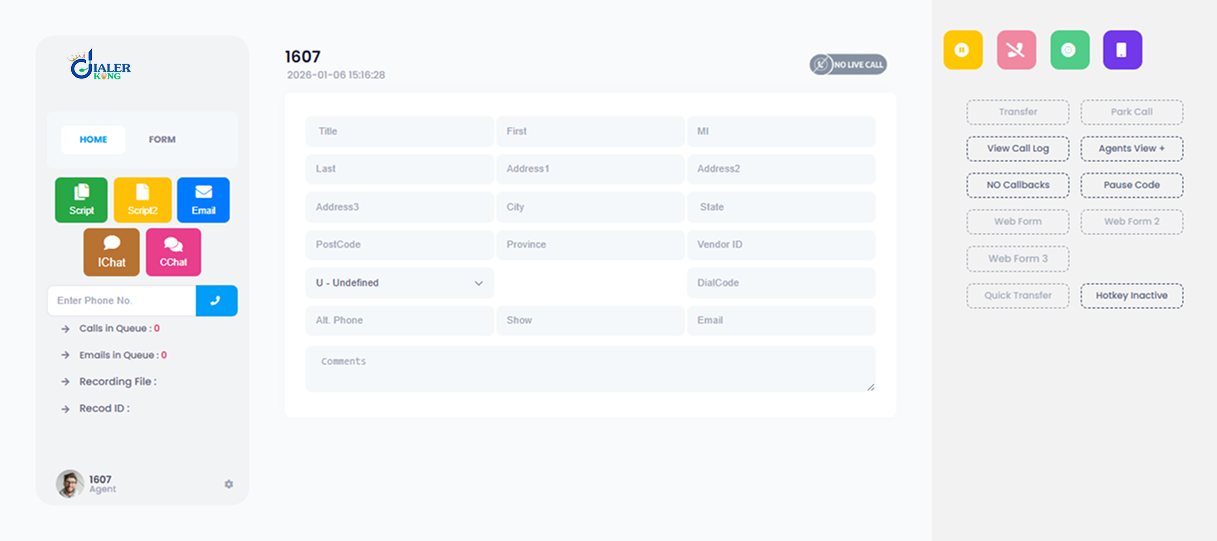
Supervisors can access customized real-time dashboards with visual KPIs, agent activity monitoring, campaign statistics, and performance metrics.
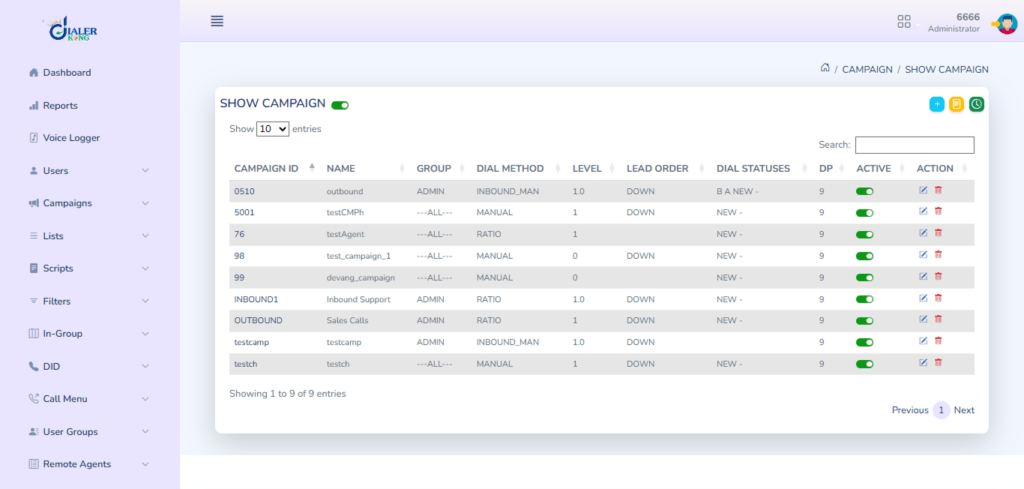
Campaign Management Interface
Campaign creation and management screens can be redesigned to improve usability and simplify daily operations.
Inbound Reporting Customization
Custom inbound reports provide better visibility into queue performance, agent productivity, abandonment rates, and customer interactions.
Outbound Reporting Customization
Outbound reporting dashboards can be tailored to display campaign success rates, dialing performance, agent statistics, and lead conversion metrics.
Call Recording Management
Call recordings can be organized through custom interfaces that make searching, reviewing, downloading, and managing recordings significantly easier.

Workflow and UI Enhancements
We customize colors, layouts, navigation structures, widgets, dashboards, and workflow processes to align with your business operations and branding requirements.
Why the Interface Upgrade Actually Matters
This is not purely cosmetic. Contact centers deal with measurable productivity metrics, and the agent interface is a direct input into those numbers.
Agent Efficiency
When an agent handles 150–300 interactions per shift, every second of visual confusion multiplies. A poorly organized interface forces micro-decisions – “which button closes this call?”, that are individually tiny but collectively expensive. The modern theme eliminates that friction by applying established UX principles: clear visual hierarchy, consistent button placement, and reduced on-screen noise.
Onboarding Time
New agents learn the interface faster when it follows recognizable design patterns. The modern theme’s cleaner layout means less time in classroom training explaining where controls are, and more time on the floor building communication skills.
Supervisor Confidence
When a supervisor monitors 15 agents simultaneously, they need at-a-glance status information. The modern theme’s improved color-coding and typography make that monitoring genuinely faster.
Reduced Error Rate
Misclicks on dispositions – logging a “sale” instead of “callback,” for instance, can corrupt your data and distort campaign performance reporting. Larger, better-spaced buttons with clearer labels reduce this type of error.
Real-World Use Case: Outbound Collections Team Migration
A mid-sized financial services company operating an outbound collections department, approximately 45 agents across two shifts – came to DialerKing after experiencing rising handle times and growing agent turnover. Exit interviews consistently mentioned interface fatigue and confusion as contributing factors.
The team was running an unmodified VICIdial installation that had not been updated in over two years. Agents were frequently misclicking dispositions, which corrupted Promise-to-Pay data and made forecasting unreliable.
What DialerKing deployed:
- VICIdial Modern Theme with the company’s brand colors (dark teal primary, white panels)
- Enlarged disposition buttons with color-coding by outcome type (green for positive outcomes, amber for callbacks, grey for non-contacts)
- A restructured agent script with bold compliance language and dynamic first-name insertion
- A new campaign configuration segmenting accounts by days-past-due, ensuring agents were always working the correct priority tier
Results after 60 days:
- Disposition error rate dropped by over 60%, restoring data integrity to forecasting reports
- Average handle time decreased by approximately 12 seconds per call, adding meaningful capacity across the operation
- Agent satisfaction scores improved measurably in the following pulse survey
- Supervisor onboarding time for the monitoring dashboard was cut in half
This outcome is representative of what a well-executed VICIdial modern theme deployment can deliver, not just a prettier interface, but measurable operational improvement.
Why Choose DialerKing for VICIdial Theme Customization?
DialerKing specializes in custom VICIdial development and modern contact center solutions for businesses worldwide.
Key Strengths of DialerKing
- Successfully delivered 150+ projects globally
- Clients across the USA, UK, Germany, Canada, Philippines, and other international markets
- Extensive expertise in Asterisk and VICIdial development
- Fully customized solutions designed around business requirements
- Source code ownership provided to clients
- Long-term focus on scalability, performance, and business value
- Dedicated development and customization team
What Makes DialerKing Different?
Unlike many dialer providers in the market, DialerKing follows a different approach:
- We do not provide DID services or VoIP termination.
- We do not offer rental-based dialer platforms.
- We focus exclusively on license-based, self-owned contact center systems.
- Every solution is customized according to the client’s workflow and business objectives.
- Clients receive complete ownership of their customized platform.
12+ Custom VICIdial Themes and Multi-Language Options
DialerKing offers more than 12 professionally designed VICIdial themes along with 2 dedicated multi-language themes for global contact center operations.
These themes are designed to improve:
- User Interface (UI) design
- Agent productivity
- Workflow efficiency
- Visual branding consistency
- Navigation and usability
- Reporting experience
- Overall user satisfaction
Rather than applying a generic template, we build themes that align with your operational requirements, making the platform easier to use, manage, and scale.
Frequently Asked Questions
How do I change the color scheme in VICIdial’s modern theme❓
Color changes in the modern theme are handled through CSS custom properties (variables) in the main stylesheet. Open the theme’s CSS file, locate the :root block at the top, and replace the hex color values with your preferred brand colors. Save the file, clear your browser cache, and the changes take effect immediately across the entire interface. No PHP modifications are required.
Does installing the modern theme affect VICIdial’s core telephony functions❓
No. The modern theme modifies only the front-end presentation layer – CSS, HTML structure, and JavaScript for UI interactions. The underlying VICIdial telephony engine, database logic, campaign management, and dialing algorithms are completely untouched. All existing campaigns, lead lists, scripts, and configurations continue to work exactly as before.
Can I try the VICIdial Modern Theme Demo before deploying it in production❓
Absolutely, and you should. The recommended approach is to spin up a staging server (or a dedicated test instance) that mirrors your production VICIdial configuration, then deploy the modern theme there first. Run functional tests, gather agent feedback, and validate that all your scripts and dispositions display correctly before moving to production. DialerKing can assist with staging environment setup if needed.
Where can I download the VICIdial Modern Theme for free❓
The primary source for a free VICIdial modern theme demo download is GitHub, where the main open-source repository is maintained. Search for “vicidial modern theme” on GitHub to find the active repository. Before downloading, check the repository’s compatibility notes to ensure the version supports your current VICIdial build. DialerKing also offers pre-configured builds as part of deployment packages.
Conclusion
The VICIdial Modern Theme Demo is more than an aesthetic upgrade, it’s a practical tool for improving agent performance, reducing operational errors, and making your contact center platform genuinely easier to manage.
Whether you’re evaluating the free download from GitHub, testing color customization options, setting up new campaigns, or integrating agent scripts, the modern theme provides a foundation that makes all of those tasks cleaner and less error-prone.
The core takeaways from this guide:
- The VICIdial modern theme is available as a free demo download, evaluate it in staging before touching production
- Color customization is handled through CSS variables and requires no deep technical knowledge
- Campaign creation and script integration work exactly as before, but benefit from the improved UI layout
- Real-world deployments consistently show measurable improvements in handle time, data accuracy, and agent satisfaction
- Professional deployment support eliminates the risk of misconfiguration and accelerates time-to-value
If you’re ready to move from evaluation to deployment, or if you want an expert assessment of whether the modern theme is the right fit for your specific VICIdial configuration, the team at DialerKing is available to help. Contact us to discuss your requirements and get a deployment plan tailored to your environment.