- What Are VICIdial API Integration Services?
- Two Doors Into VICIdial
- Why Integrate VICIdial With Your CRM?
- Our VICIdial CRM Setup and Integration Services
- How VICIdial API Integration Works
- The Five Stages of Any API Integration
- Benefits of VICIdial Automation for Contact Centers
- Security and Reliability in VICIdial API Integration
- Who Needs VICIdial API Integration Services?
- Why Choose Professional VICIdial Integration Services?
- Frequently Asked Questions (FAQs)
Picture a Tuesday morning on a busy Vicidial dialer floor. VICIdial API Integration fixes some issues by letting VICIdial exchange data with your CRM, forms, lead vendors and reporting screens on its own.
An agent closes a conversation, then opens the CRM in another tab and retypes the outcome. A fresh lead from your website form sits in a spreadsheet for an hour before anyone uploads it. A supervisor asks for numbers and gets a report that is already stale. Nothing here is broken. The systems simply don’t talk to each other.
At DialerKing we have wired VICIdial into other systems for more than 14 years. This guide covers how the API works, what real requests look like, where projects go wrong, and what to ask before you start.
What Are VICIdial API Integration Services?
VICIdial API integration services connect VICIdial with other systems, such as a CRM, a web form or a lead vendor, through two HTTP interfaces, so data moves between them without manual typing.
What exactly is VICIdial?
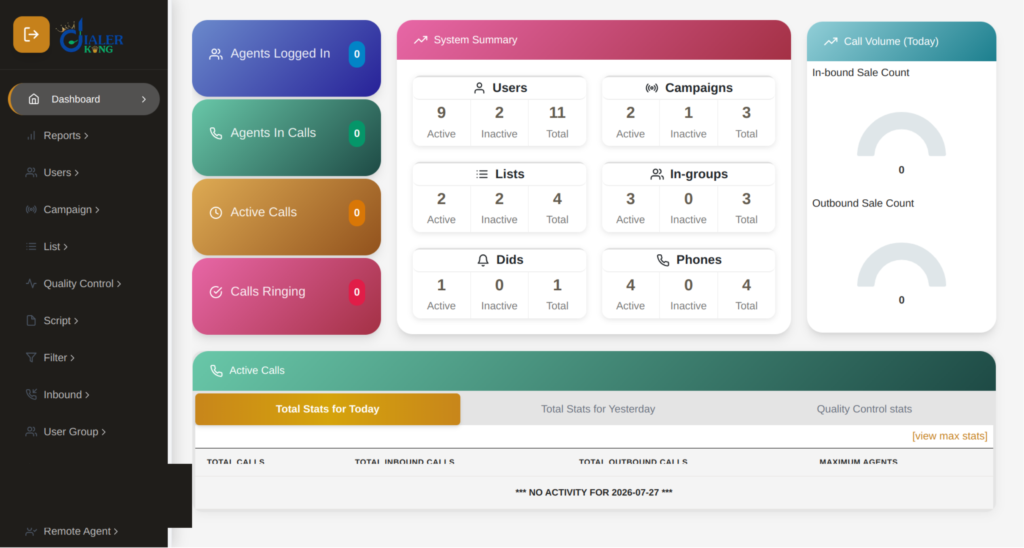
VICIdial is an open-source dialer and contact center suite built on Asterisk. It handles predictive, progressive, power and preview outbound campaigns, along with inbound groups, IVR menus, recording, agent screens and live reports.
Three layers make it work:
- Asterisk handles the voice side.
- MySQL or MariaDB stores the data.
- PHP web pages serve the admin and agent screens.
The API sits on that web layer, which is why you talk to it with ordinary HTTP requests.
Is VICIdial Really Free?
The software is. It is open source, with no licence fee and no per-agent charge. What you pay for is everything around it:
- Linux servers that grow with your agent count
- SIP trunks from a carrier
- Skilled people to install, secure and tune it
- Support for the day something misbehaves
Installing is the easy part. Tuning is where experience pays off. You can see a finished build in our live demo.
Two Doors Into VICIdial
VICIdial API Integration works through two separate HTTP interfaces. Think of them as two doors into the same building.
Door 1: The Non-Agent API
Found at /vicidial/non_agent_api.php. This is the back-office door. No agent needs to be logged in. Use it to add, update and search leads, pull campaign and agent stats, check the DNC list, manage callbacks and find recordings.
Door 2: The Agent API
Found at /agc/api.php. This one steers a live agent screen. Use it for click-to-call, dispositions, pause and resume, hangups, transfers and live field updates.
Both return plain text, not JSON. Plan your response-reading code with that in mind.
| What You Want to Do | Door | Function |
|---|---|---|
| Push a new lead in | Non-Agent | add_lead |
| Change an existing lead | Non-Agent | update_lead |
| Find a lead | Non-Agent | lead_search |
| Pull live campaign numbers | Non-Agent | campaign_stats |
| Check a number against DNC | Non-Agent | dnc_check |
| Dial from the CRM screen | Agent | external_dial |
| Set an outcome | Agent | external_status |
| Pause or resume an agent | Agent | external_pause |
| End a call | Agent | external_hangup |
| Transfer a call | Agent | transfer_conference |
| Edit fields on the agent screen | Agent | update_fields |
Why Integrate VICIdial With Your CRM?
When calling and customer data live in separate systems, people fill the gap with tab-hopping, retyping and exports. Connecting the two removes that friction at every step.
Centralized Customer Information
Duplicate handling and field validation keep one clean record per customer. Agents see customer details the moment a call connects, instead of searching for them.
Automated Call Data Management
Call outcomes land in the CRM within seconds of an agent saving a disposition. There is no retyping, and far fewer typos and missing records.
Improved Agent Productivity
No tab-hopping. Click-to-call replaces manual dialing, and customer details open on the agent’s screen when the call connects.
Better Lead Follow-Up
Because outcomes reach the CRM quickly, follow-up tasks start from accurate records, and a new web lead can be dialed on the next hopper cycle instead of waiting in a spreadsheet.
Enhanced Reporting and Visibility
Supervisors get live stats pages and campaign numbers without waiting for exports. New campaigns, lead sources and tools can plug into the same pipeline instead of needing fresh workarounds.
Results depend on your current systems, your processes and the quality of your data.
Our VICIdial CRM Setup and Integration Services
Our team can take on the whole job or any part of it:
- Two-way CRM sync, or a custom-built CRM
- Lead loading from web forms, ad platforms and lead vendors
- Click-to-call and screen pops inside your own CRM
- Disposition callbacks that trigger follow-up tasks
- Live stats pages for supervisors
- Scheduled campaign start and stop, plus dial-level changes
- DNC checks before leads reach the hopper
VICIdial CRM Integration
Custom-built CRMs are all common targets. Whether the link is direct, runs through middleware or needs custom development depends on what each platform’s own API allows. VICIdial has no native REST layer, but a small Python or PHP wrapper can give your CRM a REST-style way to talk to it.
Custom API Development
The official reference lives in the docs folder of the VICIdial source, in two files:
NON-AGENT_API.txt and AGENT_API.txt. The non-agent file covers more than fifty functions. Both are accurate and complete, but dense and light on examples. Use them as a dictionary, not a tutorial. Most projects touch only a handful of functions, and every one should be tested on a staging list before it goes near live data.
Every Non-Agent call needs the same ingredients:
- source, a label for your app that appears in the API log
- user and pass, the API account
- function, the action you want
A first connection test looks like this:
bash
curl
"https://your-server/vicidial/non_agent_api.php?source=test&user=apiuser&pass=apipass&function=version"A version string means you are connected. If you see ERROR: Invalid Username/Password, check that the API user has API permissions enabled.
Click-to-Call Integration
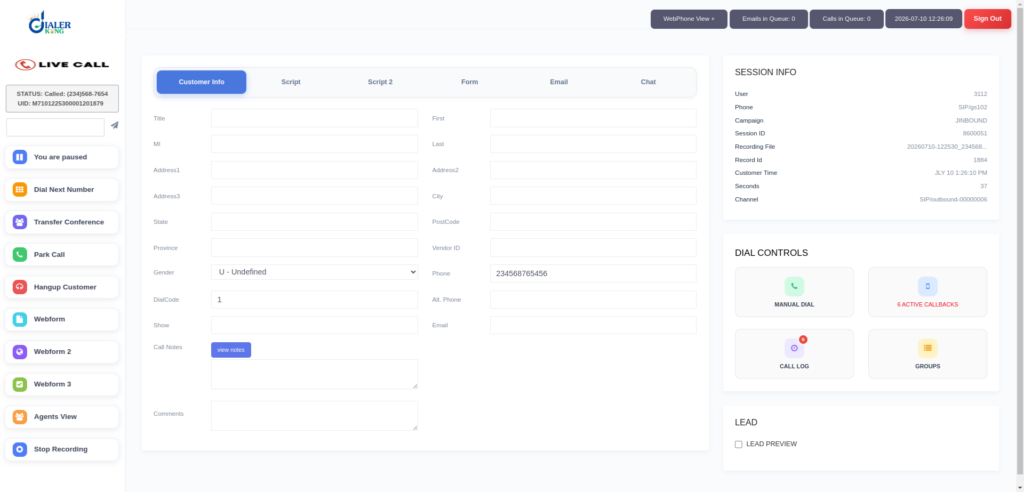
The Agent API only works for a logged-in agent. Agents sign in at /agc/vicidial.php with phone login, phone password, user ID, password and campaign. Until that session exists, external_dial returns an error saying the agent is not logged in.
Once they are in, a CRM button can trigger this request:
https://your-server/agc/api.php?source=crm&user=apiuser&pass=apipass&agent_user=agent001&function=external_dial&value=5551234567&phone_code=1&search=YES&preview=NO&focus=YESAdd lead_id=12345 and the full lead record opens on the agent’s screen the moment the call connects. This is the screen pop that most CRM teams ask for first.
Lead Import and Synchronization
A visitor submits a form. Your server passes the lead to VICIdial. The lead is dialed on the next hopper cycle, with no spreadsheet in between.
bash
curl -G "https://your-server/vicidial/non_agent_api.php" \
  --data-urlencode "source=webform" \
  --data-urlencode "user=apiuser" \
  --data-urlencode "pass=apipass" \
  --data-urlencode "function=add_lead" \
  --data-urlencode "phone_number=5551234567" \
  --data-urlencode "phone_code=1" \
  --data-urlencode "list_id=1001" \
  --data-urlencode "first_name=John" \
  --data-urlencode "last_name=Smith" \
  --data-urlencode "vendor_lead_code=CRM-44921" \
--data-urlencode "duplicate_check=DUPLIST"Responses starting with SUCCESS are good. Anything starting with ERROR (a duplicate, a wrong list ID) needs handling. Check for both and write both to your own log.
Tip: put your CRM record ID in vendor_lead_code. Later, update_lead with search_method=VENDOR_LEAD_CODE finds the right lead instantly.
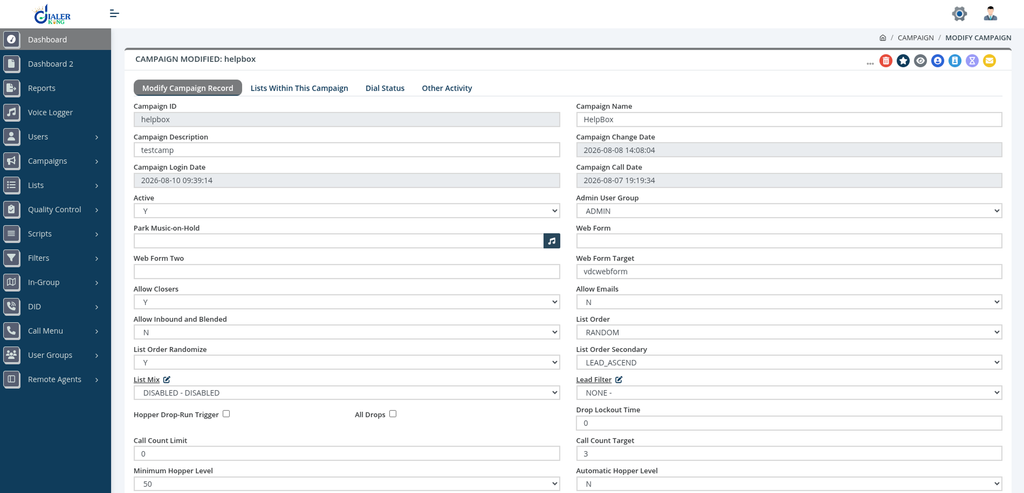
Automated Call Disposition Updates
Pushing leads in is half the loop. To get outcomes out, fill in the Dispo Call URL in your campaign settings:
https://crm.example.com/vicidial/dispo?lead_id=--A--lead_id--B--&status=--A--dispo--B--&agent=--A--user--B--&phone=--A--phone_number--B–When an agent saves a disposition, VICIdial swaps each –A–field–B– tag for the real value and calls your URL. Your CRM page should return HTTP 200 quickly.
If your CRM is down at that moment, the disposition is still saved in VICIdial, but the CRM never hears about it. A daily comparison against the vicidial_log table catches those gaps.
Custom Reporting and Dashboard Integration
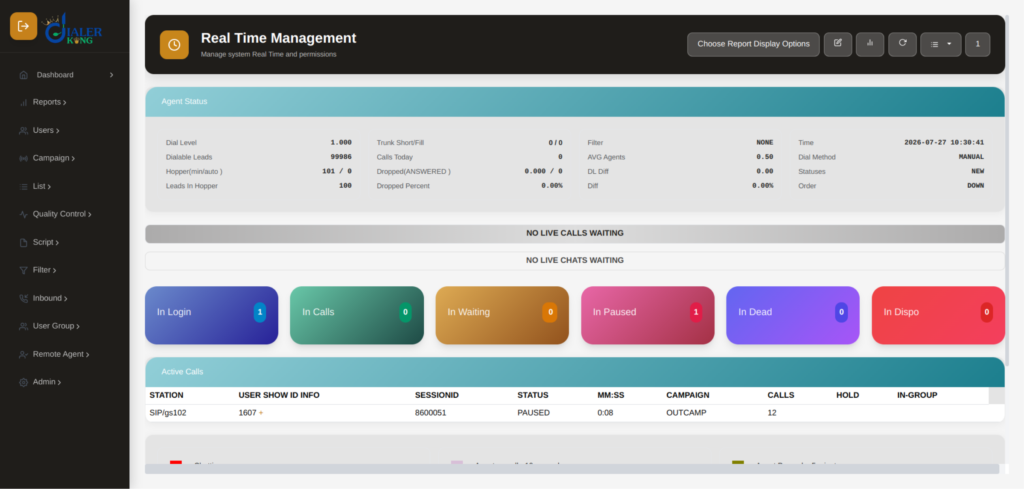
campaign_stats and agent_stats let you feed live numbers into supervisor pages or CRM dashboards. Keep polling to 10 seconds or more, since VICIdial has no built-in rate limit. For large exports, use a read-only database user instead of the API.
How VICIdial API Integration Works
Step-by-Step Build Checklist
- Create a dedicated API user. Never use an admin login. Allow only the functions you need and restrict access by IP.
- Run the version test shown above.
- Set up a sandbox. Create a test list (say, 99999) and a test campaign for your first add_lead calls.
- URL-encode every value. An ampersand, hash or space in a name will quietly break a request.
- Read every response and log the result, good or bad.
- Add retries. On a timeout, wait and try two or three more times before giving up.
- Use HTTPS. Credentials travel as URL parameters and land in web server logs. HTTPS plus IP whitelisting is a must.
While testing, watch each request arrive in the vicidial_api_log table.
The Five Stages of Any API Integration
Stage 1: Requirements
What data moves, in which direction, and how fast? A lead that must be dialed within 10 seconds needs a different design than a nightly sync.
Stage 2: Data Mapping
Match each CRM field to a VICIdial field. Anything left over goes into custom fields, named identically on both sides.
Stage 3: Build
Write the requests, response checks and receiving endpoints.
Stage 4: Testing
Try duplicates, invalid numbers, empty fields and a receiver that is switched off. Real traffic will send all of them.
Stage 5: Launch and Watch
Go live on a single campaign first. Monitor the API log and error count for a week before adding more.
Benefits of VICIdial Automation for Contact Centers
- No more double data entry between the dialer and the CRM
- Leads dialed within seconds of arriving, not hours
- Call outcomes in the CRM while the conversation is still fresh
- One clean record per customer, with duplicates caught early
- Live numbers for supervisors without waiting for exports
- Room to add campaigns, lead sources and tools without rebuilding
Security and Reliability in VICIdial API Integration
Customer data deserves careful handling. A sound setup uses HTTPS, a dedicated API user with limited functions, IP whitelisting, strong passwords and regular checks of vicidial_api_log. Add error logging, retries and alerts for failed syncs. On busy systems, also plan for server capacity and the extra load that API requests place on production.
Seven Mistakes We See Again and Again
- Polling too fast. Hitting campaign_stats every second slows the web server for everyone. Keep it to 10 seconds or more.
- Skipping duplicate checks. One number loaded three times means one customer called three times.
- Putting admin credentials in code. One leaked URL opens the whole system.
- No retry and no log. When a lead goes missing, nobody can say why.
- Pulling heavy reports through the API. For large exports, use a read-only database user.
- Mismatched custom field names. If the names differ by one character, the data vanishes.
- Launching everywhere at once. Start with one campaign and widen gradually.
Who Needs VICIdial API Integration Services?
- Outbound sales and telemarketing teams
- Inbound support desks
- Lead generation agencies
- BPO providers
- Appointment-setting teams
- Customer retention departments
- Any business running a custom CRM or sales tool
If your team handles a steady flow of calls and customer records, a connected setup removes friction at every step.
Why Choose Professional VICIdial Integration Services?
We have worked on VICIdial for more than 14 years. Every project begins with your requirements, runs on a staging server first, and finishes with training, documentation and a support SLA. The quote is free.
Frequently Asked Questions (FAQs)
2. What is the difference between the Non-Agent API and the Agent API❓
The Non-Agent API manages leads, stats and campaigns without a logged-in agent. The Agent API controls a live agent session (dialing, pausing, dispositions) and needs the agent logged in first.
3. How do I integrate the VICIdial API❓
Create a limited API user, test the connection, build against a sandbox list, URL-encode all values, check and log every response, add retries and use HTTPS. The checklist above walks through each step.
4. How long does VICIdial API Integration take❓
A form-to-dialer link can be ready in a few days. A two-way CRM sync with custom fields, result callbacks and error handling typically takes a few weeks, including testing.
5. Can VICIdial update CRM records after a call❓
Yes. The Dispo Call URL sends outcomes to your CRM when an agent saves a disposition, and update_lead pushes changes the other way.
Conclusion
VICIdial API Integration closes the gap between your dialer and the rest of your business. Leads arrive faster, outcomes reach the CRM sooner, agents stop retyping, and supervisors see live numbers. Whether you need a simple form-to-dialer link or a full two-way CRM sync, the right build makes your operation more organized and easier to grow.
Ready to end the double typing? Tell us which CRM you use and how your campaigns run, and we will tell you exactly what it takes.