
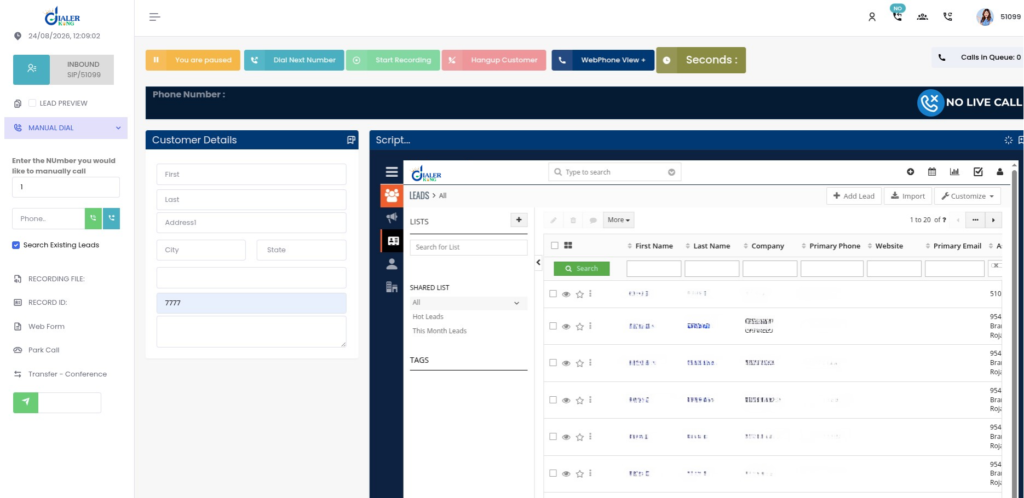
An agent is on a live call on VICIdial Solution. The customer asks, “What happened to my last order?” The agent switches tabs, searches, switches again, and the customer waits. A VICIdial CRM setup fixes this. With the right configuration, the customer’s record can open on the agent’s screen when a call connects, and the call result can be sent back to the CRM when the call ends. Nobody retypes anything.
This guide explains what VICIdial does, how a VICIdial CRM connection works, which CRM suits which team, and the settings and API calls you need.
What Is VICIdial Used For?
VICIdial is open-source dialer software built on Asterisk. Teams use it to:
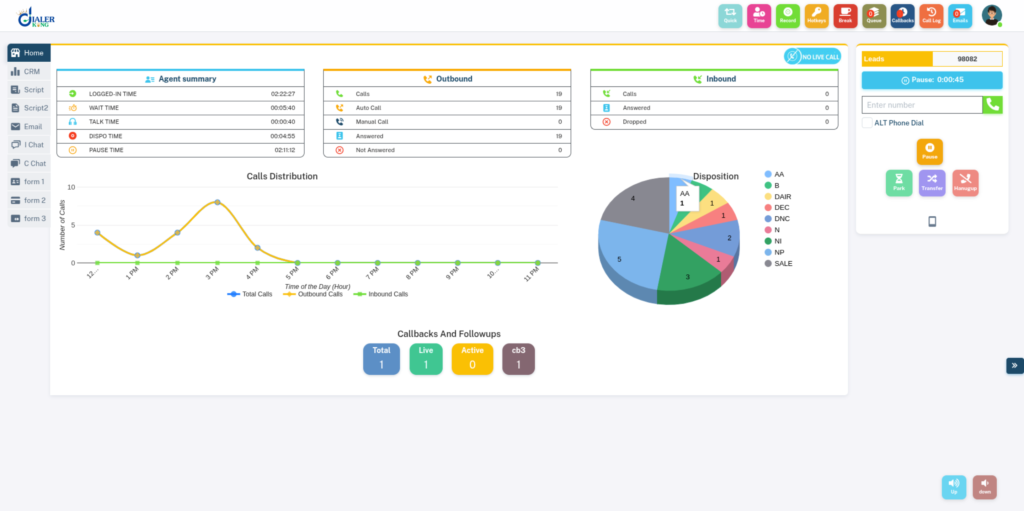
- Run outbound campaigns with predictive, progressive or manual dialing
- Handle inbound calls with queues and IVR menus
- Route calls to the right agent or group
- Record calls and track agent time
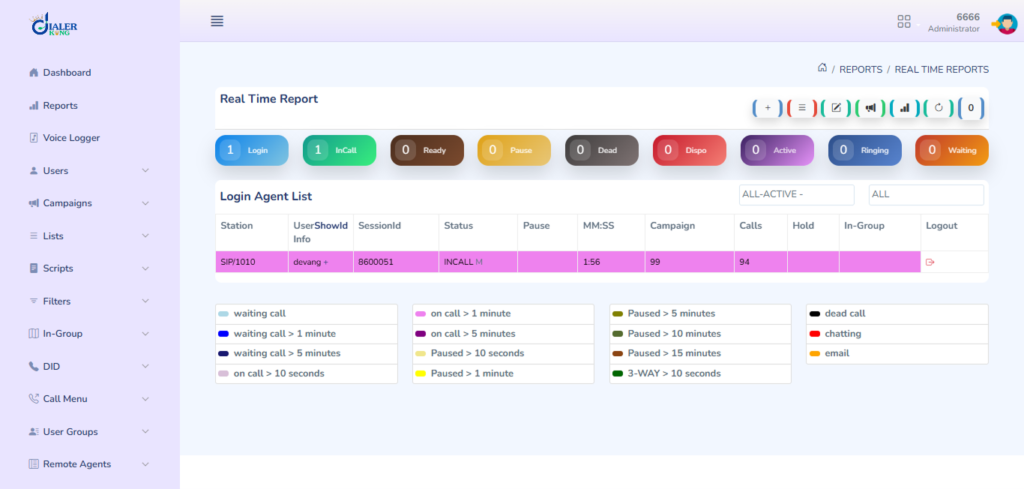
- Watch live numbers in real-time reports
What it does not do is manage customers. VICIdial stores a lead list in the vicidial_list table: name, phone, address, status and a few custom fields. It has no deal pipeline, no account history, no support tickets and no contract details.
Many teams try to stretch vicidial_list to cover all of that. The result is a pile of custom fields and reports nobody trusts. This is the gap a VICIdial CRM fills.
Companies like ours build themes, integrations and support around it, but the core software stays a community project. You can check vicidial.org for the current release.
Why a VICIdial CRM Matters
Without a CRM link, agents type notes twice, once in the dialer and once in the CRM. Statuses drift apart. Managers read call numbers in one place and sales numbers in another, and the two never match.
A VICIdial CRM connection gives managers one report. It shows who was called, what was said, and what happened next.
Four Parts of a Good VICIdial CRM Setup
1. Screen pop
In your campaign, open Detail and set the Web Form field to a CRM page. VICIdial replaces the --A--field--B-- placeholders with real lead values:
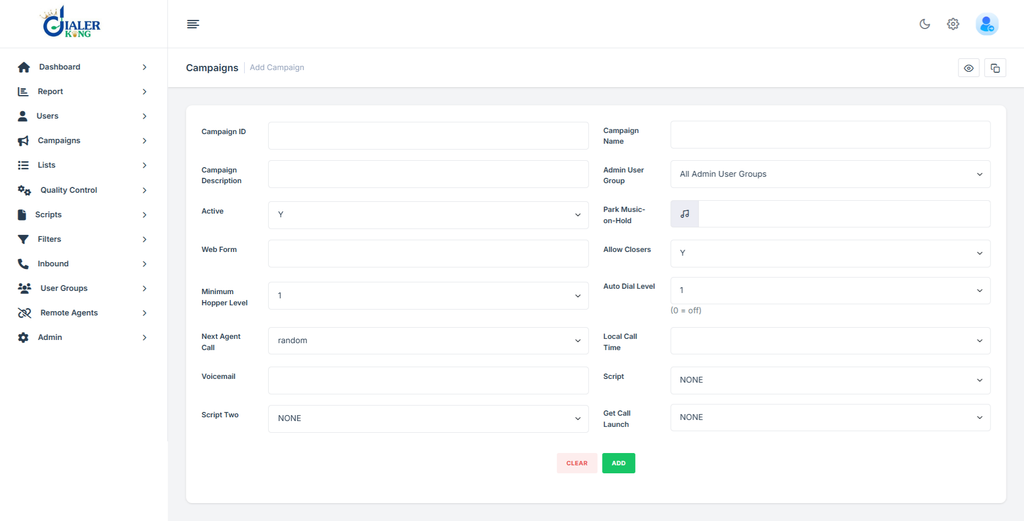
https://crm.yourdomain.com/contact/view?lead=--A--vendor_lead_code--B--&phone=--A--phone_number--B--Store the CRM record ID in vendor_lead_code. That one field links the two systems.
Many CRMs refuse to load inside a frame. If yours does, allow your dialer domain in its frame-ancestors setting, or build a small read-only page that shows only the fields an agent needs.
2. Lead sync into VICIdial
When a new lead appears in the CRM, push it to a VICIdial list with the Non-Agent API:
https://dialer.yourdomain.com/vicidial/non_agent_api.php?source=crm&user=apiuser&pass=apipass&function=add_lead&phone_number=9876543210&phone_code=91&list_id=1001&first_name=Rohan&last_name=Shah&vendor_lead_code=CRM-4521&duplicate_check=DUPLISTCreate a separate API user in Admin > Users, with API access enabled. Never reuse an agent login.
To update a lead later (for example, with a new address or owner), use the supported update_lead API parameters and the appropriate lead identifier for your VICIdial version.
3. Disposition sync
A disposition is the result an agent selects at the end of a call, such as SALE or NI (not interested). In the campaign settings, set the Dispo Call URL to a small web service of yours:
https://middleware.yourdomain.com/call_end?lead_id=--A--lead_id--B--&dispo=--A--dispo--B--&agent=--A--user--B--&phone=--A--phone_number--B--&vendor_code=--A--vendor_lead_code--B--&talk_time=--A--talk_time--B--That service turns VICIdial statuses into CRM stages:
DISPO_MAP = {
    "SALE":   "Won",
    "NI":     "Not Interested",
    "CALLBK": "Follow Up",
    "DNC":    "Do Not Contact",
}stage = DISPO_MAP.get(dispo, "Review") # unknown codes go to a review queue
The Start Call URL works the same way and fires when the call connects. Use it to log “call started” in the CRM.
4. Click-to-call
Put a Call button on the CRM record. It uses the Agent API:
https://dialer.yourdomain.com/agc/api.php?source=crm&user=apiuser&pass=apipass&agent_user=agent101&function=external_dial&value=9876543210&phone_code=91&search=YES&preview=NO&focus=YESFor production use, protect API credentials, use HTTPS, restrict API access to authorized systems, and avoid exposing usernames and passwords in browser URLs or client-side code.
Which CRM Is Best for Contact Centers?
There is no single winner. It depends on your team size and how your calls work. Custom CRM is best when your process doesn’t fit a standard tool. You choose the fields, scripts and reports, and you avoid vendor API limits.
Questions to ask before you choose:
- How many agents will use it daily?
- Do you handle inbound support, outbound sales, or both?
- How many API calls does your volume need? Big CRMs cap them.
- Who will maintain it?
Whichever you pick, the VICIdial CRM link works the same way: vendor_lead_code as the key, the Web Form URL for the pop, and the Dispo Call URL for results.
Which CRM Is Best for Cold Calling?
Cold calling is about speed. An agent makes dozens of calls an hour, so every extra click costs you.
For a cold calling VICIdial CRM, look for:
- Short forms. Three or four fields, not twenty required ones.
- One-click outcomes. Not interested, call back, wrong number, do not call.
- Callback dates that appear in the agent’s list without any searching.
- A do-not-contact flag that syncs back to VICIdial so those numbers are never dialed again.
- Duplicate checks by phone number.
A heavy CRM with long forms slows agents down. If your script, fields and reports are specific to you, a custom CRM usually beats all of them.
Mistakes to Avoid
- Duplicate leads.
Useduplicate_check in add_lead, and search byvendor_lead_codebefore adding anything. - Phone formats. Strip spaces, brackets and the plus sign, and send the country code in
phone_code. - Service downtime. If your web service is down when a call ends, that disposition never reaches the CRM. VICIdial still records it. Queue failed calls and retry, and compare
vicidial_logagainst CRM records every night to fill gaps. - Too many requests. The Non-Agent API is PHP, and it is not built for thousands of requests at once. Queue and slow down bulk pushes.
A Quick Test Before Going Live
- Add a test lead with add_lead. Confirm it appears in the list.
- Dial it from an agent screen. Confirm the Web Form page opens with the right record.
- Pick a disposition. Confirm the CRM stage changes within a few seconds.
- Click the Call button in the CRM. Confirm the agent’s phone rings.
- Switch off your web service and repeat step 3. Confirm failed items are queued and retried.
Frequently Asked Questions
2. Can I connect VICIdial with Salesforce or HubSpot❓
Yes. There is no one-click plugin. You build the link with VICIdial’s APIs and the CRM’s own API, using a small web service in the middle.
3. Is VICIdial free❓
The software is free and open source. Your costs are servers, phone lines, setup and support.
4. How fast is disposition sync❓
Usually within a few seconds of the agent saving the call result, as long as your web service and the CRM API respond quickly. Slow CRM responses are the usual cause of delays.
5. Where should I store the CRM record ID❓
In the vendor_lead_code field. It travels with the lead in screen pops and disposition URLs, so both systems can find the same record.
6. Can one VICIdial setup work with more than one CRM❓
Yes. The Dispo Call URL can be set per campaign, so each campaign can send results to a different CRM endpoint. A single endpoint can also forward one event to several systems.
Where DialerKing Fits In
We have 14+ years of experience with VICIdial, Asterisk and custom CRM development. We build VICIdial CRM integrations and custom systems, and we also build complete custom CRMs shown beside the agent screen. You can contact our team, try the dialer, or see our CRM Integration service.