- What VICIdial software actually is
- What CRM integration means for a VICIdial deployment
- Agent API vs Non-Agent API: which one does what
- The endpoints that carry a VICIdial CRM integration
- Building a lead sync workflow
- Which CRM platforms connect to VICIdial
- Troubleshooting: when manual dialing stops working in an integrated campaign
- Frequently asked questions
A working VICIdial CRM integration involves two separate application interfaces, a defined authentication model, and a set of endpoints that each do one job – importing a lead, checking an agent’s status, originating a call, or pushing an event out through a webhook the moment it happens. Connecting a Customer Relationship Management platform to a dialer is rarely as simple as pointing one system at another and hoping the records line up.
This guide sets out how that connection is put together, what the individual endpoints do, and where these integrations tend to break once they are running in production.
What VICIdial software actually is
VICIdial is an open-source dialer application built on top of Asterisk, the telephony engine that handles the underlying voice traffic. Development started in 2003, and the project has grown into one of the most widely deployed outbound and inbound dialing platforms in use today, largely because the source code is freely available and the MySQL/MariaDB database schema underneath it is documented well enough for outside developers to build against.
Every campaign, lead, agent session and call disposition in a VICIdial deployment is a row in that database, which is exactly why an integration layer matters. Reading and writing directly against the raw tables works for a one-off script, but it breaks the moment the schema changes between versions. A REST API sitting in front of that database gives a CRM a stable contract to build against instead.
What CRM integration means for a VICIdial deployment
CRM integration, in this context, is the practice of connecting a VICIdial installation to an external Customer Relationship Management platform so lead data, call outcomes and agent activity move between the two systems automatically instead of being copied across by hand.
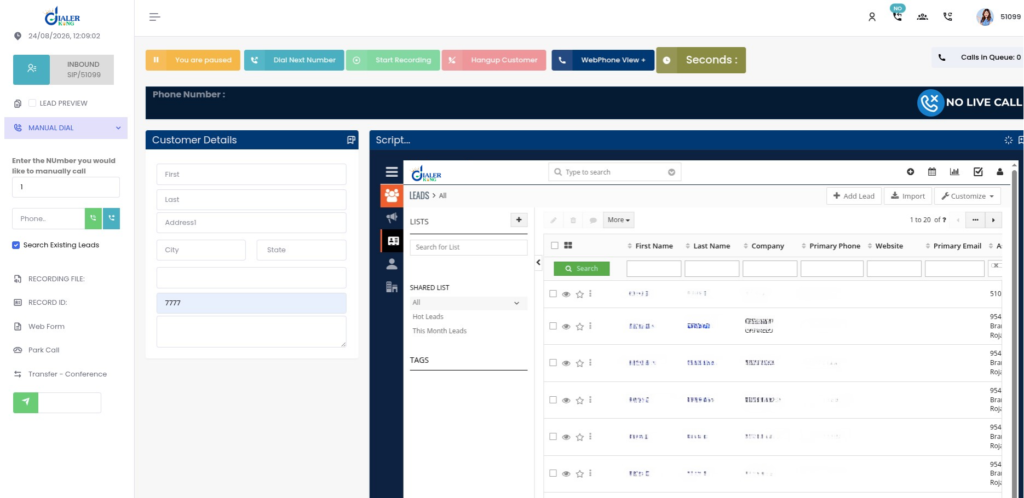
A working integration usually moves data in both directions:
- From the CRM into VICIdial: new leads, updated contact details, do-not-contact flags and campaign assignments.
- From VICIdial back to the CRM: call dispositions, talk time, recording references, agent status changes and campaign statistics.
Two separate interfaces make this possible, and mixing them up is one of the more common mistakes early in an integration build.
Agent API vs Non-Agent API: which one does what
VICIdial exposes two distinct integration surfaces, and each is built for a different job.
| Interface | Typical Endpoint | Active Agent Session Required | Used For |
|---|---|---|---|
| Agent API | /agc/api.php | Yes | Live call control, pause, resume, transfer, dispositions, and click-to-call within an active agent session |
| Non-Agent API / REST Layer | /vicidial/non_agent_api.php, /api/v1/* | No | Lead uploads, reporting, callbacks, webhooks, and system-level automation |
Most CRM integrations run almost entirely on the Non-Agent side, since a CRM does not log in as an agent – it behaves as an external system pushing and pulling records in the background. The Agent API becomes relevant only when the integration also needs to trigger a call directly from a CRM record, commonly known as click-to-call.
Authentication and data standards
Before any endpoint accepts a request, the integration layer expects a Bearer Token in the Authorization header. A request that arrives without a valid token receives an HTTP 401 response with a JSON body flagging unauthorised access, rather than failing silently:
Authorization: Bearer eyJhbGc.....

HTTP 401
{
  "success": false,
  "code": 401,
  "message": "Unauthorized Access"
}
A few standards apply across every endpoint in the specification:
Protocol: HTTPS only, TLS 1.2 or higher.
Data format: JSON, UTF-8 encoding.
Date format: ISO 8601 - for example 2026-07-15T12:35:20Z.None of this is unusual for a REST layer, but getting the date format wrong is a common source of quietly rejected lead records. A malformed timestamp on a callback field can fail validation without producing an obviously descriptive error, which is worth checking early if imported leads seem to vanish without a rejection reason.
The endpoints that carry a VICIdial CRM integration
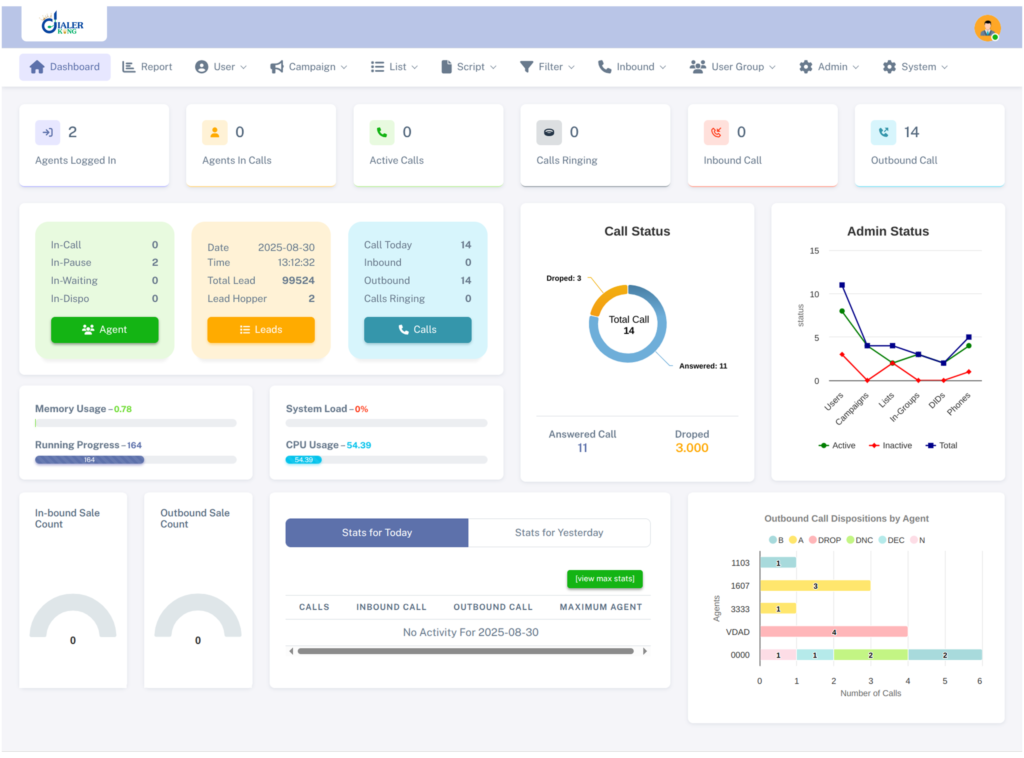
A VICIdial CRM integration touches a fairly small subset of the full API surface once it is up and running. These five endpoints handle the bulk of the traffic in a typical deployment.
Lead Import API
POST /api/v1/leads imports one or multiple leads into VICIdial for outbound dialing, built specifically to accept records from CRM integrations, lead vendors and marketing platforms. The request needs a clientReferenceId, which is the identifier used to match the record back to its source in the CRM, along with a phoneNumber and optional fields for name, address and locale.
POST /api/v1/leads
{
  "clientReferenceId": "CRM-10245",
  "phoneNumber": "+61255501234",
  "firstName": "Jordan",
  "lastName": "Kelly",
  "city": "Brisbane",
  "state": "QLD",
  "country": "AU"
}Lead Update API
PUT /api/v1/leads/{leadId} keeps a VICIdial contact record synchronised whenever a customer updates their details on the CRM side – a changed number, a corrected address, or a status change that needs to be reflected before the next dial attempt. Bulk Lead Update at PUT /api/v1/leads/bulk handles the same job for a batch of records in one call, which matters once a list runs into the thousands.
Live Agent Status API
GET /api/v1/agents/live returns the real-time status of every agent currently logged into VICIdial, filterable by campaignId or userGroup. Each record includes the agent’s status, pause code, call type and login time, which is what powers a supervisor dashboard built on the CRM side rather than inside VICIdial’s own interface.
GET /api/v1/agents/live?campaignId=OUTBOUND001
{
  "agentId": "1001",
  "username": "agent001",
  "status": "INCALL",
  "pauseCode": null,
  "callType": "OUTBOUND",
  "loginTime": "2026-07-15T08:00:00Z"
}Originate Call API
POST /api/v1/calls/originate starts an outbound call from VICIdial without the agent needing to manually dial, and is the endpoint behind most click-to-call buttons built into a CRM record. It takes an agentId, phoneNumber and campaignId, with an optional recording flag and caller ID override.
POST /api/v1/calls/originate
{
  "agentId": "agent001",
  "campaignId": "OUTBOUND001",
  "phoneNumber": "+61255501234",
  "recording": true
}Webhook Registration API
POST /api/v1/webhooks lets an external system register a URL to receive events as they happen, rather than polling VICIdial on a schedule. Registered events include Lead Imported, Call Completed and Recording Ready, each of which fires a payload to the registered endpoint the moment the underlying action occurs.
Building a lead sync workflow
A dependable integration is less about any single endpoint and more about the order the pieces run in. A typical build follows this sequence:
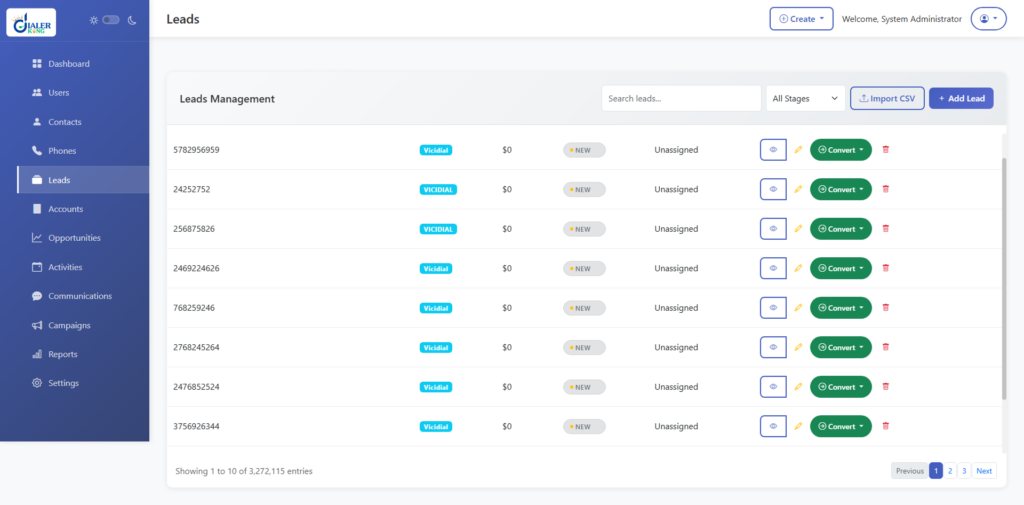
- Register the integration and obtain a Bearer Token scoped to the leads and webhook events the CRM actually needs.
- Push new leads on creation, firing a Lead Import call whenever a record enters the relevant pipeline stage in the CRM.
- Register a webhook for Call Completed so disposition, talk time and recording references flow back to the CRM record without a separate polling job.
- Reconcile on a schedule with a nightly Bulk Lead Update call, which catches any records a webhook missed rather than relying on the webhook alone.
- Keep Live Agent Status on its own polling cadence, since supervisor dashboards refresh far more often than lead records change and should not be bolted onto the same job.
Which CRM platforms connect to VICIdial
DialerKing builds this layer against custom-built CRM platforms. Because the integration itself sits on a standard REST layer with JSON and Bearer Token authentication, the CRM’s own API compatibility tends to decide feasibility more than its size or category.
The features built into these connections typically include click-to-call, screen popups on an incoming or outgoing call, automatic lead synchronisation, contact and appointment synchronisation, call activity logging, and webhook-driven bidirectional data exchange, with custom workflow automation layered on top where a campaign needs it.
Troubleshooting: when manual dialing stops working in an integrated campaign
A pattern that comes up regularly in integrated deployments: an agent logs in through the CRM-linked interface, sees the Dial Next Number button, clicks it, and nothing happens. No outbound call, no screen update, no Asterisk originate, no VICIdial action logged at all.
Because the CRM connection is usually the first thing blamed when this happens, it is worth ruling out an integration fault before treating it as one. The fastest check is a direct look at the agent’s live session state:
SELECT user, status, campaign_id FROM vicidial_live_agents;

-- Returns:
TEST_AGENT | PAUSED | SAMPLE_CAMPAIGNAn agent shown as PAUSED in this table will not originate a call no matter how many times Dial Next Number is clicked – the button is inert by design while the session state is anything other than READY. This is easy to miss when the agent screen itself still shows the button as active, since the front end does not always reflect the true session state stored in the database.
The second thing worth checking is the campaign’s own dial configuration:
Campaign: SAMPLE_CAMPAIGN
auto_dial_level=0A campaign set for manual dialing does not use auto_dial_level in the same way a predictive campaign does, so a value of 0 here is not automatically the fault – but it is a sign the campaign was recently switched between dial methods, and a half-completed switch is a common source of an agent screen that renders correctly while the underlying dial engine is not actually wired to accept a manual originate.
Confirming the campaign’s dial_method field alongside auto_dial_level tells you whether the campaign is genuinely in manual mode or stuck between two configurations.
If both of those check out, the remaining causes sit closer to the telephony layer than the integration: a stale session token held by the front end after a server restart, a SIP peer or PJSIP endpoint that has dropped out, or a phone extension record in the phones table that no longer matches what the agent is logged into.
Working through agent status, campaign configuration and telephony connectivity in that order resolves the large majority of manual dialing reports before anyone needs to touch the API layer at all.
Server requirements for an integration deployment
DialerKing suggests hardware based on the size and call volume of a deployment, with multiple Intel and AMD options supported and configured as part of the build. The one fixed requirement on the client side is an AlmaLinux server with a dedicated IP address, supplied before installation begins – the integration and dialer components are both installed and configured against that server once access is confirmed.
Frequently asked questions
Which CRM works best for contact center operations❓
There is no single answer, since the right fit depends on what an operation already runs on. Salesforce and Microsoft Dynamics tend to suit larger operations with layered approval workflows; that suit smaller teams wanting a faster setup; fit agencies managing several client accounts from one workspace. Because VICIdial connects through a standard REST layer, most CRMs with a documented API can be integrated regardless of which one an operation already uses.
What is VICIdial software❓
VICIdial is an open-source dialer platform built on the Asterisk telephony engine, used to manage outbound and inbound campaigns, agent sessions, lead lists and call routing through a MySQL/MariaDB database.
Who uses VICIdial❓
Outbound sales teams, appointment-setting agencies, debt collection operations, political and non-profit outreach campaigns, and customer support desks are the main users, typically wherever lead volume and agent count are high enough to need a dedicated dialing platform rather than a simple phone line.
Get a VICIdial CRM integration built for your operation
DialerKing builds VICIdial integrations and custom CRM platforms, along with the underlying Asterisk, IVR and reporting work that sits around them.
If an existing integration needs troubleshooting, or a new connection needs building from scratch, reach out to the DialerKing team with your current VICIdial version and CRM platform to get started.