- A Small Registration Error Can Stop an Entire Contact Operation
- Why Phone Registration Matters More Than Most Teams Realize
- How to Fix a VICIdial Phone Registration Issue (Step-by-Step)
- Real Issue Example: Registration Failure During Campaign Launch
- SIP vs WebRTC: Which Registration Method Works Better?
- Why Most Businesses Struggle to Fix Registration Problems
- Industry Insight: Registration Stability Improves Agent Productivity
- Simple Question Every Contact Manager Should Ask
- Final Thoughts
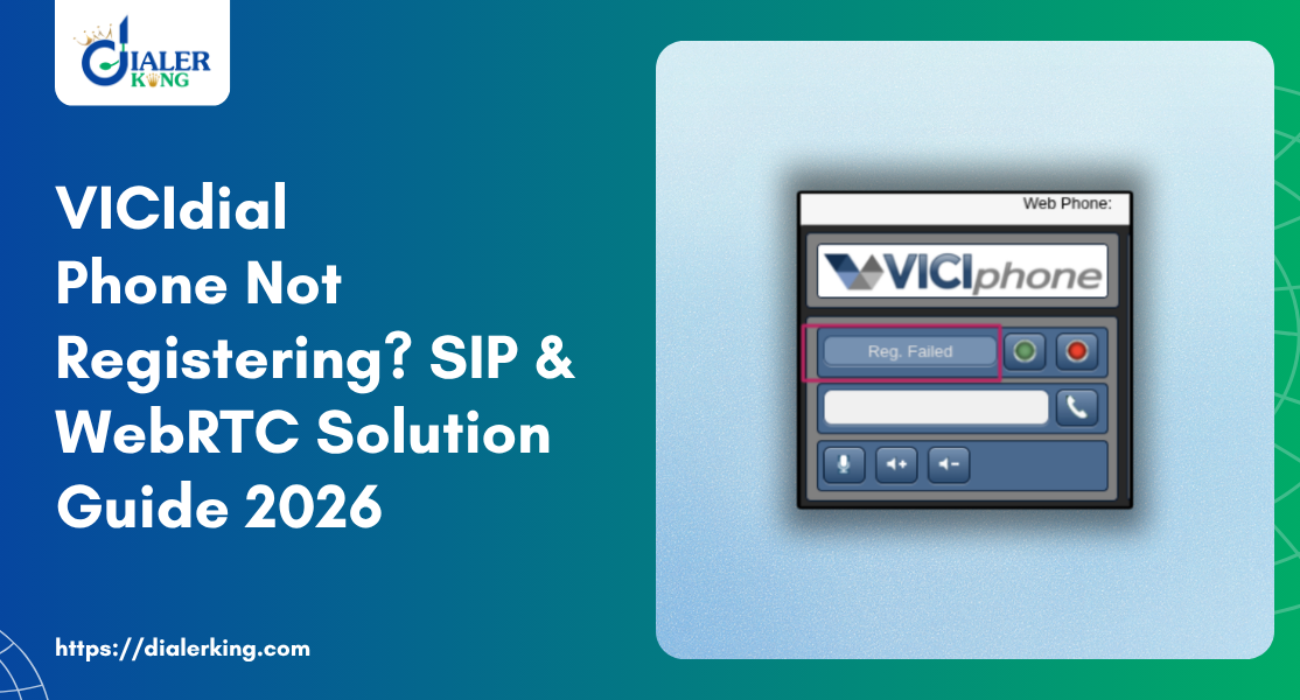
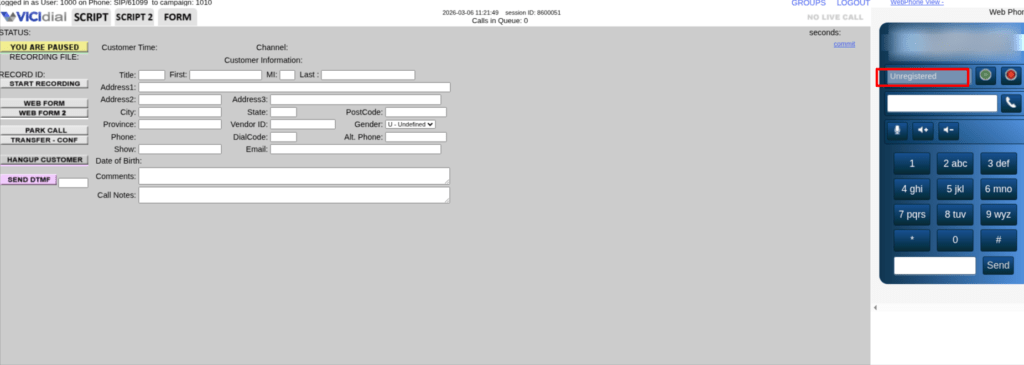
Every contact team depends on one thing before any conversation begins: a working phone registration. Agents log in. Headsets connect. Dialing starts. But then suddenly the VICIdial screen shows “Phone Not Registered.”
No calls move. Agents wait. Productivity drops. This small technical glitch creates a large operational delay inside any modern contact environment.
Many teams face this situation while using browser-based dialing, SIP devices, or WebRTC interfaces. Yet very few companies provide a structured diagnostic approach that identifies and resolves the root cause quickly.
That is where a practical solution framework becomes important, Instead of treating the problem as a basic configuration error, DialerKing focuses on registration stability, agent productivity, and contact workflow continuity.
This article explains:
- Why registration fails
- How to identify the exact issue
- How to fix the problem step-by-step
- When SIP or WebRTC causes conflicts
- What contact teams should monitor regularly
If your team struggles with a VICIdial Phone Registration Issue, this guide will help you understand the real fix.
A Small Registration Error Can Stop an Entire Contact Operation
Think about a contact environment with 40 agents working simultaneously, Each agent depends on one active phone identity, If that identity fails to register, the system cannot connect the agent to live calls, Now imagine this happening during peak hours, Agents log in. Dialer opens, Campaign loads, But no call connects.
Supervisors usually assume:
- Network delay
- Browser error
- Device issue
However, the real cause often lies deeper inside registration logic between dialing interface and communication endpoint. Many contact teams waste hours restarting systems instead of solving the root problem.
A VICIdial Phone Registration Issue rarely happens randomly. Most of the time, a clear technical reason causes the failure. The key lies in identifying the exact trigger.
Why Phone Registration Matters More Than Most Teams Realize
Registration acts as the entry checkpoint of any dialing environment.
Without successful registration:
- The agent cannot receive calls
- The dialer cannot send calls
- List Item
- The system cannot track activity
- Reporting becomes incomplete
Productivity drops instantly. Industry reports from sources such as HubSpot and Search Engine Journal often highlight one operational truth: Contact performance depends heavily on system stability.
Even a minor technical failure can reduce daily agent output by 15-20%. A VICIdial Phone Registration Issue usually appears as:
- Phone not registered
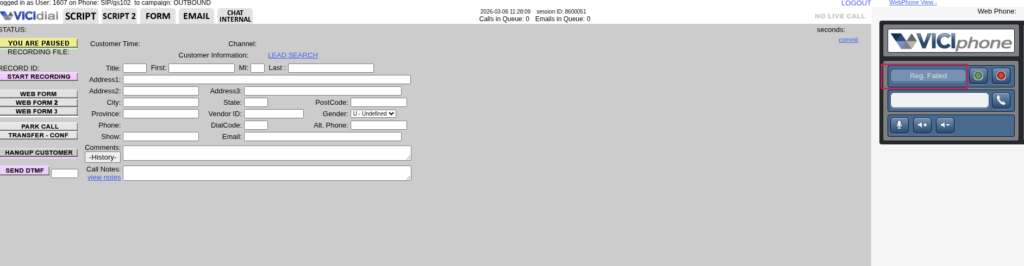
- Registration failed
- Session expired
- WebRTC not connecting
- SIP authentication error
These messages look simple. The underlying cause often involves multiple layers.
How to Fix a VICIdial Phone Registration Issue (Step-by-Step)
Many professionals search online with questions like:
- How to fix phone not registering in VICIdial
- How to resolve SIP registration failure
- How to enable WebRTC phone login
- Why does phone registration fail repeatedly
This section explains the practical resolution process. Start with the basic diagnostic sequence.

Step 1: Confirm Agent Phone Login Settings
Open the agent login panel. Check three key fields carefully:
password
phone extension
Even a small mismatch can trigger a VICIdial Phone Registration Issue. Many teams accidentally duplicate phone extensions while creating agent accounts. The system allows creation. Registration fails later. Always confirm that every agent uses a unique phone identity.
Step 2: Verify SIP Credentials
Authentication plays a crucial role in SIP registration. If the authentication key changes during configuration updates, the device fails to authenticate.
Check the following values:
authentication password
domain configuration
A mismatch causes instant registration failure. Many organizations overlook this small detail. Yet it creates one of the most common VICIdial Phone Registration Issue scenarios.
Step 3: Check WebRTC Browser Permissions
Modern contact teams often use browser-based dialing with WebRTC technology. This approach improves flexibility and mobility. However, browser permissions sometimes block communication access.
Open browser settings and confirm:
secure connection active
WebRTC allowed
If the browser blocks microphone permission, registration fails instantly, The interface loads normally but calls never connect.
Step 4: Verify Phone Status in Admin Panel
Open the phone management section. Check the device status column. If the phone status shows inactive, registration cannot complete.
This simple change often resolves a VICIdial Phone Registration Issue within seconds.
Step 5: Check Duplicate Sessions
Sometimes agents log in from multiple tabs or devices. The system detects duplicate sessions and blocks the second connection. This conflict frequently appears in WebRTC environments.
Ask the agent to:
log out completely
log in again
This reset clears the duplicate session lock.
Real Issue Example: Registration Failure During Campaign Launch
One contact organization expanded its outbound campaign from 25 agents to 80 agents within one week. Everything looked ready. Campaign loaded. Scripts prepared. Agents logged in. But almost 30 phones failed to register simultaneously.
Supervisors initially suspected network congestion. A deeper inspection revealed the real cause. The system duplicated several phone extensions during rapid agent creation. Multiple agents attempted to register using identical extensions.
The result: mass registration conflict. After correcting the extension assignments, all phones registered successfully within minutes. This example shows how a VICIdial Phone Registration Issue often hides behind simple configuration mistakes.
SIP vs WebRTC: Which Registration Method Works Better?
Both technologies support modern contact environments. Yet each one behaves differently.
SIP Devices
Physical devices offer stability and consistent audio quality. Many organizations prefer SIP hardware in high-volume environments.
Advantages include:
- stable connection
- predictable performance
- minimal browser dependency
However, device configuration sometimes becomes complex during scaling. Incorrect authentication values frequently trigger VICIdial Phone Registration Issue alerts.
WebRTC Phones
WebRTC allows agents to operate directly from a browser. No additional hardware required. This approach supports remote teams easily.
Benefits include:
- faster agent onboarding
- flexible work environment
- simple browser-based operation
However, browser security policies sometimes interrupt registration attempts. Teams must monitor permissions carefully to prevent VICIdial Phone Registration Issue events.
Why Most Businesses Struggle to Fix Registration Problems
Many companies treat registration failure as a minor inconvenience. They restart systems repeatedly without understanding the root cause. This approach wastes valuable operational time. A modern contact environment requires structured diagnostic analysis. A structured troubleshooting approach solves the problem more effectively.
Instead of simply fixing the error, the team focuses on:
- identifying the root cause
- strengthening configuration stability
- preventing recurring failures
Very few providers offer this level of troubleshooting support. That makes this solution approach rare in the industry.
Industry Insight: Registration Stability Improves Agent Productivity
Research data referenced by Wikipedia and Google technical documentation indicates an important operational insight.
Stable system registration improves:
- agent efficiency
- campaign consistency
- reporting accuracy
When phone identities remain stable throughout the day, agents spend more time speaking with customers instead of troubleshooting technical problems. Even a small improvement in registration stability can increase daily contact volume by 10-18%. That difference directly impacts business results.
Preventing Future VICIdial Phone Registration Issue Problems
Fixing the problem once does not guarantee long-term stability. Contact environments must follow structured preventive practices. Maintain proper phone identity management.
Avoid duplicate extensions. Monitor authentication credentials regularly.
Train supervisors to identify early warning signals such as:
- repeated registration retries
- frequent WebRTC reconnect attempts
- inconsistent agent availability status
These signals often appear before a major VICIdial Phone Registration Issue occurs. Early detection prevents operational disruptions.
Why DialerKing Technology Focuses on Productivity Solutions
Most technology providers simply configure dialers. DialerKing takes a different approach. The company focuses on productivity optimization inside contact environments.
Instead of providing basic system setup, DialerKing works on:
- dialing efficiency
- agent workflow stability
- system reliability improvements
Registration stability plays a critical role in this process. If phones fail to register consistently, agents lose valuable work time. That directly impacts revenue and operational performance. Very few companies highlight this operational reality. This approach is a central part of the solution strategy.
Simple Question Every Contact Manager Should Ask
Before launching any campaign, ask yourself one question:
“What happens if 20 phones fail to register at the same time?” If the team cannot answer this question clearly, the operation lacks a proper troubleshooting framework. That framework prevents large productivity losses. Solving a VICIdial Phone Registration Issue quickly protects both agent performance and customer engagement.
Final Thoughts
Technical glitches appear in every communication environment. What matters most is how quickly teams identify and resolve them. Phone registration errors may look small. They can stop an entire contact workflow instantly.
Understanding the real causes behind a VICIdial Phone Registration Issue allows organizations to maintain smooth operations, stable dialing performance, and consistent agent productivity.
Contact teams that invest in proper diagnostic processes always recover faster and perform better.