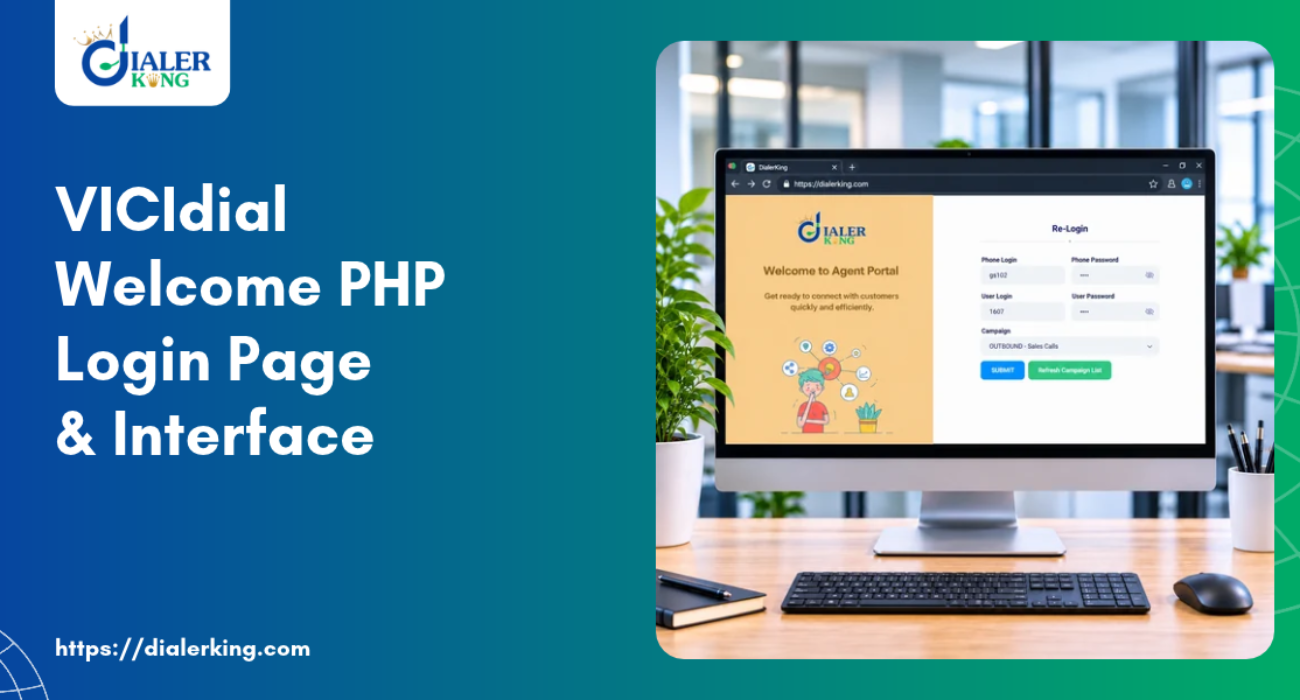
- What Is the VICIdial Welcome PHP Page?
- How the VICIdial PHP Login System Works
- VICIdial Agent Login vs Admin Login
- The Structure of the VICIdial Login Interface
- Key PHP Files in the VICIdial Login Architecture
- VICIdial Agent Login API: Programmatic Access
- Customizing the VICIdial Welcome PHP Page
- What Our Custom Development Covers
- VICIdial Script Integration at the Login Level
- VICIdial Sign Up and New User Provisioning
- VICIdial Demo Environments and What They Reveal
- DialerKing's VICIdial Development Services
- FAQs: VICIdial Welcome PHP
- Final Thoughts
Every time an agent sits down to begin their shift, the first thing they see is a login screen. Understanding the VICIdial welcome PHP layer is essential for anyone looking to customize agent access, strengthen security, or build a branded login experience that matches their operational workflow. In VICIdial, that screen is powered by a PHP-based welcome page – a deceptively simple interface that sits at the front of one of the most feature-rich open-source contact center platforms in the world.
This post takes a deep dive into the VICIdial login architecture, the role of the welcome PHP file, how agents and admins access the system, and how DialerKing’s custom development team builds and enhances these interfaces for businesses running large-scale contact center operations.
What Is the VICIdial Welcome PHP Page?
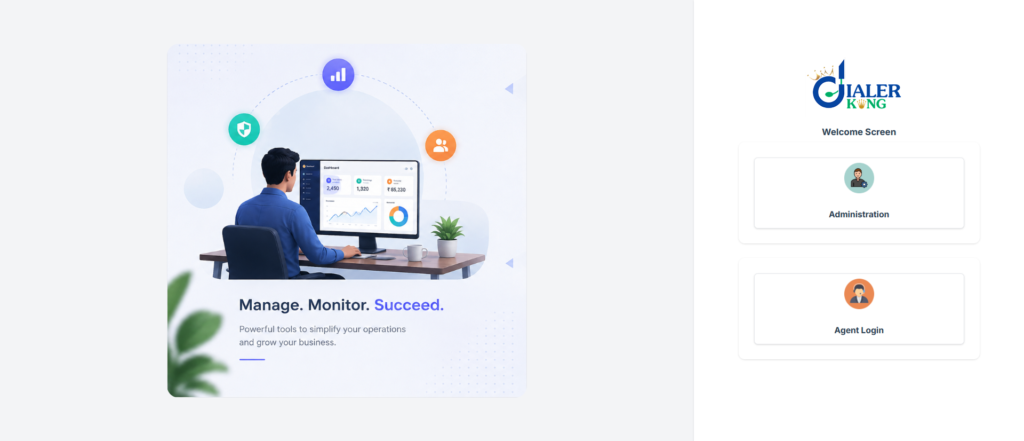
The VICIdial welcome PHP page is the entry point to the VICIdial web interface. It is the first file loaded when users navigate to a VICIdial server in their browser – typically found at a URL like http://your-server-ip/vicidial/welcome.php. This page handles the initial session, authenticates users, and routes them to the appropriate section of the system based on their role.
Whether someone is logging in as a frontline agent, a supervisor, or a system administrator, the welcome PHP file is what initiates that process. It is part of the broader VICIdial PHP login architecture that relies on a LAMP stack – Linux, Apache, MySQL, and PHP – to deliver a web-based contact center experience accessible from any browser.
For organizations running dozens or hundreds of agents simultaneously, this page is far more than a simple form. It is the front door to campaigns, leads, scripts, reporting, and real-time operational data.
How the VICIdial PHP Login System Works
The Authentication Flow
When a user enters their credentials on the VICIdial welcome PHP page, the system initiates a PHP session and queries the VICIdial database to validate the login. Here is what happens step by step:
- The user enters their username and password into the login form.
- The welcome PHP script sends those credentials to the MySQL/MariaDB database.
- The system checks the user’s role – agent, manager, or admin.
- Upon successful authentication, the user is redirected to their role-specific interface.
- Session variables are set that persist throughout the agent’s active session.
This process is handled entirely server-side, making the VICIdial welcome PHP server configuration critically important. The performance and security of your server directly impacts how reliably agents can log in, especially during peak hours.
VICIdial Agent Login vs Admin Login
VICIdial handles two primary types of users through the PHP login flow:
Agent Login
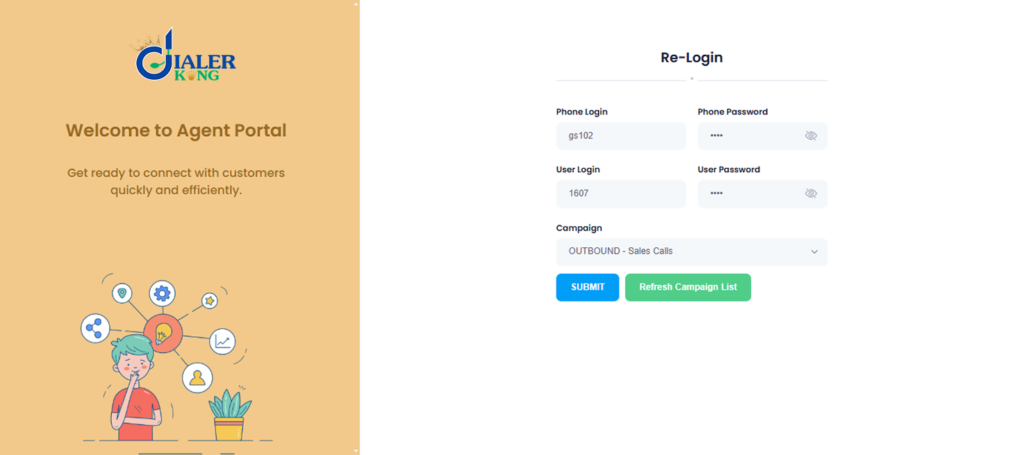
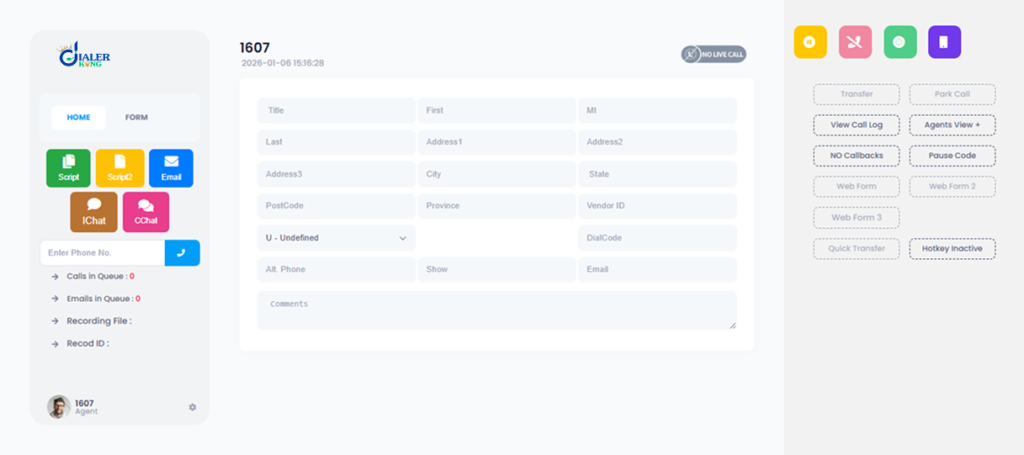
Agents access the system via agc/vicidial.php after the initial session is established through the welcome page. The agent interface presents them with their assigned campaign, a softphone or hardware phone connection prompt, and a script panel.
VICIdial Admin PHP Access
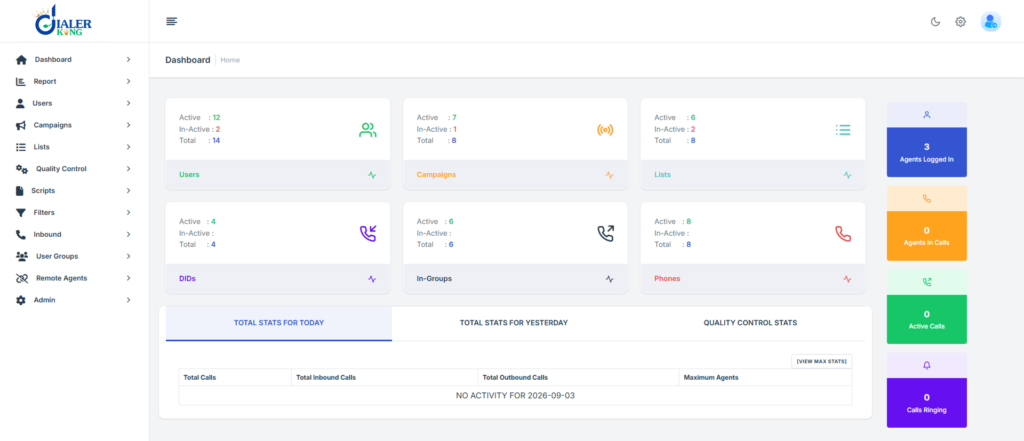
Administrators access the backend via vicidial/admin.php, which provides campaign management, lead uploads, reporting, user management, and system configuration. The VICIdial admin PHP panel is a comprehensive back-office tool that powers the entire operational setup.
The Structure of the VICIdial Login Interface
What the Default Welcome Page Contains
Out of the box, the VICIdial welcome PHP page is functional but minimal. It typically includes:
- A username and password field
- A login button
- Basic server identification text
- A link to the agent or admin section
For many organizations, this default interface is insufficient – it lacks branding, offers no contextual guidance for agents, and may not align with internal security policies. This is where custom development becomes essential.
Key PHP Files in the VICIdial Login Architecture
| File | Location | Purpose |
|---|---|---|
| welcome.php | /vicidial/ | Main entry point; initializes sessions |
| vicidial.php | /agc/ | Agent working interface post-login |
| admin.php | /vicidial/ | Administrator control panel |
| agc_agent_login_check.php | /agc/ | Validates agent login requests |
| api.php | /vicidial/ | Handles VICIdial agent login API calls |
| vicidial_mysql_connect.php | /vicidial/ | Manages database connection settings |
Understanding this file structure is fundamental when customizing the VICIdial welcome PHP experience or integrating the platform with external systems.
VICIdial Agent Login API: Programmatic Access
One of the more powerful features of the VICIdial platform is its built-in API layer. The VICIdial agent login API allows external applications, CRM platforms, and third-party tools to authenticate agents, retrieve session data, and trigger login events programmatically.
How the Agent Login API Works
The API endpoint is accessed via vicidial/api.php and accepts parameters such as:
function=agent_status
agent_user=
agent_pass=
phone_login=
phone_pass=This makes it possible to build single sign-on (SSO) solutions, trigger automatic agent logins from external dashboards, or integrate VICIdial authentication into a broader workforce management platform.
At DialerKing, we develop custom VICIdial agent login API integrations for businesses that need their agents to transition seamlessly between multiple tools without repeated manual logins. This reduces friction, minimizes errors, and keeps agents focused on their work rather than navigating login screens.
Customizing the VICIdial Welcome PHP Page
Why Default Is Never Enough
A generic login page may be acceptable for a test environment or small deployment, but for a production contact center handling thousands of daily sessions, the VICIdial welcome PHP page needs to reflect the organization’s operational standards and visual identity.
DialerKing’s development team specializes in rebuilding and enhancing the VICIdial login experience using modern frontend technologies while preserving the underlying PHP logic.
What Our Custom Development Covers
Modern UI with React and Tailwind CSS
We rebuilt the VICIdial PHP login interface using React-based components styled with Tailwind CSS. This results in a responsive, visually clean login experience that works equally well on desktop workstations and mobile browsers – important for remote agent environments.
Branding and White-Labeling
For businesses running multi-tenant VICIdial deployments or offering the platform under their own brand, we implement full white-label customization of the welcome PHP page. This includes logo placement, color schemes, custom fonts, and branded messaging tailored to each tenant.
Enhanced Security Features
The default VICIdial welcome PHP server setup does not include advanced security measures. Our team adds:
- CAPTCHA validation to prevent brute-force attacks
- IP-based access restrictions
- Two-factor authentication hooks
- Failed login attempt logging and lockout policies
- SSL enforcement at the application level
Custom Agent Login Flows
For contact centers with complex staffing structures, we build custom login flows that go beyond simple username/password entry. These can include:
- Campaign-specific login portals with pre-assigned settings
- Automatic phone line assignment based on login location
- Shift-based access restrictions
- Multi-language login interfaces for international deployments
VICIdial Script Integration at the Login Level
One often-overlooked aspect of the VICIdial welcome PHP layer is its relationship to the VICIdial script system. When agents log in, their active campaign determines which script is loaded into their interface.
The script – which may include call opening lines, compliance disclaimers, product information, or objection-handling prompts – is served dynamically based on the agent’s assigned campaign and disposition settings.
DialerKing develops custom script interfaces that go well beyond the standard VICIdial script display. Our implementations include:
- Conditional script branching based on lead data
- Real-time script updates that push to agents mid-session
- Script performance analytics to track which sections agents spend most time on
- Multi-step scripts with dynamic form fields that sync with CRM records
Connecting script delivery to the login and session management layer ensures that agents are always working from the most current version of their campaign materials.
VICIdial Sign Up and New User Provisioning
How New Agents Are Added to VICIdial
VICIdial sign up for new agents is not handled through a public registration page – it is a controlled provisioning process managed by administrators through the VICIdial admin PHP panel. Admins create new user accounts, assign permissions, set phone credentials, and link agents to specific campaigns.
This controlled approach is intentional. In a production contact center environment, every agent account needs to be tied to specific campaigns, dialing permissions, recording settings, and compliance rules. Open self-registration would create serious security and compliance risks.
However, for businesses that need to streamline the VICIdial sign up process – particularly those onboarding large numbers of agents rapidly – DialerKing builds custom agent provisioning systems that allow HR or operations teams to bulk-create accounts, set default configurations, and trigger welcome emails automatically.
Integrating VICIdial User Management with HR Systems
We integrate VICIdial user provisioning with HR platforms and workforce management tools so that when a new hire is added to the company system, their VICIdial account is created automatically with the correct settings. When an agent is offboarded, their access is revoked in real time.
VICIdial Demo Environments and What They Reveal
Learning From a VICIdial Demo
A VICIdial demo setup is one of the best ways to understand how the welcome PHP layer interacts with the rest of the system. In a demo environment, you can explore:
- How the login page behaves under different server configurations
- How agent sessions are managed and timed out
- How the admin PHP panel connects to the agent-facing interface
- How the API layer responds to programmatic login requests
DialerKing frequently sets up demo environments for prospective clients so they can evaluate customization options, test CRM integrations, and assess performance before committing to a full deployment. A well-configured VICIdial demo reflects exactly what a production system will look like – including any custom welcome PHP modifications.
DialerKing’s VICIdial Development Services
The VICIdial welcome PHP page is a small but critical piece of a much larger platform. At DialerKing, we approach every customization with an understanding of how the login layer connects to campaigns, reporting, scripts, APIs, and agent workflows.
Our development services cover the full breadth of VICIdial customization:
- Custom GUI development with modern React-based interfaces
- Agent and supervisor dashboard redesigns
- Real-time monitoring panels and performance dashboards
- Advanced campaign and lead management tools
- Multi-tenant VICIdial architecture for SaaS deployments
- Security enhancements across the entire PHP layer
- CRM integrations with platforms like Salesforce, HubSpot, Zoho, and GoHighLevel
- WebRTC implementations for browser-based agent environments
- Custom reporting and analytics beyond standard VICIdial outputs
- Database optimization for high-volume deployments managing millions of records
Whether your requirement is a simple visual refresh of the VICIdial welcome PHP login screen or a complete rebuild of the agent interface with custom API integrations, our team has the technical depth to deliver.
FAQs: VICIdial Welcome PHP
Q2. Can the VICIdial PHP login page be customized with company branding❓
Yes, the VICIdial welcome PHP page can be fully redesigned to include your company logo, color scheme, and branded messaging using modern technologies like React and Tailwind CSS. DialerKing specializes in building white-labeled and multi-tenant login interfaces that replace the default VICIdial appearance with a professional, custom experience.
Q3. How does the VICIdial agent login API work❓
The VICIdial agent login API allows external systems – such as CRM platforms or workforce management tools – to authenticate agents programmatically by passing credentials and phone parameters to the api.php endpoint. This enables seamless single sign-on workflows where agents are logged into VICIdial automatically from another platform without manually entering credentials each time.
Q4. Is VICIdial sign up open to anyone, or does an admin need to create accounts❓
VICIdial sign up is a controlled process – new agent accounts must be created by an administrator through the VICIdial admin PHP panel, with specific campaign assignments, phone credentials, and permission settings configured at the time of provisioning. DialerKing can build automated provisioning systems that connect VICIdial user creation to HR or onboarding platforms, speeding up the process for large-scale deployments.
Q5. What security improvements can be made to the VICIdial welcome PHP server setup❓
The default VICIdial welcome PHP server configuration lacks enterprise-grade security features, but these can be added through custom development – including CAPTCHA validation, IP-based access restrictions, two-factor authentication, and failed login lockout policies. DialerKing implements these enhancements as part of a broader security hardening approach that protects the login layer without disrupting agent workflows.
Final Thoughts
The VICIdial welcome PHP page may look like a simple login form, but it represents the beginning of every agent session, every campaign interaction, and every customer conversation that runs through your contact center platform. How it is built, secured, and customized has a direct impact on agent experience, operational efficiency, and system integrity.
DialerKing brings years of hands-on VICIdial and Asterisk development experience to every project. If you are looking to enhance your VICIdial login experience, integrate agent authentication with external platforms, or build an entirely custom interface that reflects your brand and operational requirements, we are ready to help.
Reach out to the DialerKing team to discuss your VICIdial development requirements and explore what a tailored solution looks like for your operation.